
Cannot create masks for some photos in Lightroom
Hello.
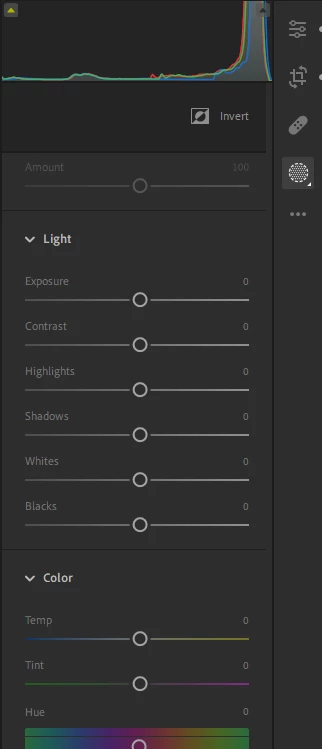
In Lightroom 6.2 (Windows 10), I have a persistent issue where I am unable to create a mask if Lightroom does not recognize a person in the photo. Opening the masking tab for the first time on a photo greets me with an automatic search for people. If it finds any, it then creates a mask I did not want, but gives me access to making other masks. If it doesn't find any, it gets stuck—pressing the X brings me to mask sliders, but gives no option to actually create a new mask.
The only workaround to this I've found is to keep the masking tab open and switch to a photo that Lightroom will recognize a person in, but this is neither practical nor intended. Hopefully.
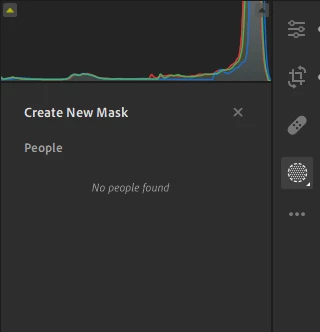
After pressing X:
What it should look like:
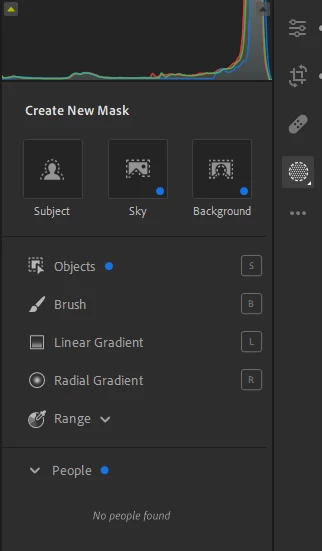
It's as if there's a UI element missing. Am I doing something wrong or is Lightroom being Lightroom?
 AdChoices