
Participant
January 27, 2025
Answered

Change eye gaze direction.

  • January 27, 2025
  • 2 replies
  • 3906 views

Hello.

I have a series of photos of relatives and find it hard to get one there everyone is looking at the camera at the same time. Is there a way to change the eye diraction in Lightroom so it looks like a person is looking at the camera? Or do i need to buy and edit it in Photoshop?

Thank you.
Correct answer Conrad_C

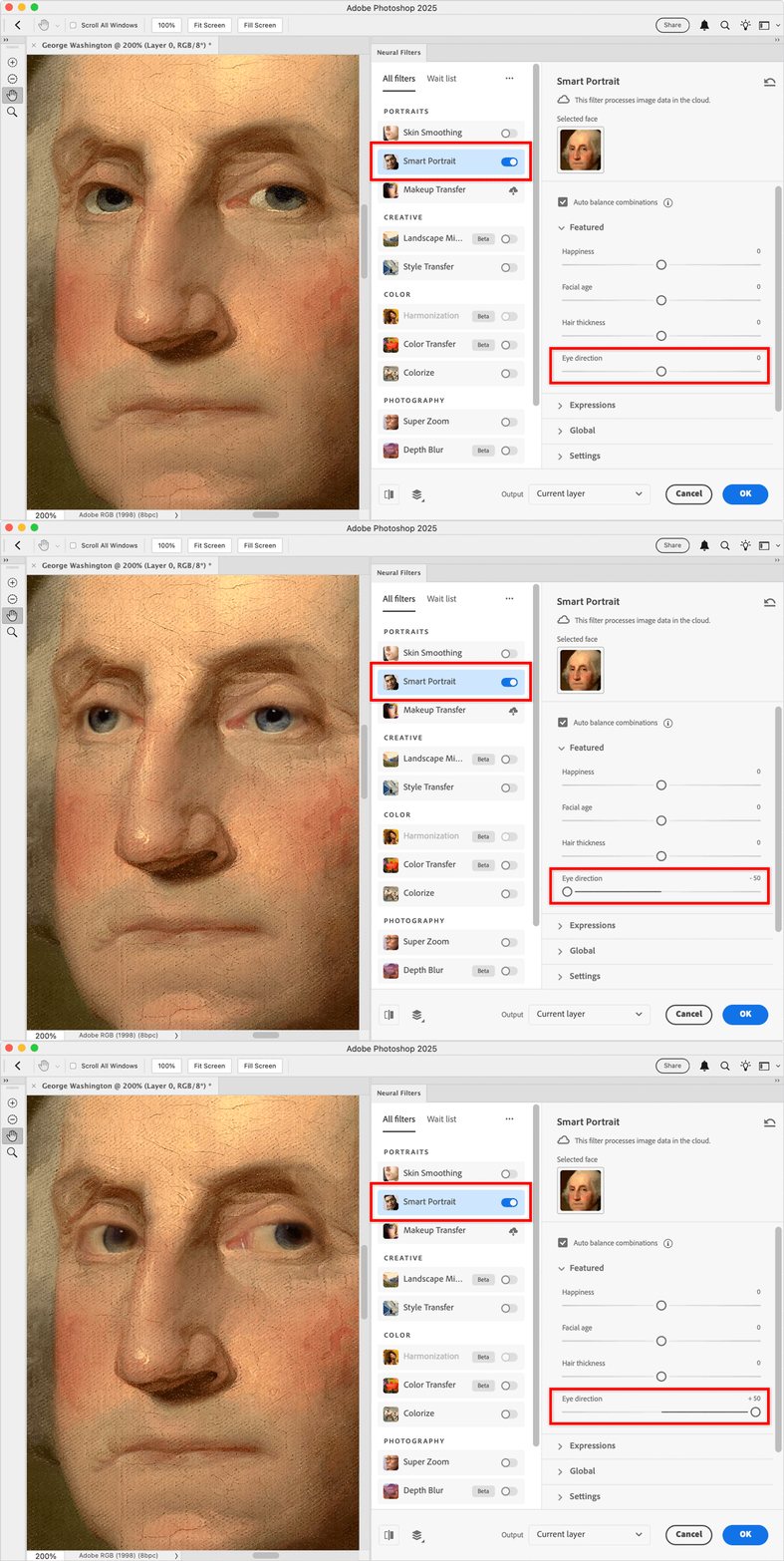
In case someone reads this question and they do have Photoshop, choose Filter > Neural Filters, enable the Smart Portrait filter, and adjust Eye Direction.


2 replies

Conrad_C
Community Expert
Conrad_CCommunity ExpertCorrect answer
Community Expert
January 28, 2025

In case someone reads this question and they do have Photoshop, choose Filter > Neural Filters, enable the Smart Portrait filter, and adjust Eye Direction.


Inspiring
February 8, 2025

Great stuff, I need to learn more photoshop for things like this.

Rob_Cullen
Community Expert
Community Expert
January 28, 2025

Shifting pixels in an image is a job for Photoshop.

To have Photoshop available you would need to change your plan to the Photography Plan

CHANGE YOUR ADOBE PLAN

Regards. My System: Windows-11, Lightroom-Classic 15.1.1, Photoshop 27.3.1, ACR 18.1.1, Lightroom 9.0, Lr-iOS 10.4.0, Bridge 16.0.2 .
Participant
January 28, 2025

Thank you, since there is AI tools for removing stuff in Lightroom i thought there might be some for changing eye direction as well. Since it would be something thats very handy for people.
Lightroom is expensive as is and i dont use it that much, i might just use some online tool for fixing the eyes.