
Change the location images are moved to when adding them to Lightroom
I have a large number of images on an external harddrive, that I would like to sort through with lightroom.
When I import them into lightroom It tells me I don't have enough space on me C drive. That is why I want to change the import location to my D drive
In Lightroom Classic CC this is possible, but in Lightroom CC I have not found a way of doing this.
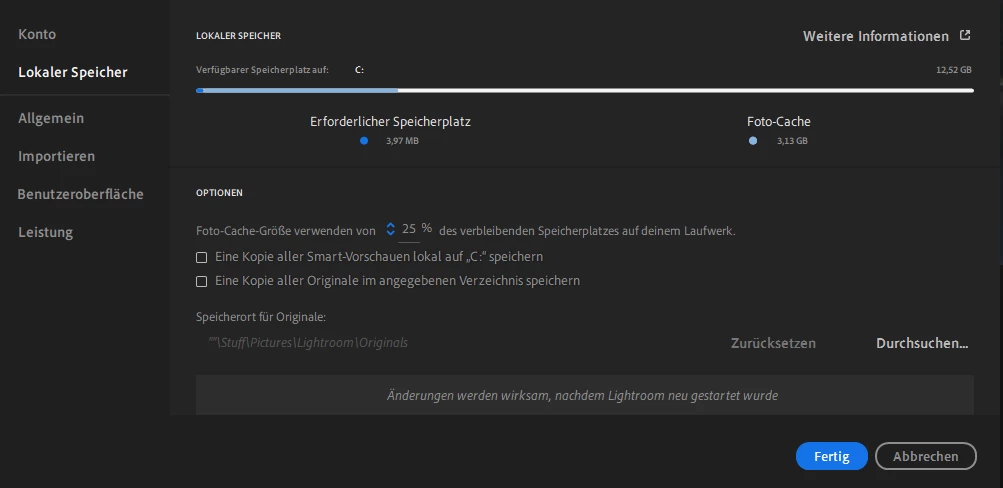
In the options menu in the programm itself there is a way to view the folder where images are imported to and it tells me how much space is left on the drive but no way to change the location.
But on the other hand I can change the location where originals are saved.
Also I have installed the programm on the D drive,
Am I missing something here Or is this not possible?
Thanks for Your help!
*also sorry that the screenshot is in German, for some reason you have to reinstall the programm if you want to change the language
 AdChoices