Inspiring
March 13, 2023
Answered

Copy Settings and Paste not working in Lr Mobile on iPad Pro

  • March 13, 2023
  • 2 replies
  • 3309 views

Hello,


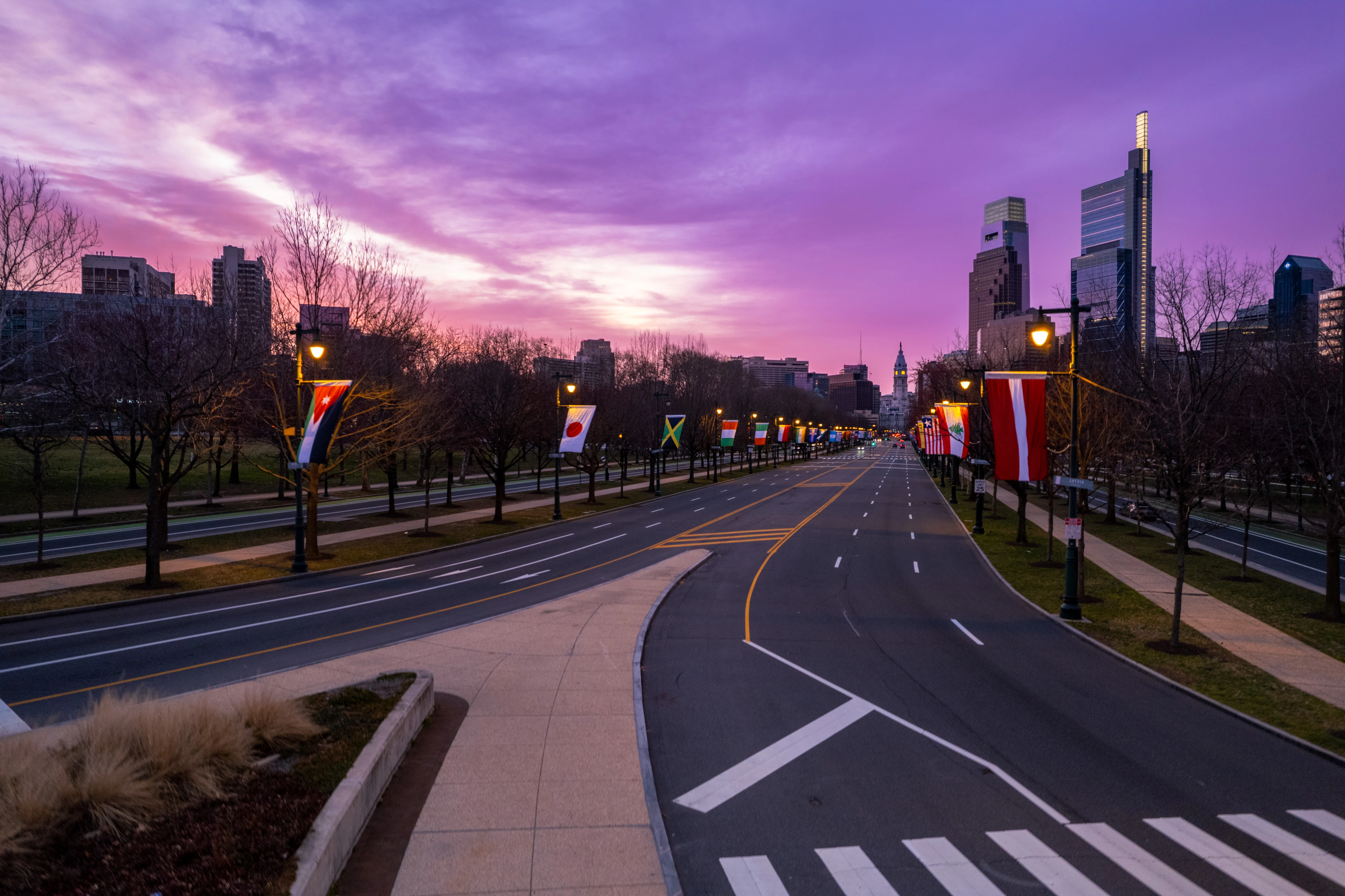
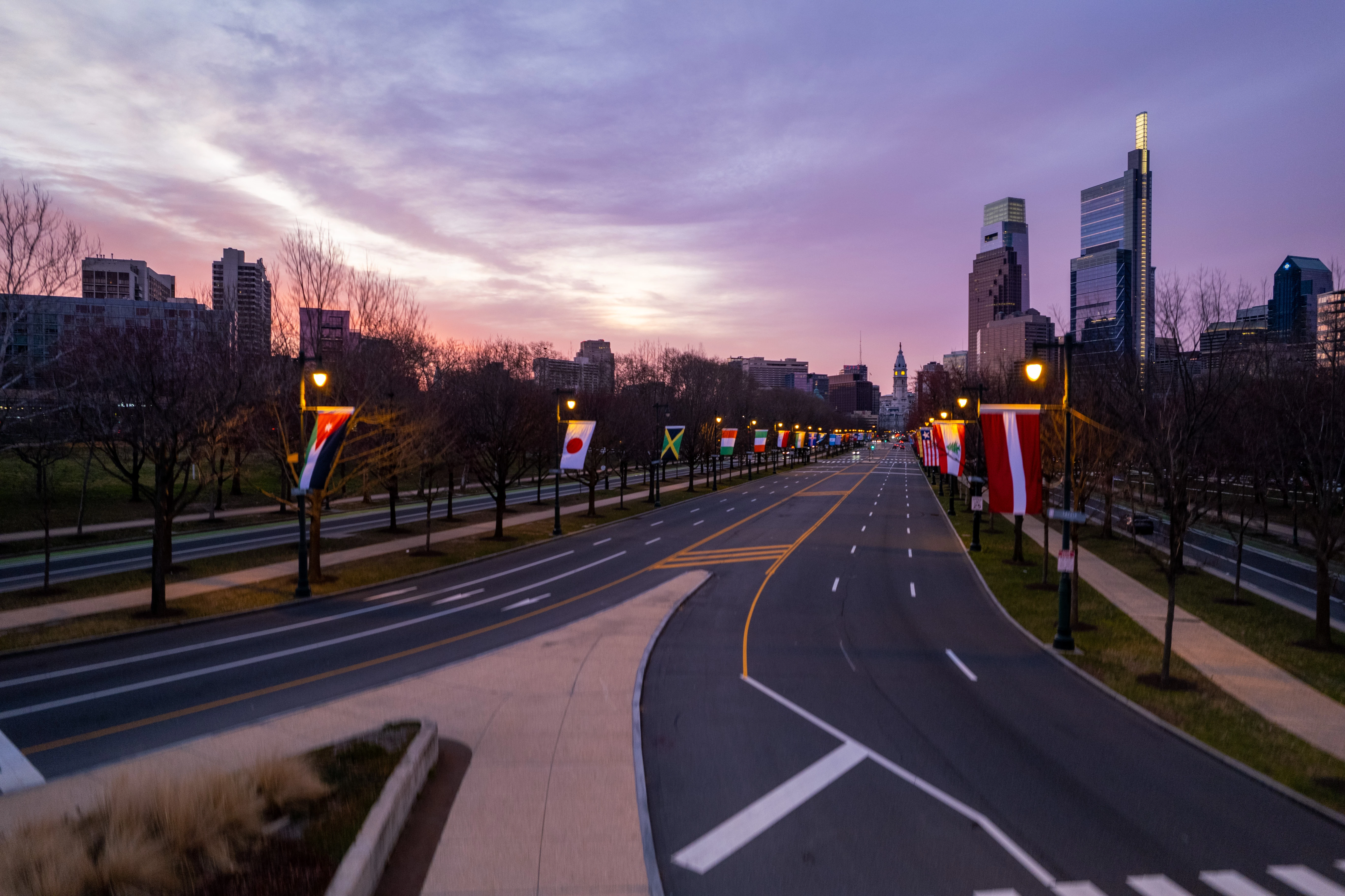
I'm working on a Hyperlapse video and want to edit one photo then copy those settings onto the rest of the images. Well for some reason it's not pasting the settings even though it's saying it is. In the example I am attaching, you can clearly see how the sky looks in the edited image and how it looks after it said it pasted the settings. Looks like I didn't even edit the image. I am using Lr Mobile on an iPad Pro. The first photo is the one that is supposed to have the settings pasted.

Thoughts???


This topic has been closed for replies.
Correct answer Jim Wilde

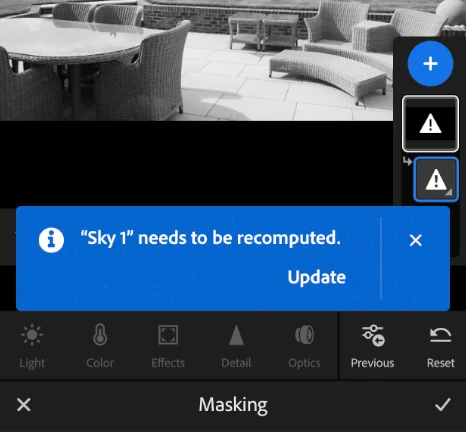
After pasting the settings (including AI Masks) to the target photos, you then have to open the Masking tool on each of those target photos where you should see the the pasted masks need to be updated. 


I'll post a screenshot in a few minutes time showing that.


This is what you should see when you open the Masking tool on any of the target photos. This was taken on my iPhone, but it'll be the same on the iPad.


2 replies

Participant
March 30, 2024

Hi,


I like to shoot Timelapse's, my workflow generally involves editing one photo usually with sky and subject masks and then batch editing the remaining images. However I've found that with lightroom on the iPad I have to either update each image individually or paste too each image individually, which obviously would take masses of time. Am I doing something wrong? I've attached a screenshot of the problem that I've encountered.


Many thanks,

Ash

Jim Wilde
Community Expert
Community Expert
March 13, 2023

Is that sky color the result of an AI Mask? If so, and assuming that you do have "Masks" selected in the Copy Settings dialog, you might find that the mask IS carried to the target images but needs to be recomputed. I don't know if that's intended behaviour or a bug (on the Lightroom desktop app the same process DOES auto-update the pasted masks).

Jim Wilde
Community Expert
Community Expert
March 13, 2023

Actually, that's not a bug....it does state in the Copy Settings dialog that AI Masks need to be recomputed on the target photo.

Inspiring
March 13, 2023

When you say the AI masks need to be recomputed, do you mean I need to make sure I have the Masking box selected in the Copy settings then repeat the process of copying and pasting the settings onto the other images? If so, I just did that and I got the same results as I did when I didn't have the masking box selected.