Exit
  • Global community
    • Language:
      • Deutsch
      • English
      • Español
      • Français
      • Português
  • 日本語コミュニティ
  • 한국 커뮤니티
0

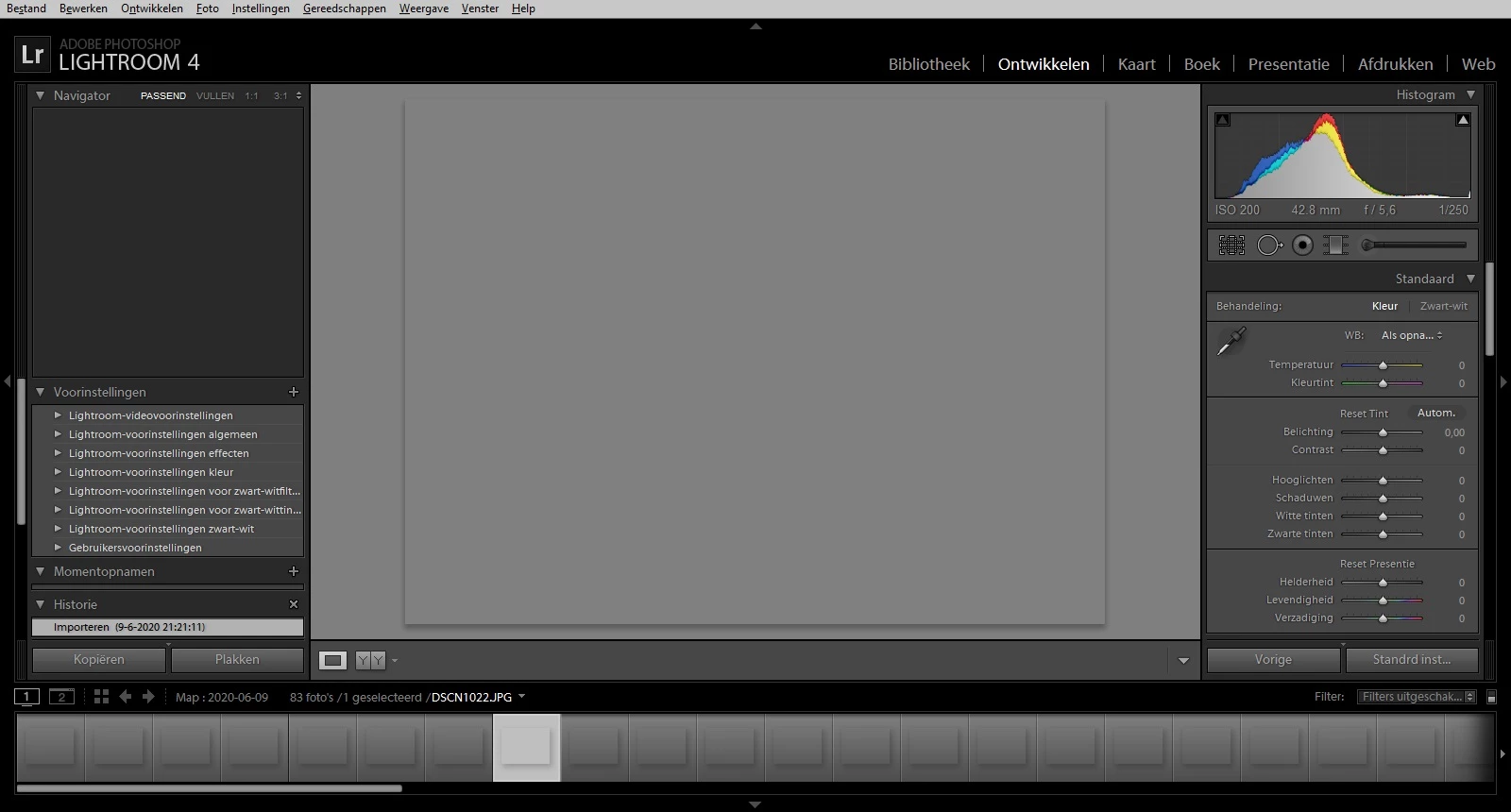
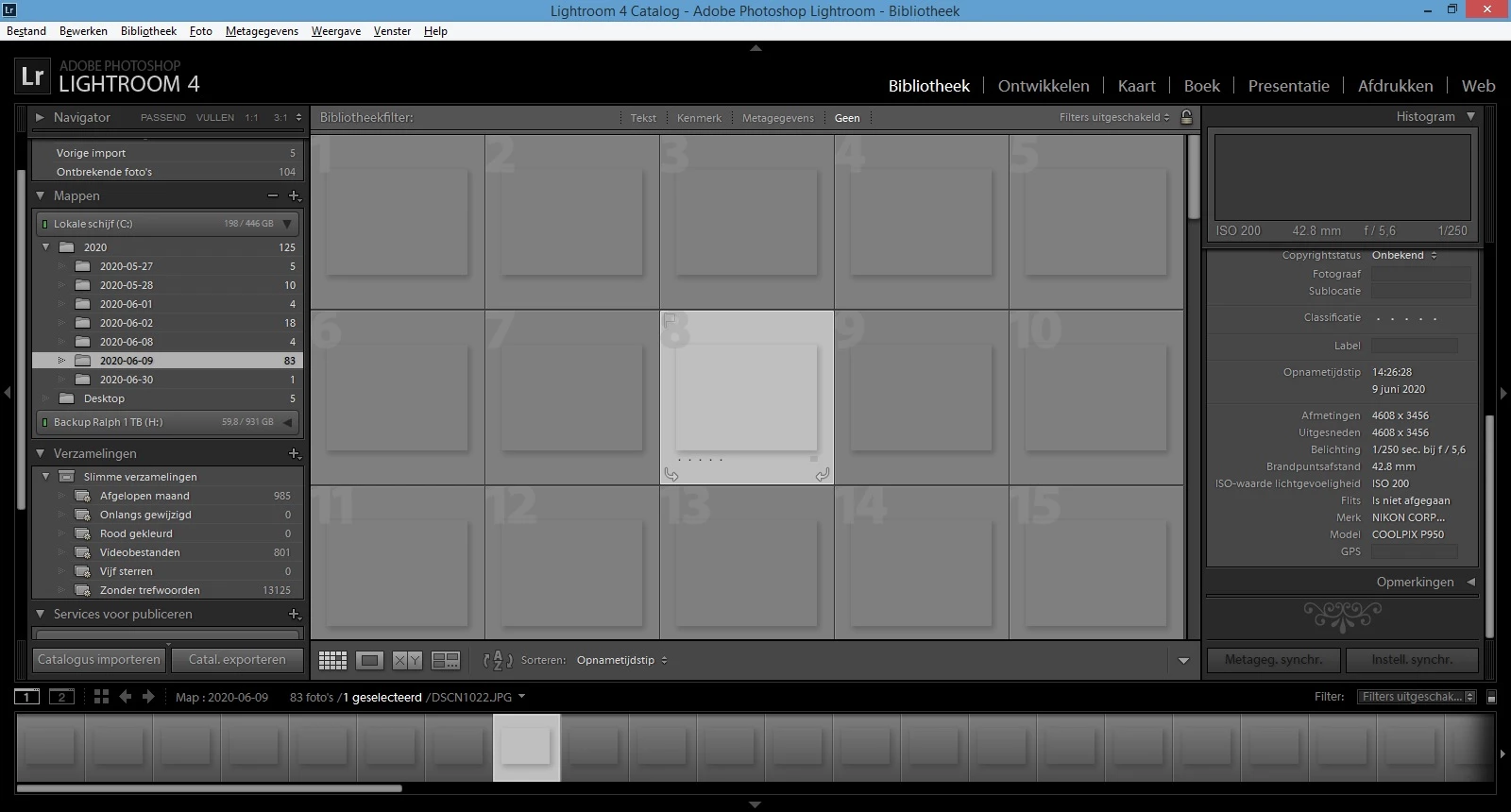
Geen afbeelding te zien in LR4

New Here ,
Jul 27, 2020 Jul 27, 2020

Hi, sinds gisteren zie ik geen afbeeldingen meer in mijn LR4 (zie de screen shots)
Kan iemand mij helpen?LR1.jpgLR2.jpg
TOPICS
Windows
190
Translate
Report
Community guidelines
Be kind and respectful, give credit to the original source of content, and search for duplicates before posting. Learn more
community guidelines
Community Expert ,
Jul 27, 2020 Jul 27, 2020

Het lijkt erop dat je Previews cache corrupt is geraakt. Open de Lightroom catalogus map en zoek naar een map met de naam 'Catalogusnaam Previews.lrdata'. Haal die map weg uit de catalogusmap (je kunt hem deleten of eerst even nog naar de desktop slepen). Start dan Lightroom op. Lightroom zal de previews nu gaan herbouwen, dus in eerste instantie zie je nog steeds niets, maar dan komen de foto's een voor een tevoorschijn.

-- Johan W. Elzenga
Translate
Report
Community guidelines
Be kind and respectful, give credit to the original source of content, and search for duplicates before posting. Learn more
community guidelines
New Here ,
Jul 27, 2020 Jul 27, 2020

Helaas het heeft geen uitwerking, ik ga nu alles verwijderen voor de 2e x en alles opnieuw installeren.

Translate
Report
Community guidelines
Be kind and respectful, give credit to the original source of content, and search for duplicates before posting. Learn more
community guidelines
Community Expert ,
Jul 27, 2020 Jul 27, 2020
LATEST

Alles opnieuw installeren is meestal zinloos. Probeer eerst eens of het resetten van de voorkeuren werkt (die bijven bij opnieuw installeren juist staan en die zijn ook soms het probleem): 

https://www.lightroomqueen.com/how-do-i-reset-lightrooms-preferences/

-- Johan W. Elzenga
Translate
Report
Community guidelines
Be kind and respectful, give credit to the original source of content, and search for duplicates before posting. Learn more
community guidelines