
Participant
February 22, 2024
Answered

How to apply presets to multiple photos in the mobile app

  • February 22, 2024
  • 1 reply
  • 14255 views

Hi everyone, how can I apply a preset to multiple photos and videos at once when I am on the mobile app? I watched a video that said to copy the settings from a photo that had the preset applied already (got that step figured out), and then to select multiple photos/videos in the gallery view and then hit the menu in the top right corner of the screen and select "past settings". 

The issue I'm running into is that as I am selecting multiple photos the menu in the top right corner of the screen becomes blocked by a little blue bar that carries the "done" option for multiple select  and I cannot select the menu icon behind it. So I can select multiple photos but then I can't actually do anything to them. Please help! I'm so tired of applying presets one by one!
Correct answer Michael J. Hoffman

The only options I see on my screen are "Done",  "Import", and "Delete" 


 Settings can only be copied and pasted when you're viewing photos that have been imported into Lightroom, from within the Lightroom Catalog view.


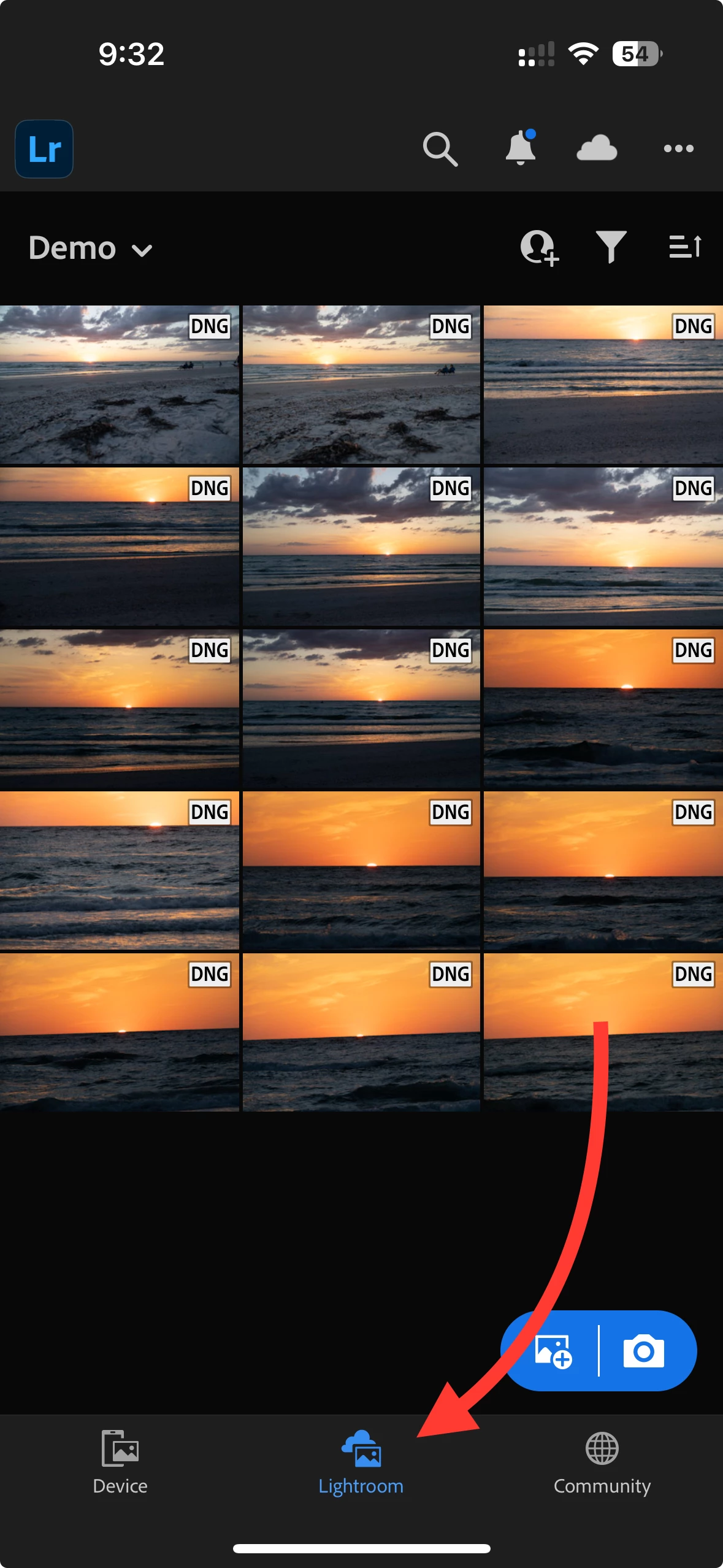
You are viewing "Device." Exit out of the select mode, and tap the icon at the bottom that says "Lightroom." Then you will be able to copy and paste settings.


1 reply

Community Manager
February 22, 2024

For the image that has settings you want to copy:

  • you can choose Copy Settings from the 3 dot menu when viewing an image, or
  • alternatively you can long-press on the grid view thumbnail and choose Copy from the bottom bar


To paste edit settings on multiple images, go to Grid view.  Then long press on an image which you want to apply edits.  This puts you in a selection mode, where you can tap on numerous other images which you want to batch-paste edits.  Tap 'Done' when you are ready to batch paste edits to all selected images.

Participant
February 22, 2024
Yes, this is the same advice I saw on a youtube video.For whatever reason
though, when I push "done" it deselects everything I've selected and so I'm
not actually able to take the next step of applying the settings.
Participant
February 23, 2024

Tap Paste, not Done?


Where is the "paste" option from the multi-select gallery view?


For reference, this is what I'm seeing: