Could you let us know what version of Lightroom you're using? Also, it would be great if you could check for any system updates on your machine. Just type "Check for updates" in the Windows Start Menu, and if there are any updates pending, please download and install them. After that, restart your computer and relaunch Lightroom.
Let me know if this helps!
Alek
*(If you mention me with an @, like @Aleke, I’ll get a notification and can respond faster.)*
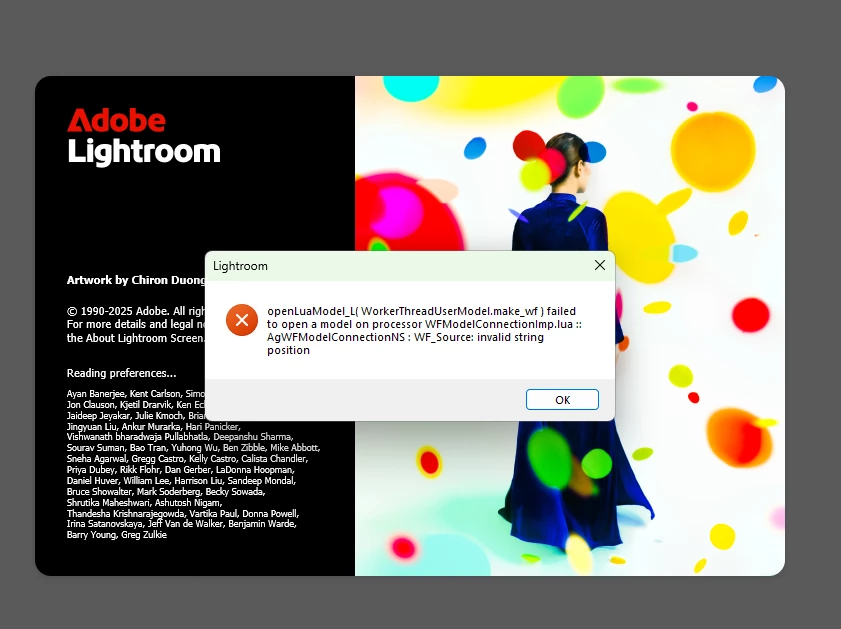
I am using Lightroom 8.2. There is no system update pending. Lightroom is working fine on my laptop. but this error is showing only on the desktop. This is what the home screen of Lightroom looks like now.
I uninstalled and reinstalled lightroom several times. But the error persists.
I'm really sorry we haven't been able to help yet. Do you remember when this issue started happening? Did it begin after a recent update? Also, what version of Windows are you using?
You might want to try uninstalling the Creative Cloud app and then reinstalling it along with Lightroom to see if that helps.
Thanks a lot!
Alek
*(If you mention me with an @, like @Aleke, I’ll get a notification and can respond faster.)*

 AdChoices