bintanaditama
Participant
May 5, 2023
Question

I am not able Restore Purchase it in my IOS

  • May 5, 2023
  • 2 replies
  • 4934 views

Hi 


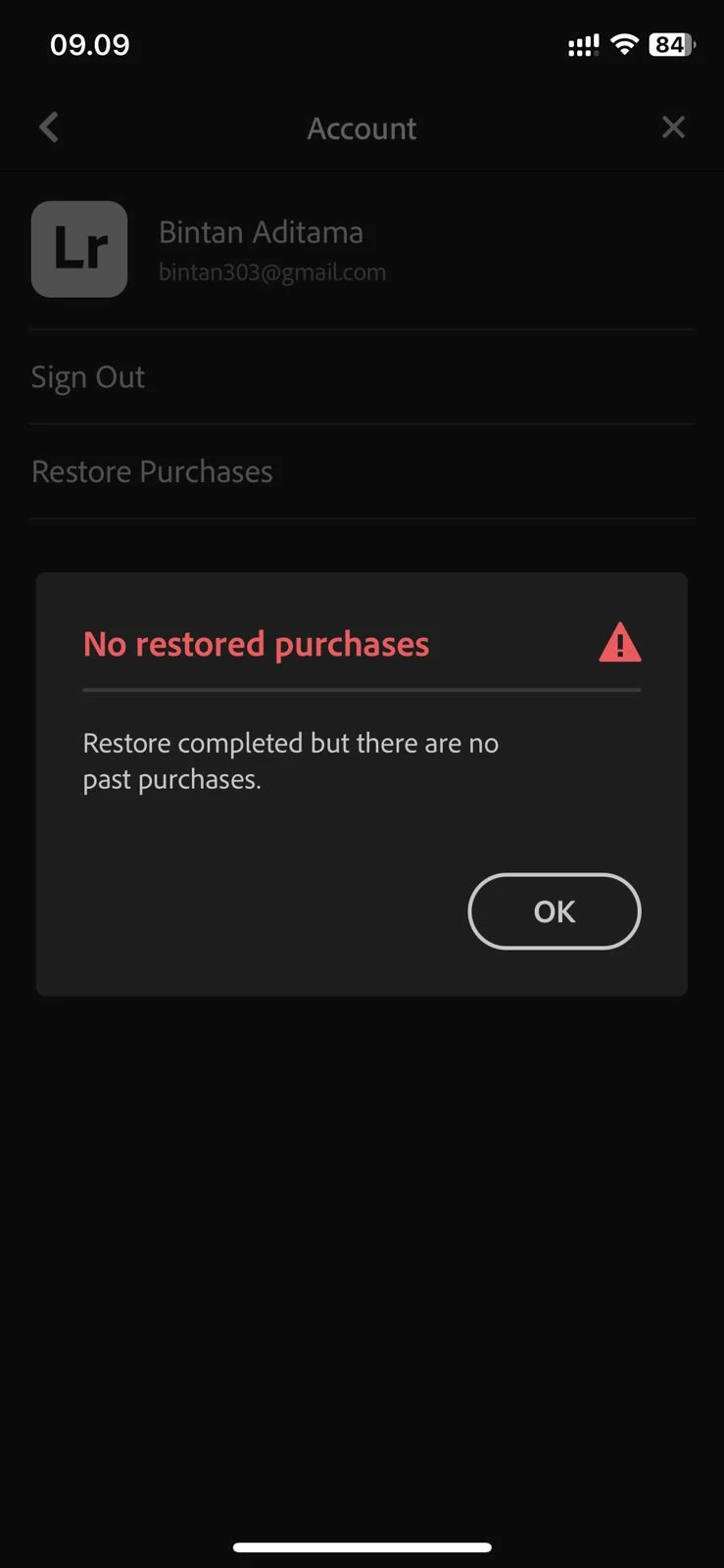
I am having issue I purchased the Lightroom subscription with my Apple ID but I am not able restore it in my IOS (Iphone 11 Pro)


kindly can you please have a look at it


This topic has been closed for replies.

2 replies

Inspiring
May 5, 2023

Hi @bintanaditama 

I consolidated all your posts into this one thread.  

iDAC gave good advice on Restore Purchase.  That assumes you are signed into the right account.  I see you have more than one account, so Restore Purchase might work better if you sign into your other Lightroom account.


I see that you sent me a direct message in addition to your posts below.  I will reply to that direct message to share some account details more privately.  If Restore Purchase doesn't work on your other Lightroom account, then I recommend you contact Adobe Support directly.  I'm not actually a member of the Support team--they have better tools to help.  So, look for my note coming to you in a private message soon, and if you need additional help, please contact Adobe Support directly.   Visit https://helpx.adobe.com/contact.html, sign in, and then select the chat option.


Participant
March 13, 2024

Was this ever resolved ? I am having the exact same problem?.... Seems to be common when purchasing through Apple ?


Inspiring
March 15, 2024

Hello @Stefano36038740k9v5 

Usually, when Restore Purchase fails, the user is signed into Lightroom with the wrong account.  I will send you direct message to share account details more privately.

iDAC
Participating Frequently
May 5, 2023

Greetings bintanaditama!

It looks like you are having trouble restoring your Lightroom subscription on your iPhone.

To troubleshoot this issue, I suggest trying the following steps:

  • Make sure that you are signed in to the correct Apple ID on your iPhone. You can check this by going to Settings > [Your Name] > iTunes & App Store.

  • Open the App Store app on your iPhone and tap on your profile picture in the top right corner.

  • Scroll down to the "Purchased" section and look for Lightroom. If you see it there, try tapping on the "Download" button to reinstall it.

  • If you don't see Lightroom in your Purchased section, try searching for it in the App Store and downloading it from there.

  • Once you have downloaded Lightroom, try restoring your subscription by going to Settings > [Your Name] > Subscriptions > Lightroom and tapping on "Restore Purchase."

If none of these steps work, you may need to contact Apple Support for further assistance with your subscription. They should be able to help you resolve any issues related to your Apple ID and App Store purchases.

I hope this helps! Let me know if you have any other questions or concerns.

-iDAC

bintanaditama
Participant
May 5, 2023

hi @iDAC 


I have tried this method, but it still doesn't work.

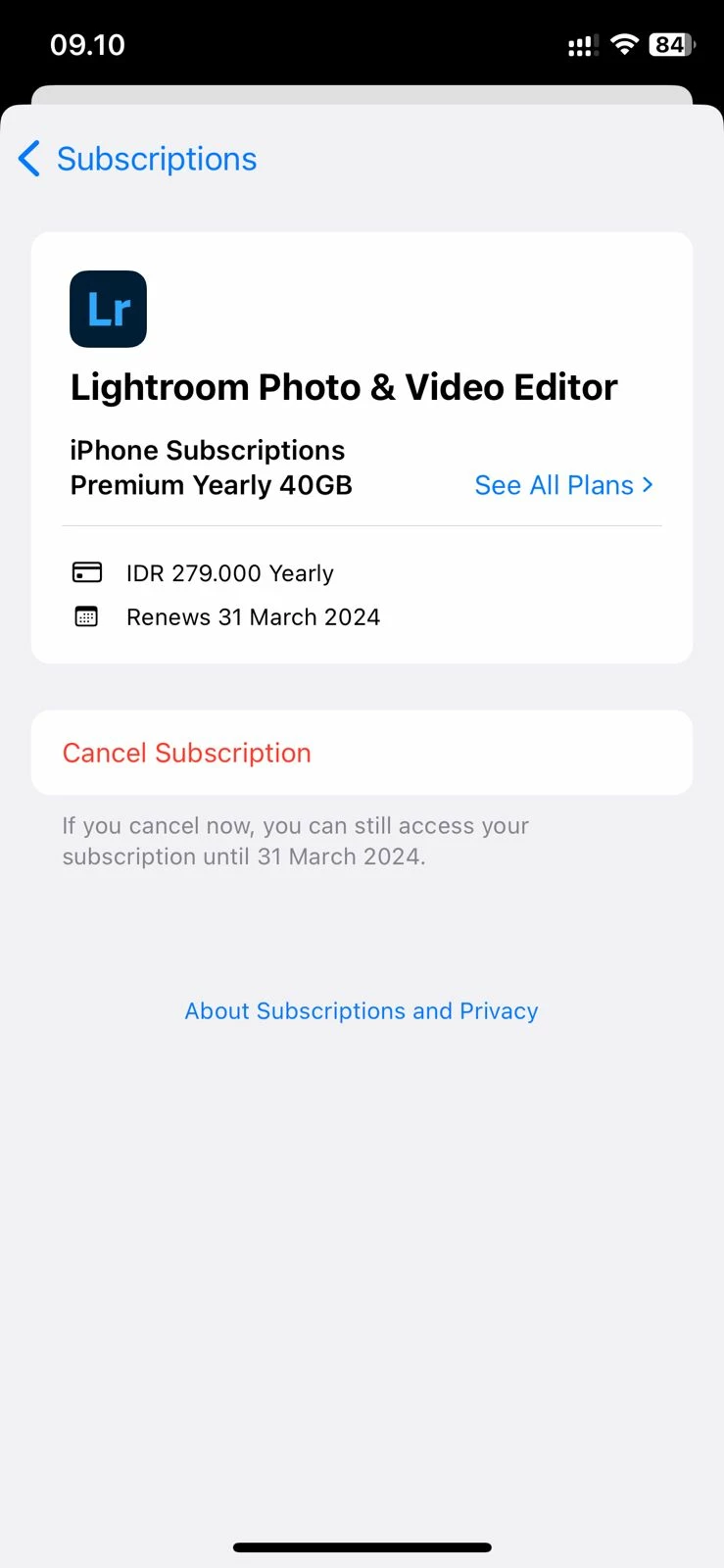
As shown in the picture, my lightroom subscription has been active until 2024, but I still can't restore purchases in the app


bintanaditama
Participant
May 5, 2023

I've tried doing that too, but it still doesn't work 😞


Hi Charlie


I am having the same issue I purchased the Lightroom subscription with my Apple ID but I am not able restore it in my IOS (Iphone 11 Pro)


kindly can you please have a look at it