
Participant
February 21, 2021
Question

I can't use Lightroom desktop as the interface is blank

  • February 21, 2021
  • 3 replies
  • 925 views

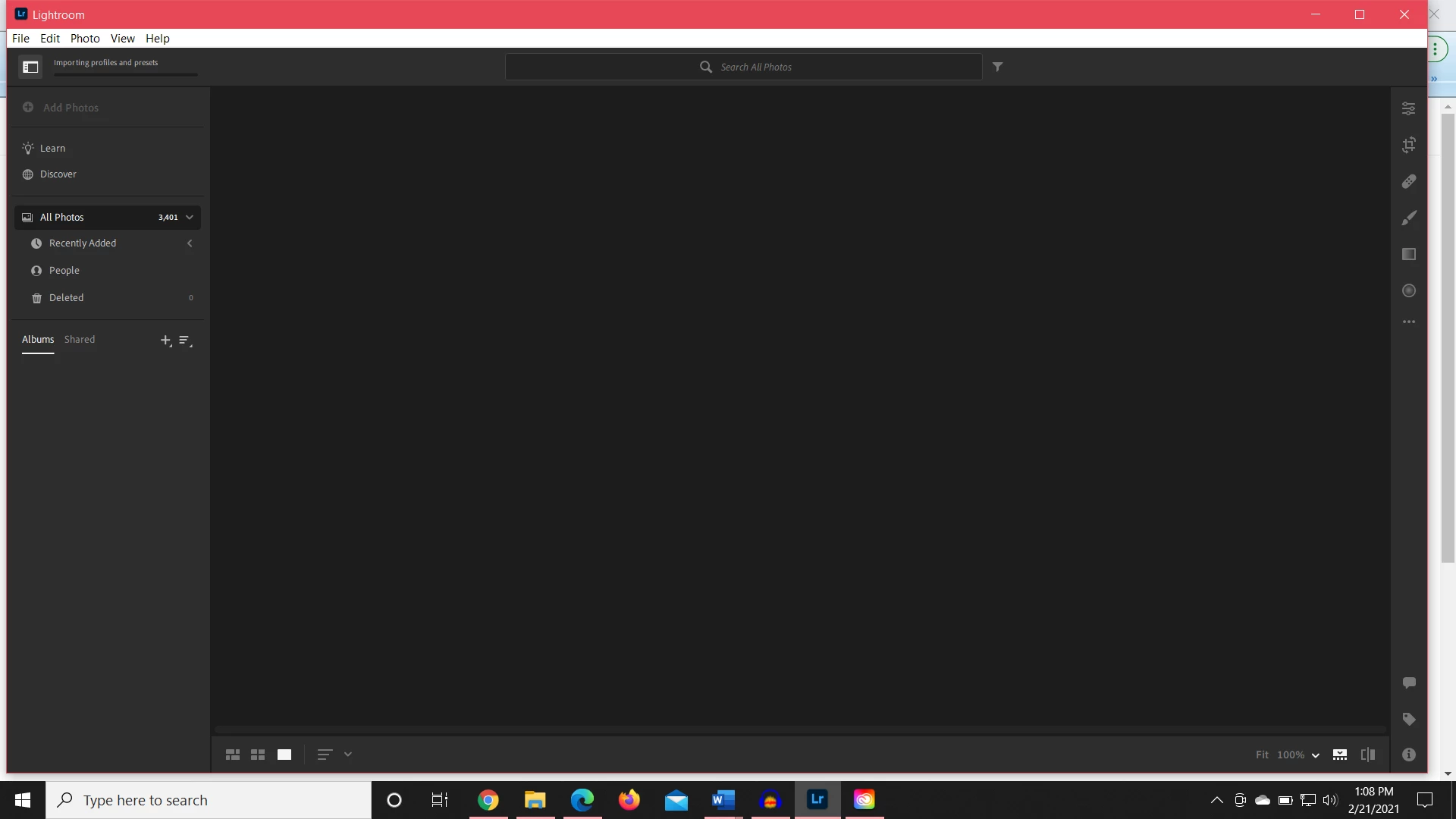
Since the October Adobe Max update, I'm unable to use lightroom for desktop. I have had to upload through Lightroom web and edit through the mobile app, but I cannot see my photos or do anything through Lightroom for desktop. I've attached a photo of what it looks like. I even updated today. I'm trying to install new presets and I can't even do that. What do I do?
This topic has been closed for replies.

3 replies

Mohit Goyal
Community Manager
Community Manager
March 1, 2021

Hi there,


We're sorry for the blank screen issue. If you are seeing similar behavior in the edit mode as well then, you should calibrate the monitor color profile back to defaults and see if that helps. For Windows, check out the following article for the steps: https://www.laptopmag.com/articles/calibrate-monitor-windows-10


Let us know the results.

Thanks,

Mohit

Participating Frequently
March 3, 2021

Hi Mohit,

The screen is calibrated. The issue is that it isn't connecting to the cloud and every time I open the app I lose more data from the interface. Please tell me how can I reconnect the app to the cloud? 

I have logged in and out, restarted my computer, tried updating my computer. Nothing is working and everytime I relaunch there is less showing on the interface.


I can get some of the already synced pictures back for a short time if I can access the cloud in the top right (it only shows sometimes right now), hit pause symcing (even though it says it is synced) close the app and open it again through creative cloud.

I'm using lightroom 4.1 and have Macbook pro and have macOS Mojave 10.14.6

Participant
February 24, 2021

I think I'm having the same issue.  I've had a blank screen for over a week now.  I've logged out...nothing.  I've removed and re-downloaded Lightroom...nothing.  Not one of my 933 photos is showing up...just a blank screen.

Participating Frequently
February 27, 2021

I am having this same issue. My interface shows no photos. Albums are all missing. Not connecting to the cloud. Can't import. I can see how many photos are in the system however. I have logged in and out, restarted my computer, tried updating my computer. Nothing is working and everytoime I relaunch there is less showing on the interface.


I'm using lightroom 4.1 and have Macbook pro and have macOS Mojave 10.14.6

selondon
Community Expert
Community Expert
February 27, 2021

If you know all your recent imports are synced or you have back ups then you could try deleting the Lightroom Library.lrlibrary folder. The Local Caralog will then rebuild from the Cloud.

Akash Sharma
Legend
February 22, 2021

Hi there,


Sorry that Lightroom Desktop shows black interface while trying to load new presets.


Which version of Lightroom Desktop are you using and what is your computer's operating system version?


You can resolve this issue by signing out and then signing in again. 

  1. From the menu bar, choose Help > Sign Out.
  2. Lightroom will now restart. 
  3. Sign in with your Adobe ID again when prompted.


If that does not help, would you mind deselecting the option "Use Graphics Processor" located in Lightroom's Preferences > Performance menu, then relaunch the app and let us know if it helps?


Thanks,

Akash

Liv242Author
Participant
February 22, 2021

I should have mentioned that I already tried signing out and singing back in (from when I first had the issue). I am using an Acer Helios 300, so my graphics processor is not the issue either.

Akash Sharma
Legend
February 24, 2021

Thanks for the heads up. 


Are you trying to install presets/profiles in Lightroom and is that when the problem occurs? Where are you trying to install the presets from? Are you able to browse/edit your images otherwise? Do you see any images pending syncing? 


Also, do you have your mobile device connected to your computer?


Thanks,

Akash