
Participant
April 18, 2025
Question

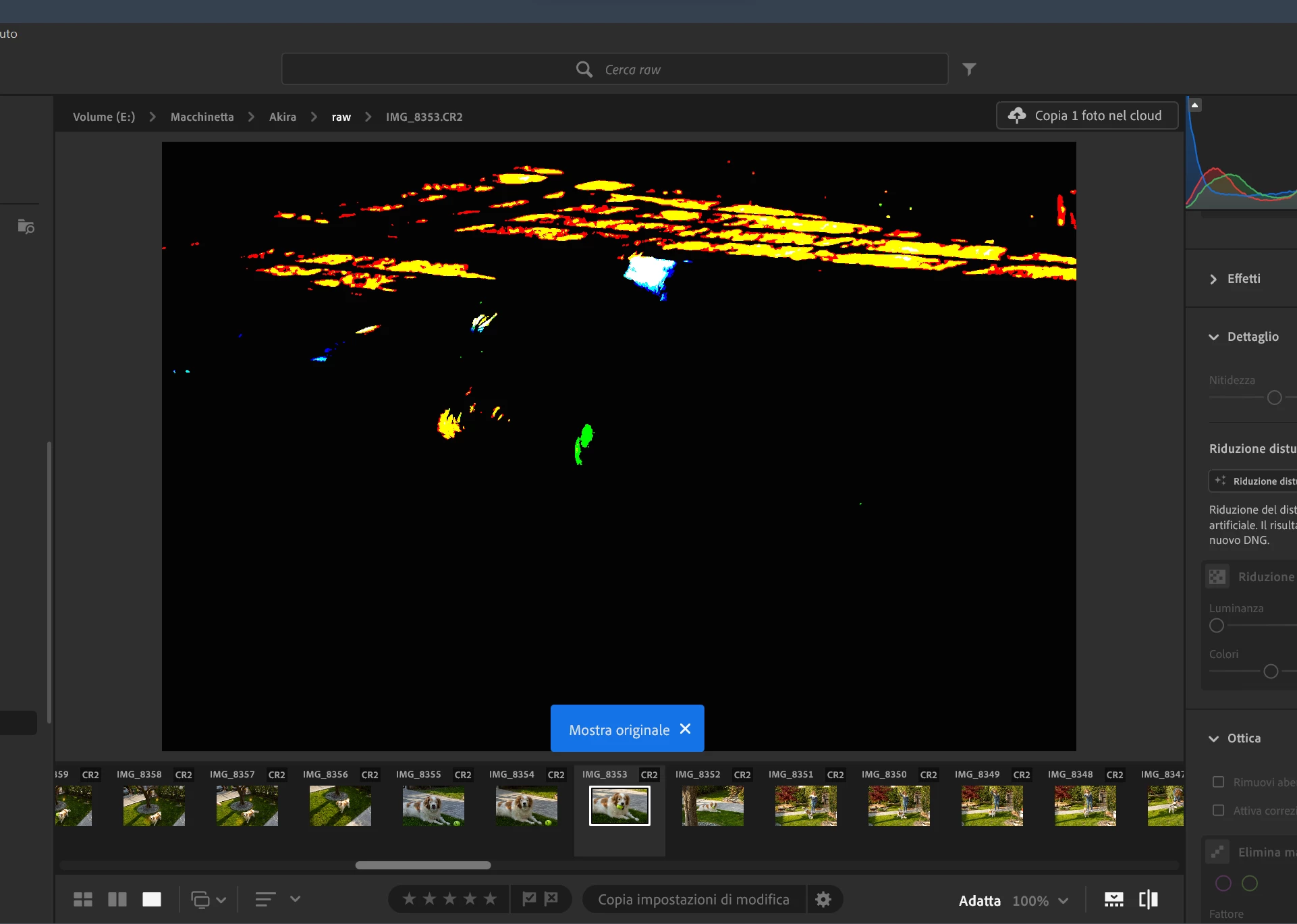
Image preview is completely broken after activating HDR
  • April 18, 2025
  • 1 reply
  • 146 views

I'm not even sure how I can describe it, but after activating HDR on my display and on the image sometimes the preview of SDR images becomes like this.
After scrolling a couple of images and activating/deactivating HDR on those this bug was fixed, but it's still very annoying.

Using Lightroom 8.2 from adobe cc

1 reply

Rikk Flohr_Photography
Community Manager
April 18, 2025

At first glance, and without any system information provided, this looks like a GPU failure. 

Please go to your GPU manufacturer's website and download their latest studio driver and perform a clean install of the driver. 

Rikk Flohr: Adobe Photography Org
D4vvvAuthor
Participant
April 18, 2025

I have the latest gaming drivers installed, does that make a difference? 
I'm using a Readeon RX 7800XT,  I know AMD drivers are not the most supported on every app and I mainly play on this computer so downgrading to older drivers (studio drivers are from november 24 while gaming one are from mid march 25) doesn't sound very good.
Thanks for the support 

Rikk Flohr_Photography
Community Manager
April 18, 2025

"I have the latest gaming drivers installed, does that make a difference? "
Yes.

Rikk Flohr: Adobe Photography Org