
Copy link to clipboard
Copied
Since a few months now, lightroom won't load properly on my workstation anymore. This only occurs on this specific PC, on my laptop it loads fine. By "not loading properly" I mean that in the "All Pictures" Tab, nothing shows up, but it does say that there are 10'204 images in there. But the main view panel isn't showing anything. Also, my albums aren't showing.
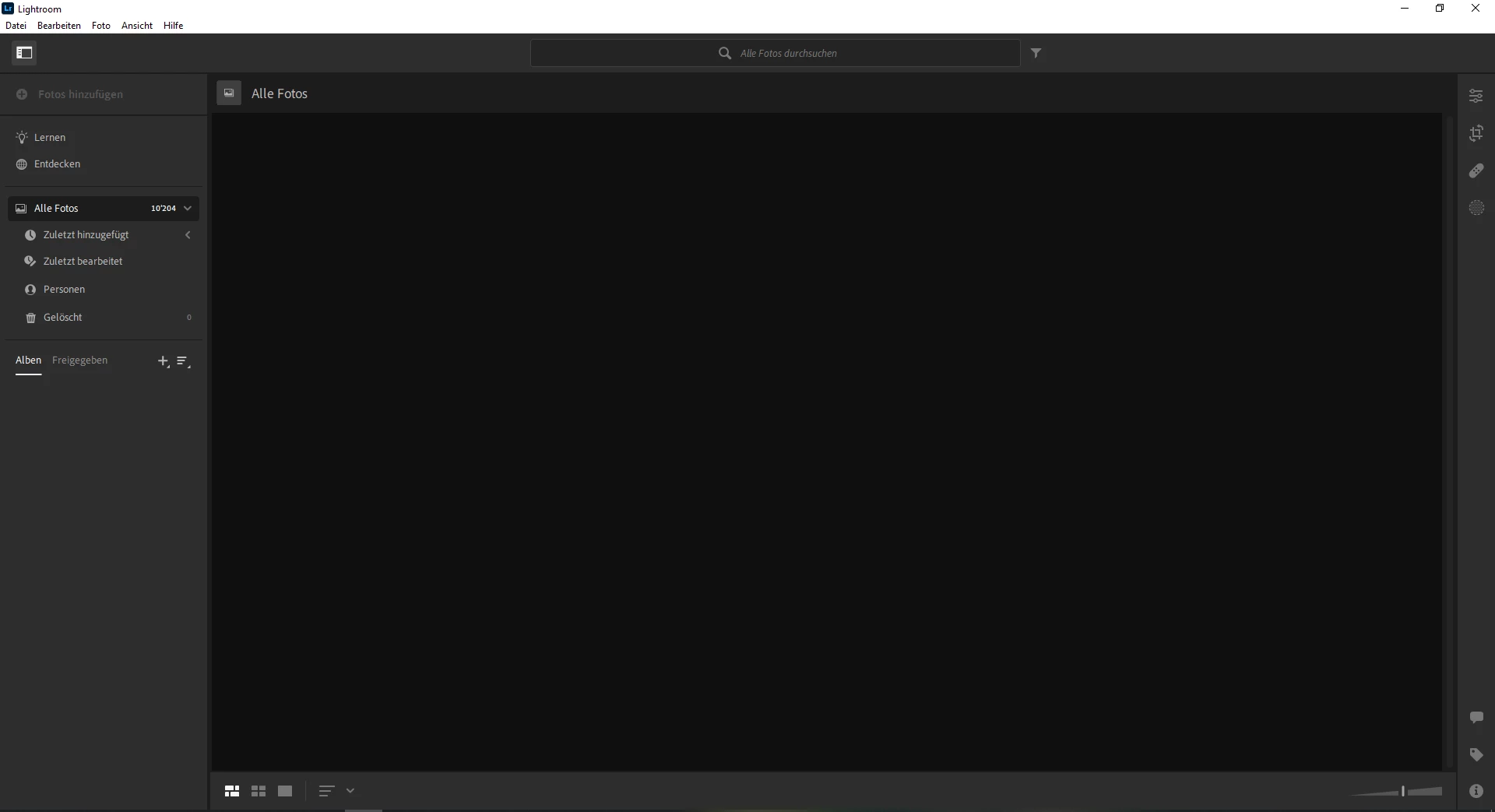
But when I open lightroom web, I see that everything is where it should be. It also works fine on my laptop and even on mobile (iOs).
What I've tried so far (to no use):
Copy link to clipboard
Copied
Try logging out of your Creative Cloud desktop app, the log back in again, then try launching Lightroom again.
Copy link to clipboard
Copied
Did you ever find a solution to this? This issue recently happened to me after trying to upload about 1800 photos. The mobile and web app appear to still work fine.
Copy link to clipboard
Copied
Hi @John22507690l2w7! 👋 Welcome to the community!
Since this thread is a bit old, I recommend starting a new thread with all the relevant details about your case so your comments don't get buried. Our team would love to help!
Thanks a bunch!
Alek
Copy link to clipboard
Copied
I know this is very old, but I was having a similar problem in 2025 and came across this entry. In case someone else does so as well, I discovered that when I was in Lightoom CC on my laptop and walked away, then later opening Lightroom CC on my desktop (both macs) the desktop version would show that I had the right number of photos in my library, but would not show any photos or albums. The solution was to close the app on the laptop.
Get ready! An upgraded Adobe Community experience is coming in January.
Learn more