

Import not showing files / folders the way I need as done in the past
In the past years I've imported files arranged by folders with dates and brief folder content names - All of that has come in very clear and easy to find images I need from the past. Now, this year, the only time this has happened, the folders are simply dates and not showing folder date and description even though I import the same way I've done in the past, pointing Lightroom to the CF card where the images exist and to copy to a folder on my hard drive with folders inside and pointing to 'original images' as I've always done in the past.
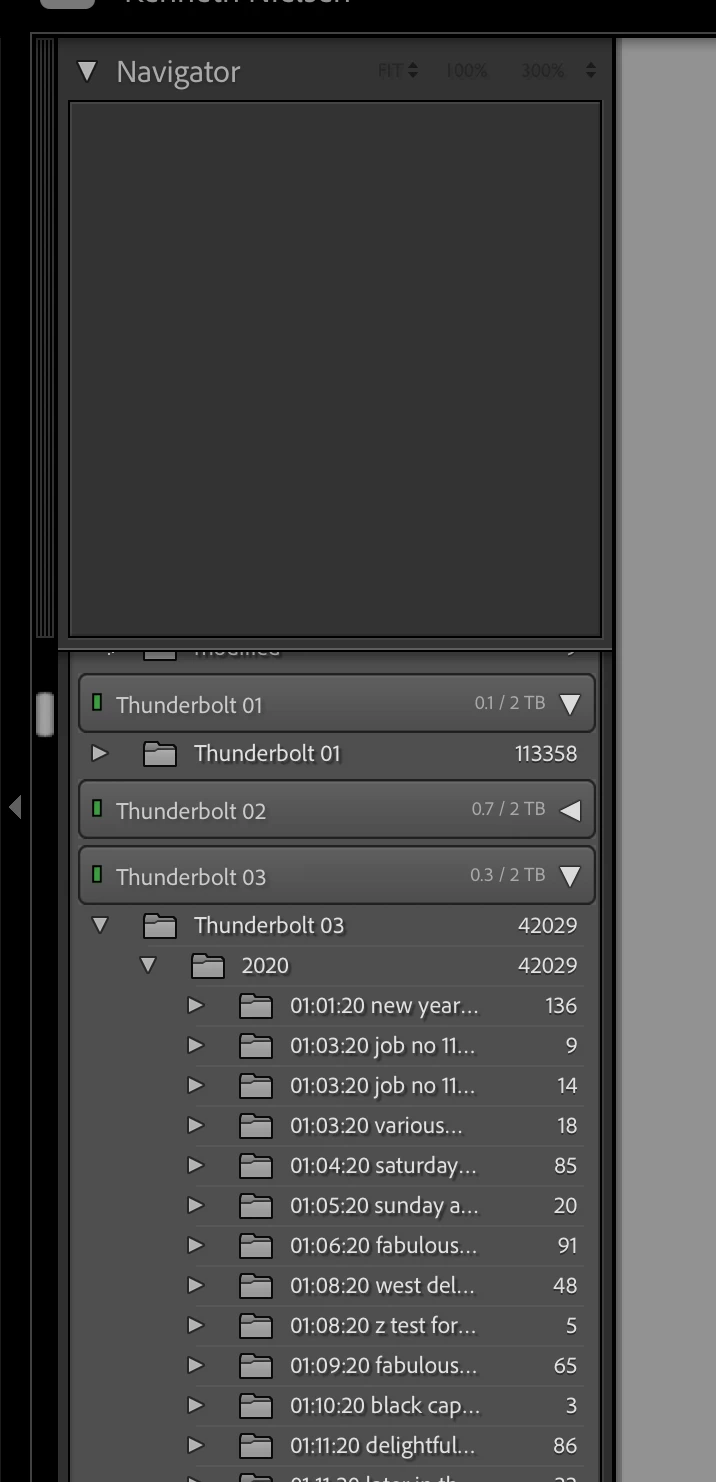
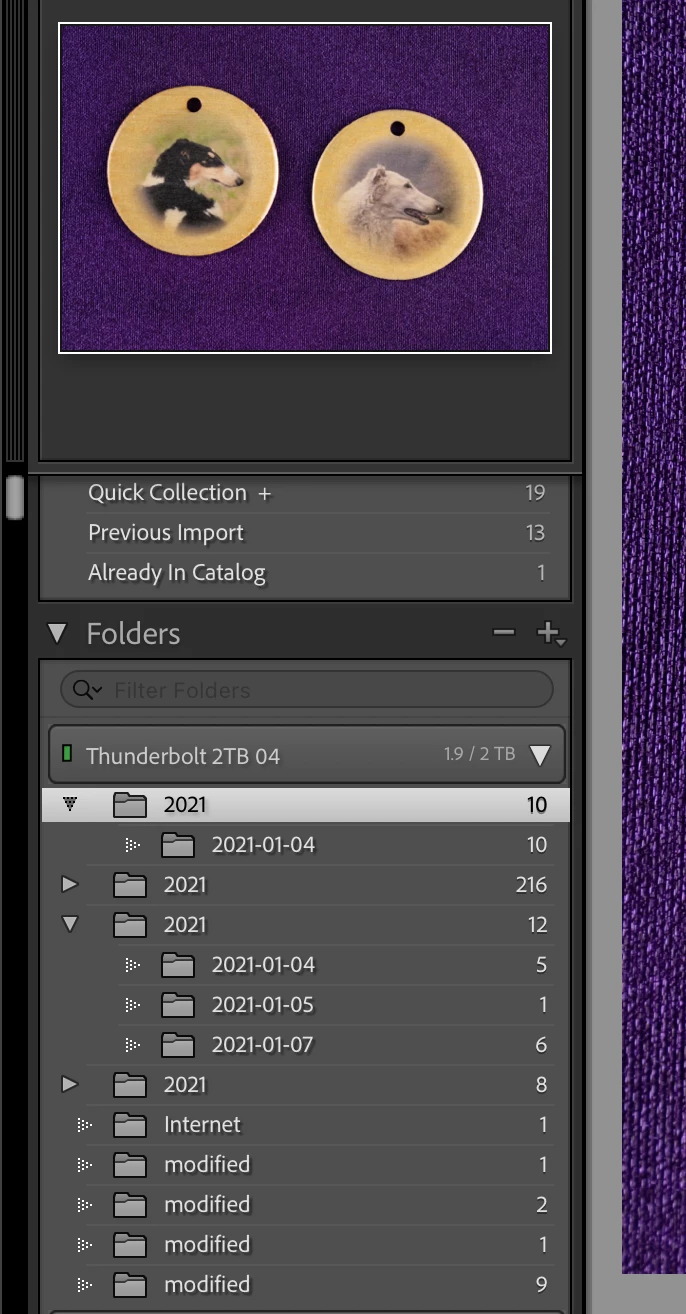
I don't know if I can fix this and get it working like it has in the past, All of my images are 'hidden' in a sense as there is no date or description showing in lightroom just... well you can look and see... The screen shots I'm shoing here show how it has been going in the past and now current imports and showing how there is no description or dates even though Lightroom shows when importing that it sees clearly the main folder named by date and description and the target folder 'original images' within that folder.
I need to correct this now as my file system is growing into a mess just in these first few imports for the year 2021. Anyone that can help me correct and resolve this will save me from a huge mess as time goes on now...
TIA,
Ken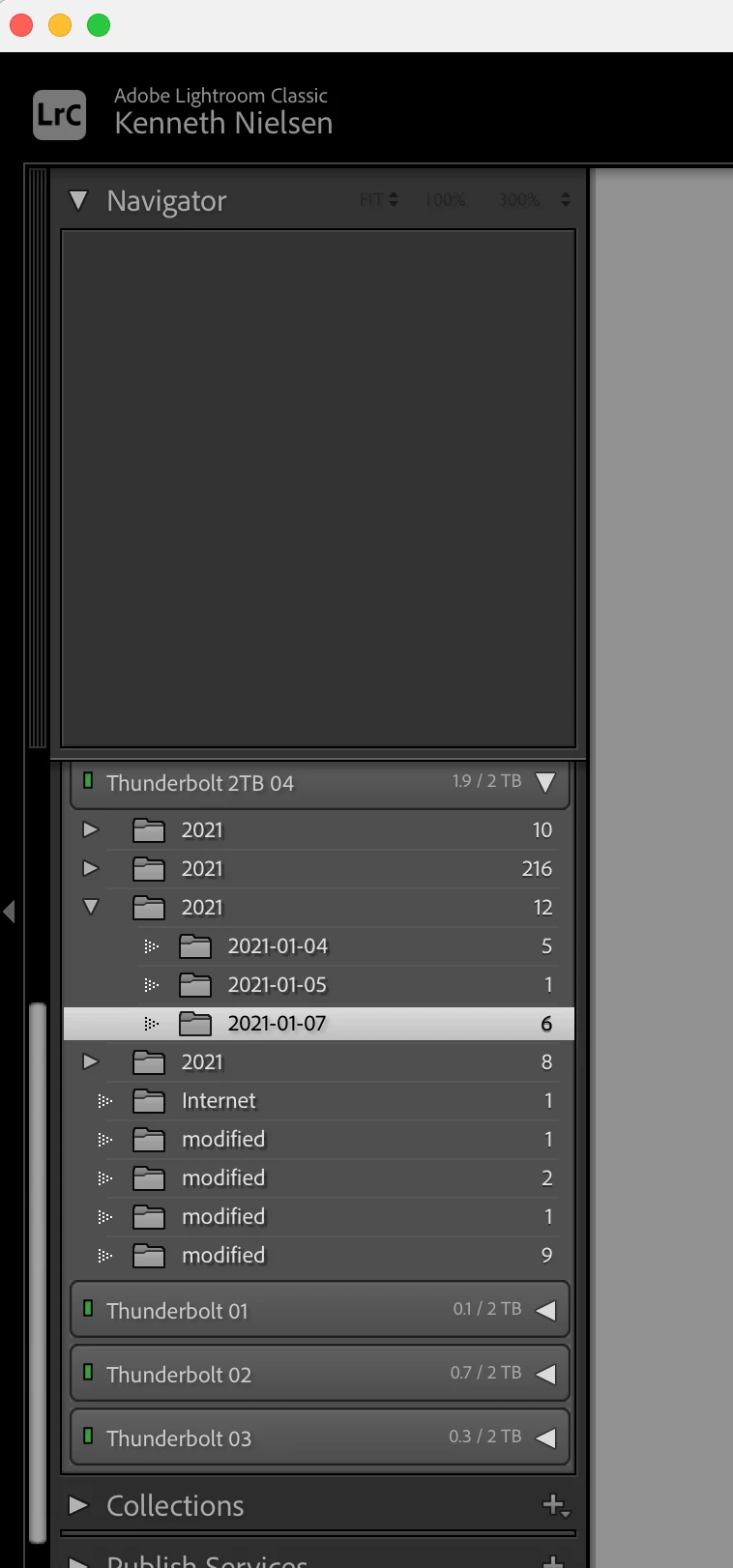
 AdChoices