
Question
Importing or Exporting DNG to Creative Cloud Storage from iPhone looses META information
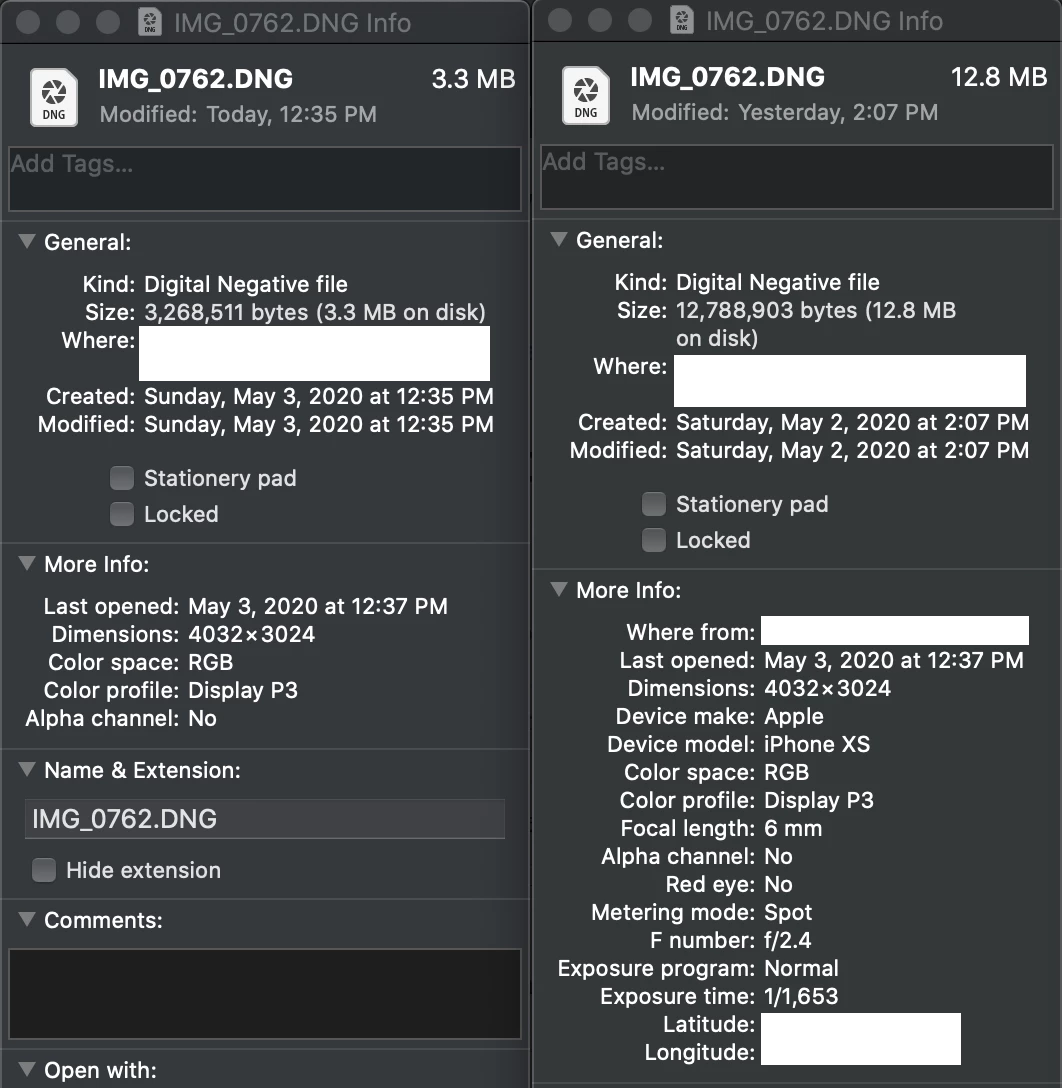
I frequently take photos in RAW mode. I noticed recently that if I save the image (e.g. export) from the iPhone Camera Roll to the Creative Cloud app or import from the Create Cloud app directly that the files are smaller than if I were to air drop them to my computer direct from the Camera Roll. Upon further investigation I notice that all the META information is removed. Take a look at the screen shot, its not just a few KB different, its almost 10 MB different. I haven't seen anything about this searching so I decided to start here.
 AdChoices