
WhitneyVC
Participant
October 21, 2017
Answered

Importing Presets in Trial Version

  • October 21, 2017
  • 1 reply
  • 4136 views

Hey gang,

I'm trying to test out whether or not I want to use LR CC, but can't seem to get my presets loaded. It keeps saying that there isn't an app available to open the .lrtemplate file. Can anyone advise?
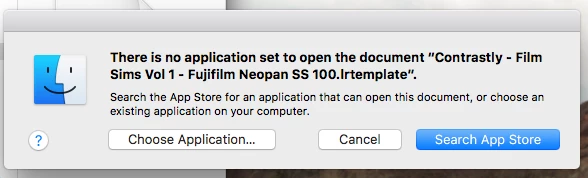
    This topic has been closed for replies.
    Correct answer Victoria Bampton LR Queen

    In LR CC, open the Presets panel, click the + at the top and choose Open Presets Folder, then copy them into that folder.

    1 reply

    Victoria Bampton LR Queen
    Community Expert
    Community Expert
    October 21, 2017

    In LR CC, open the Presets panel, click the + at the top and choose Open Presets Folder, then copy them into that folder.

    Victoria - The Lightroom Queen
    Participant
    August 13, 2019

    it doesnt work for me

    Rob_Cullen
    Community Expert
    Community Expert
    August 14, 2019
    Regards. My System: Windows-11, Lightroom-Classic 15.1.1, Photoshop 27.3.1, ACR 18.1.1, Lightroom 9.0, Lr-iOS 10.4.0, Bridge 16.0.2 .