
jenniferp66903188
Participant
November 18, 2023
Answered

In Lr, brightness changes when i zoom in

  • November 18, 2023
  • 2 replies
  • 422 views

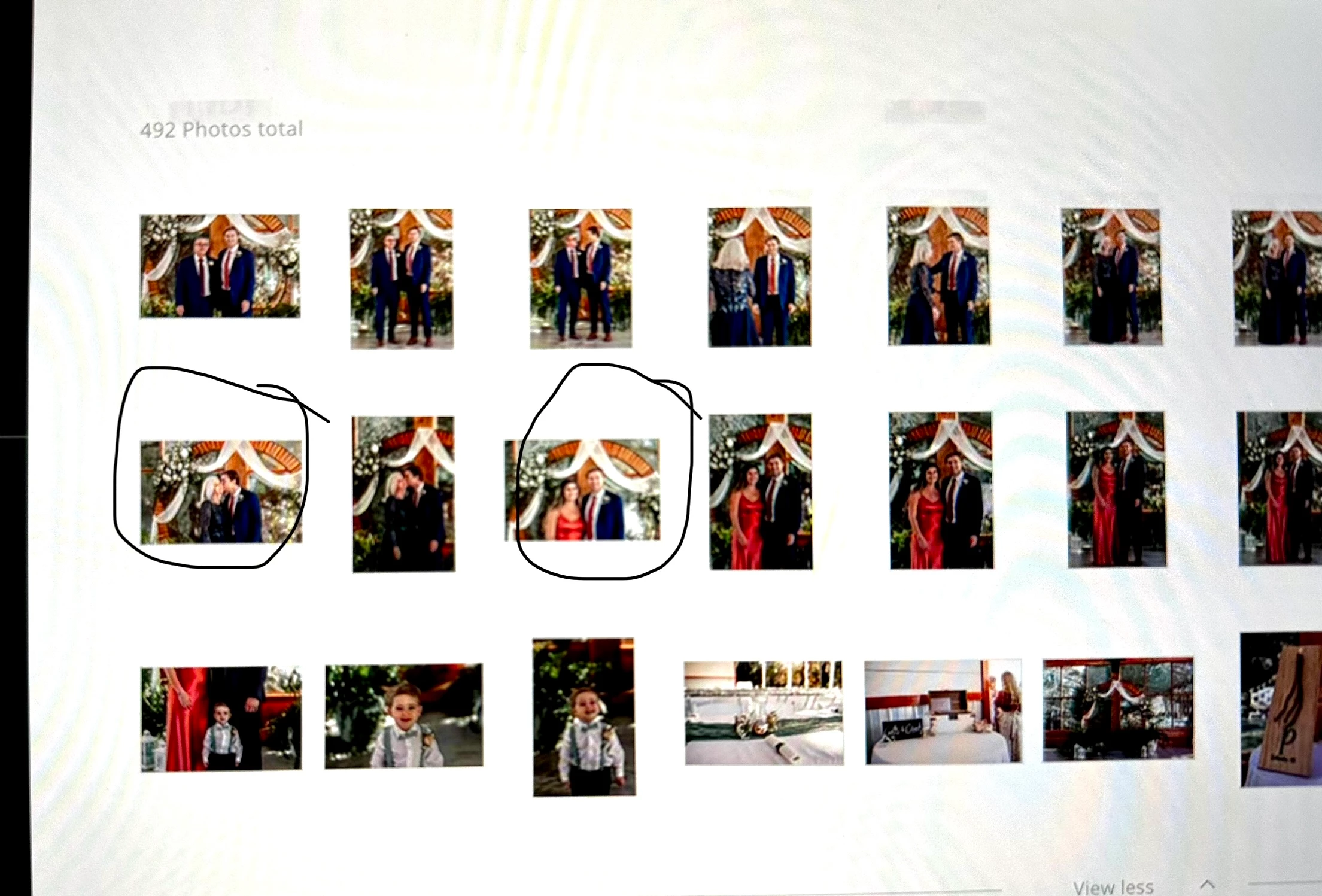
As I’m editing, randomly when I zoom in on a pic, it darkens. When I zoom back out to full view it goes back to the brightness level I edited it with. However, I discovered these photos that darkened when I zoomed in are exporting at the darker exposure and not matching the others in the batch, even though they match in Lr when they're full view/zoomed out. This is a cell pic of my screen of a gallery.  It happened at the end of editing this gallery. The ones I circled are how I edited them and the other pics exported darker and don’t match. I have updated LR and restarted my Macbook Pro and its still doing it on random pics, adding to my editing time. 
Correct answer jenniferp66903188

I found out it had to do with the masks/adjustment brushes. When i synced multiple images with the same mask/adjustment brush, like, for example i did an increased exposure brush in the center and synced the images, it would do this. It was inconsistent and i don't know why it happened, but when i deleted the adjustment brush and re-did it without syncing the mask(s) on the effected images, it stopped doing it. Hope that helps! 

2 replies

adam`t94060549
Participant
August 26, 2025

did you ever find a resolution to this issue, I am having the same in 2025.

jenniferp66903188
jenniferp66903188AuthorCorrect answer
Participant
August 26, 2025

I found out it had to do with the masks/adjustment brushes. When i synced multiple images with the same mask/adjustment brush, like, for example i did an increased exposure brush in the center and synced the images, it would do this. It was inconsistent and i don't know why it happened, but when i deleted the adjustment brush and re-did it without syncing the mask(s) on the effected images, it stopped doing it. Hope that helps! 

adam`t94060549
Participant
August 26, 2025
Oh my goodness, thanks so much, finally an answer

Get Outlook for iOS<>
kglad
Community Expert
Community Expert
November 18, 2023

in the future, to find the best place to post your message, use the list here, https://community.adobe.com/

p.s. i don't think the adobe website, and forums in particular, are easy to navigate, so don't spend a lot of time searching that forum list. do your best and we'll move the post (like this one has already been moved) if it helps you get responses.


<"moved from cc desktop bugs">
jenniferp66903188
Participant
November 18, 2023

Thank you! So should I try to post elsewhere? 

kglad
Community Expert
Community Expert
November 18, 2023