
Infrared image thumbnails turn green or blue when synced and viewed on iPad
Hi,
I believe I've come across a bug. I've recently started trying to edit IR images that were taken on a Full Spectrum converted camera (Sony RX100M6). I've sync'd some custom profiles from Lightroom Classic to Lightroom (cloud) then to LR Mobile on my iPad.
The editing works like a treat with my profiles/presets that I've am using. Once I am finished with the editing, the filmstrip at the bottom of the edit screen, and then when I exit that screen into the folder view, the preview thumbnail of the image look correct, however, once the image has sync'd to Adobe Cloud, the previews change and the thumbnails no longer apply the edits correctly, in that the thumbnails are all Blue, or Green, etc, depending on the preset used. If I look on my computer for LR Classic and LR (Cloud) they both look correct there, just on the iPad LR Mobile it is wrong.
I attach a screenshots of both the edit page which looks correct, but the thumbnail isn't and also one of the folder view which is also incorrect.
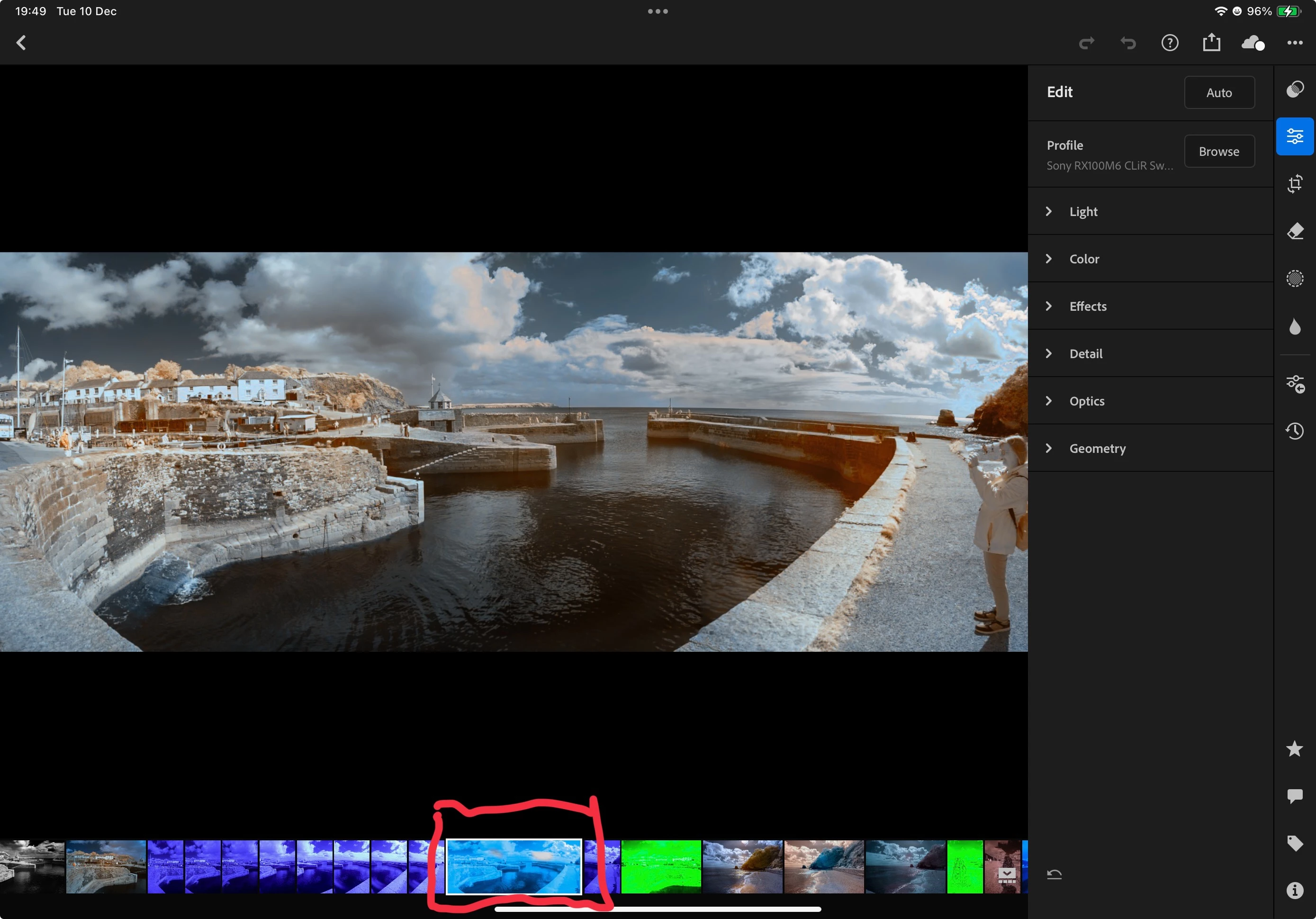
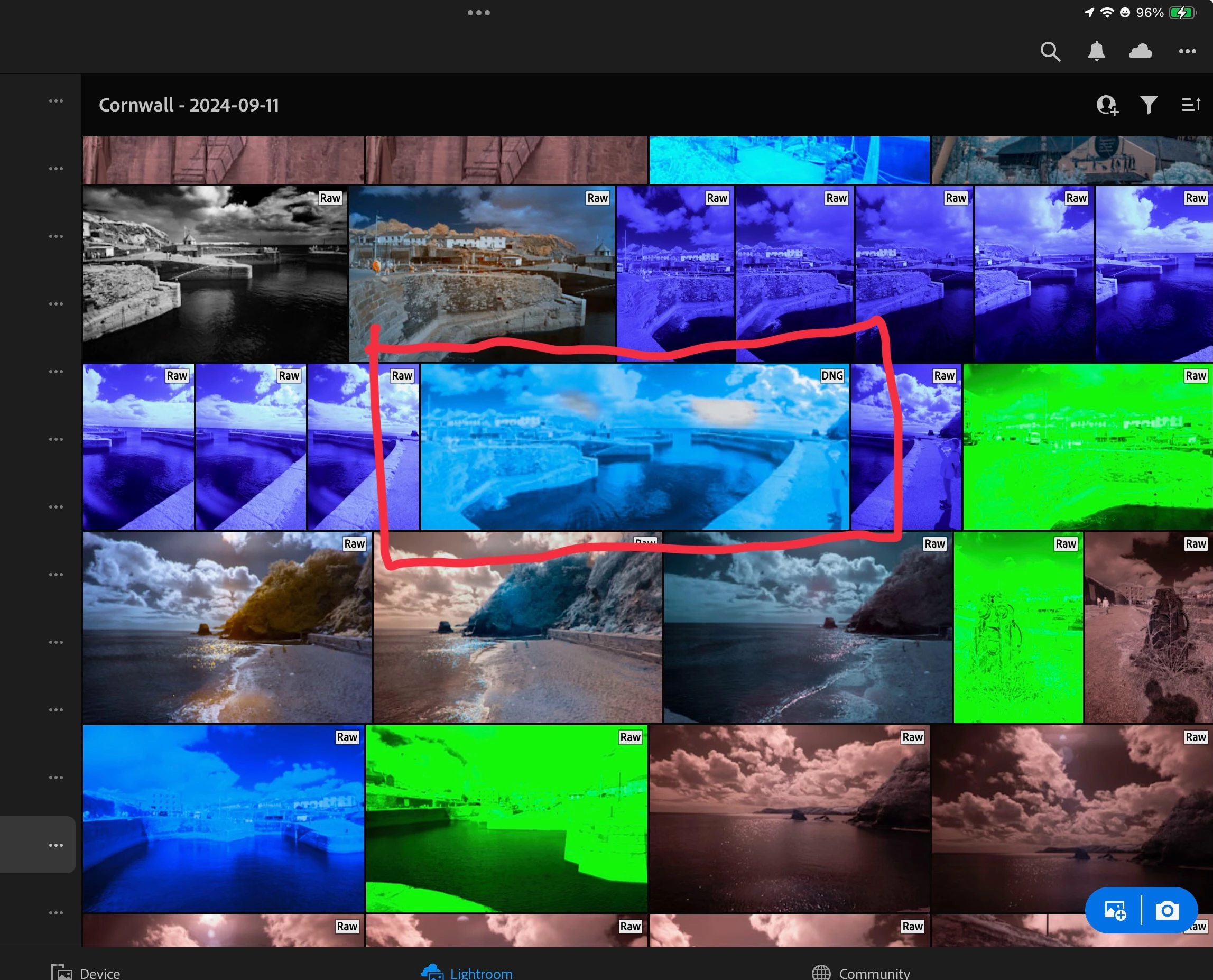
Hopefully this is something that can be corrected.
Regards
Colin.
 AdChoices