
Question
Installing brushes to Lr NOT LrC
I purchased a massive bundle of brushed from Shark Pixel and am completely unable to download them to my PC desktop Lr.
The instructions I was first given were for LrC (Classic version), but I use Lr (it says Adobe Photoshop Lightroom when I open the app). So, the company sent me instructions for installing the brushes into Lr. However, after step 2 I am stumped.
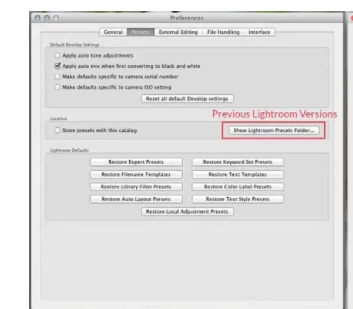
I open Lr, click "edit" in left corner and then "preferences". From there I am suppose to be able to click a "presets" tab, but its not there.
It is suppose to look like this.....
but my screen looks like this....
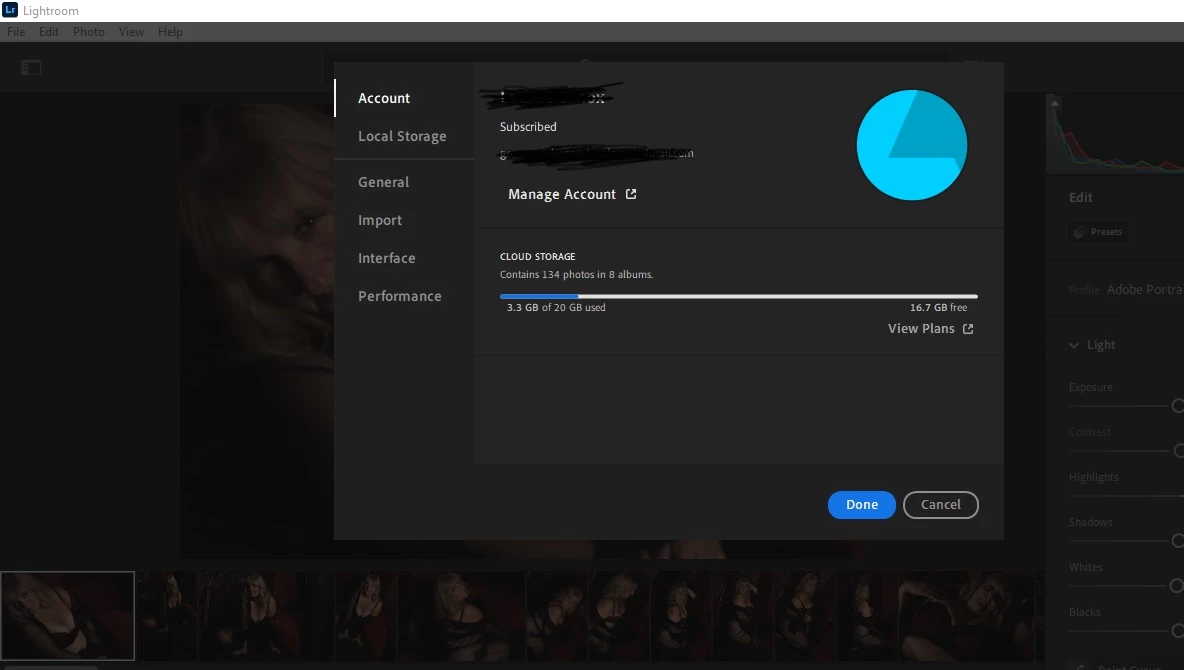
The company is of no help. I just don't know what to do to install these brushes into Lr.
Hopefully someone can help.
Laura
 AdChoices