
Participant
January 8, 2018
Answered

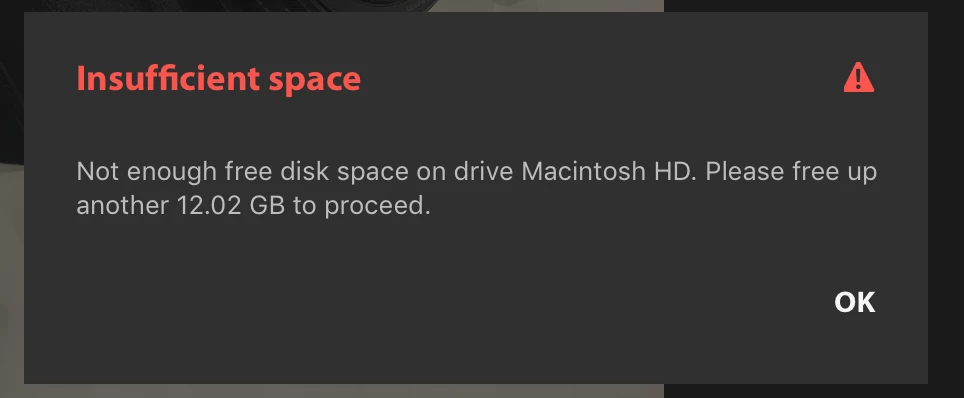
Insufficient Space to import
  • January 8, 2018
  • 3 replies
  • 5354 views

First time here. Just started using Lightroom CC. Never used Lightroom classic. New photographer. I am trying to import 676 RAW photos and it is telling me i have insufficient space in my local storage.I thought that I had 1TB of cloud space to import to. Not sure why it isn't letting import. Can anyone help? Please??

Thank you!!

    This topic has been closed for replies.
    Correct answer Jao vdL

    When you migrate a catalog or import into Lightroom CC it first makes a local copy of all the files and then starts uploading them. It does this because uploading can take a really long time on the majority of internet connections (most people have really slow upload speed contrary to their download speed) and they don't want access to the images to upload to be impossible during the upload period. Bottomline is that unfortunately for this initial step you still need a large internal hard disk.

    3 replies

    Participant
    April 6, 2022

    what do i do?


    Victoria Bampton LR Queen
    Community Expert
    Community Expert
    April 7, 2022

    @ebony0101 wrote:

    what do i do?


    This is a very old thread. What is the issue you're having?

    Victoria - The Lightroom Queen
    Participant
    January 8, 2018

    I had the same problem - there are two issues.  One is the size of your photo cache, you can reduce this in Edit, Preferences, Local Storage.   The other could be caused by where you set the storage location for originals in the same dialogue - if it's on your drive Macintosh HD then all your images will be stored locally there.

    I'm finding this new Lightroom really frustrating, as there are so few options - e.g. if I want to store previews locally, Adobe arbitrarily chooses the drive. 

    And try exporting your image to a jpeg; there are hardly any options for that!

    Good luck.

    Neox99
    Legend
    January 8, 2018

    VERSION 1.1

    VERSION 1.1

    VERSION 1.1

    VERSION 1.1

    VERSION 1.1

    VERSION 1.1

    VERSION 1.1

    I could go on for hours and some users still would not get the clue.

    They try to sync massive catalogs/libraries to a cloud system that they are finding fault with at the same time as trying to use it.

    Guess I'm just not smart enough to understand WHY.

    charlesw22391773
    Participant
    August 24, 2020

    My issue is that I just don't understand the mechanisms behind Lightroom. I just wanna sort through my photos before editing them in Photoshop. And now there are storage considerations that don't make sense to me. 

    Jao vdLCommunity ExpertCorrect answer
    Community Expert
    January 8, 2018

    When you migrate a catalog or import into Lightroom CC it first makes a local copy of all the files and then starts uploading them. It does this because uploading can take a really long time on the majority of internet connections (most people have really slow upload speed contrary to their download speed) and they don't want access to the images to upload to be impossible during the upload period. Bottomline is that unfortunately for this initial step you still need a large internal hard disk.