
Lightroom CC display issues on second screen
I'm using Lightroom CC on Windows 10 and having issues with Lightroom CC and Classic on the external monitor. The display issue is different, depending on which screen I open it on, but no matter which way I do it, there are problems. Thanks in advance for your help, I'm going crazy.
I have done some troubleshooting (below) and I have been trying to get support from Adobe for over a week, but they keep telling me someone will contact me and they never do (I've literally been on chat for over 3 hours today just trying to get a call scheduled). They have indicated this is a common problem for LR as it scales differently than the rest of the suite.
Running Lightroom on Windows 10 on HP Spectre 13", 4k resolution. Connected via display cable to Dell Monitor, 2k resolution. See below for screenshots of what's happening. System info at the end for reference.
Troubleshooting so far
In addition to checking the monitor settings and scaling, I have adjusted the high DPI settings and each change makes it worse.
I have done each of:
[X] Override high DPI scaling behavior. Scaling performed by:
- Application: When I did this, the application looked ok on the external monitor, at first. But the cursor was tiny on the laptop and images blurry on both.
- System: When I did this, the images were not clear and on the laptop, the image floated as tiny weird little icon and I couldn't interact with it.
- System (enhanced): When I did this, the menu items were even larger than without adjustments.
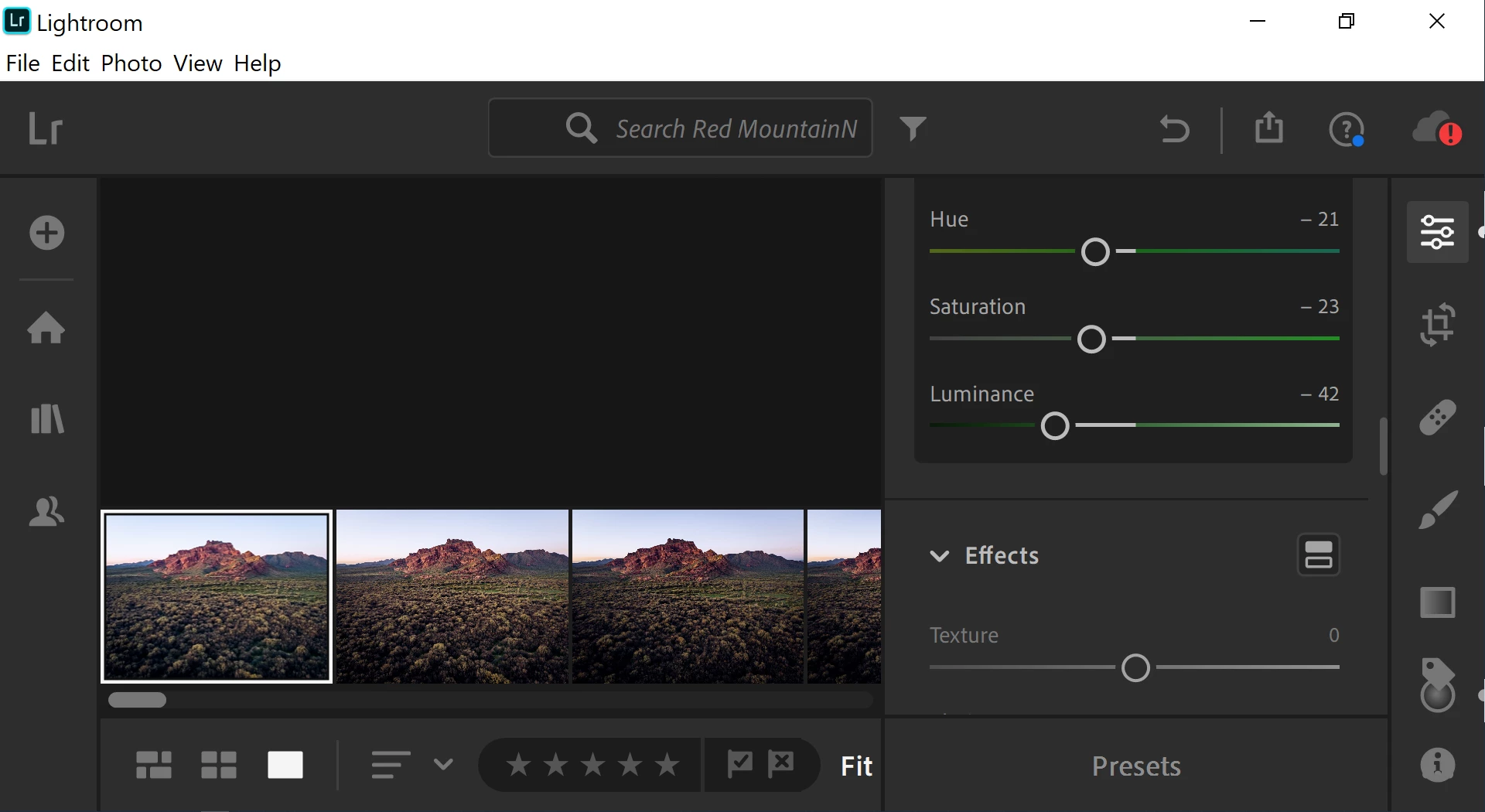
Scenario 1
I open the application on the laptop, and move it over to the monitor. It looks completely out of scale, and the work area is unusable.
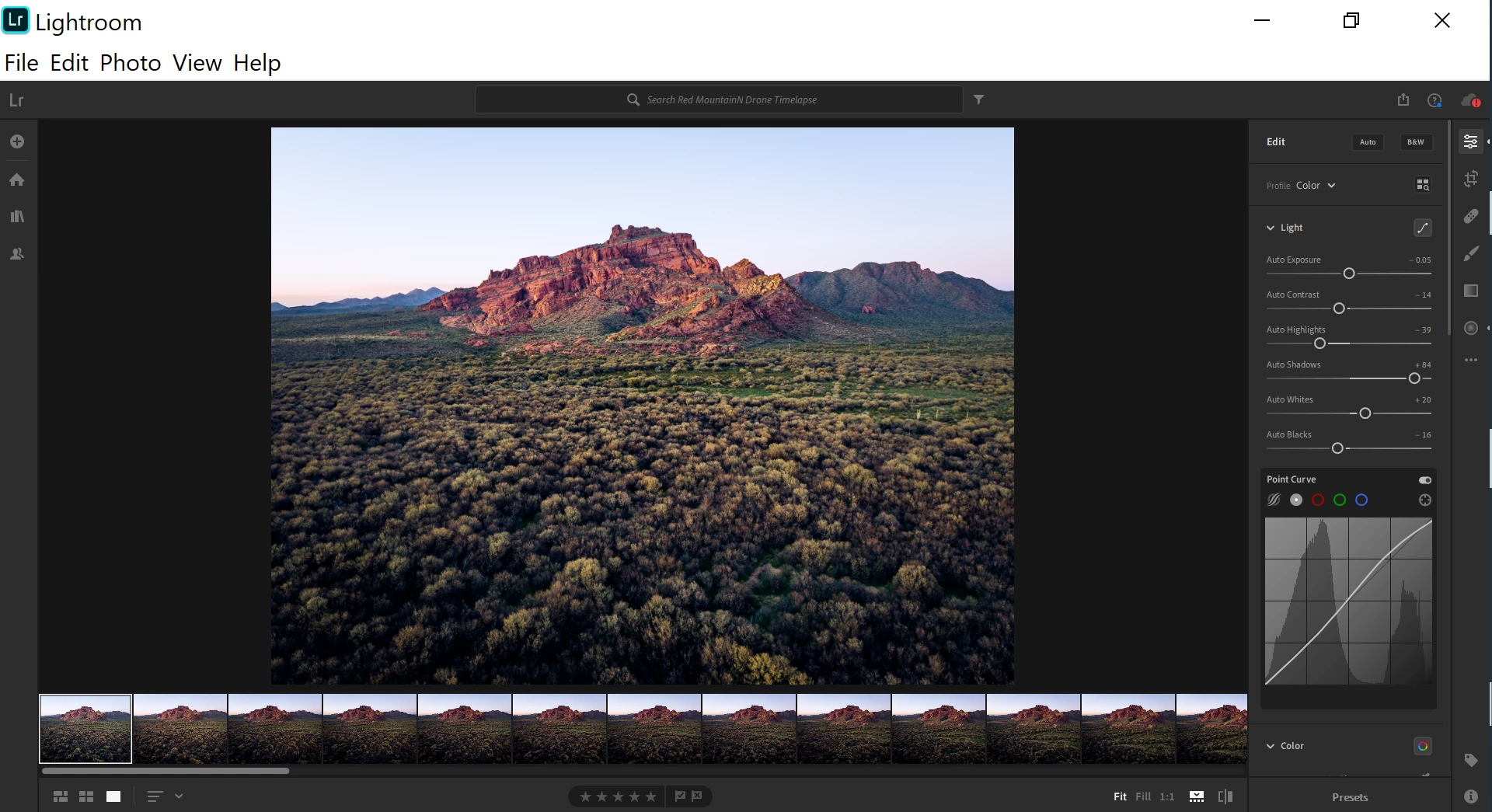
Scenario 2
I open the application on the external monitor. Most of it is normal, less the top bar (and anything clicked within it or popped out).
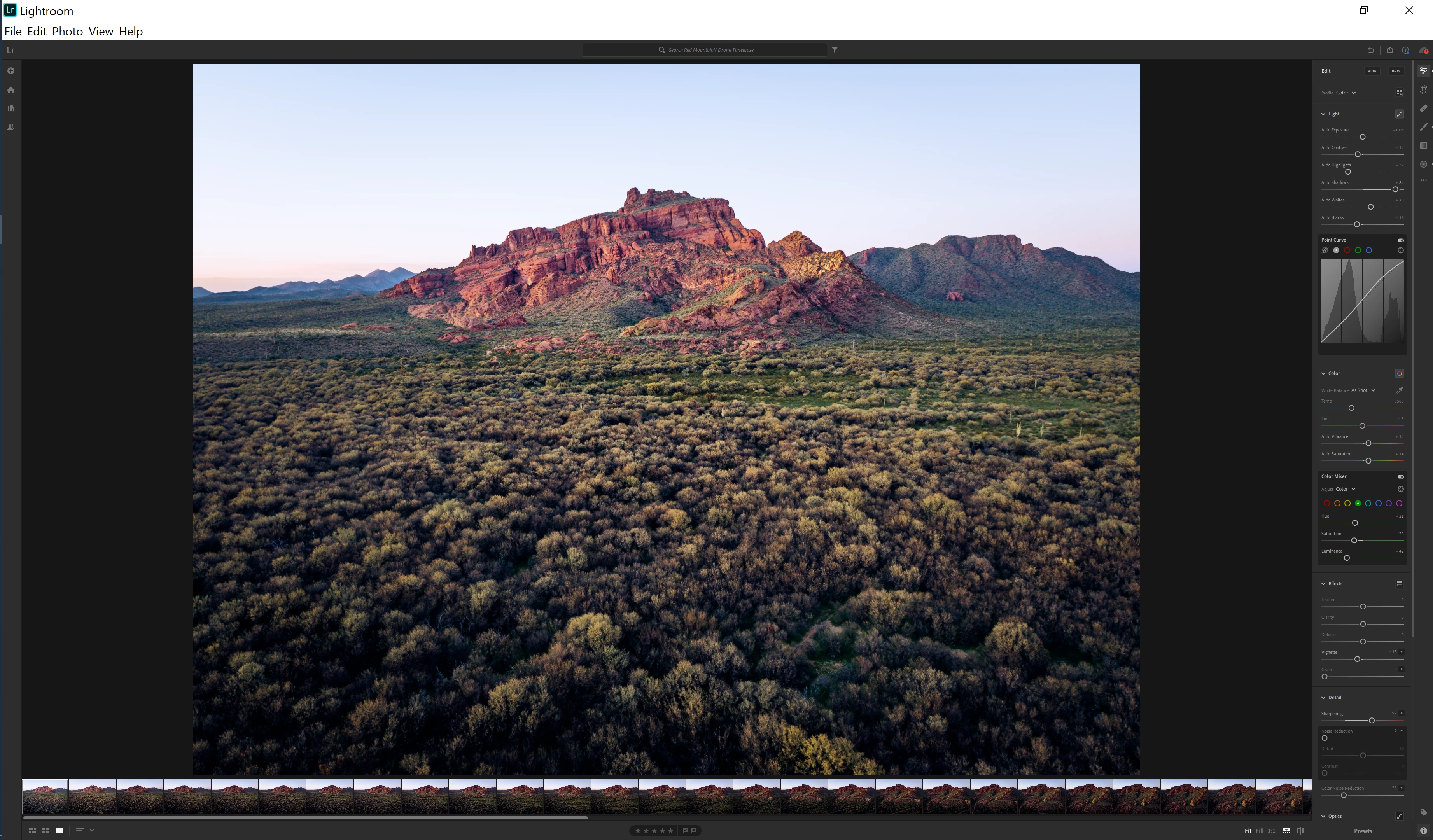
Scenario 2 (still)
After opening LR on the external monitor, if I bring it over to the laptop screen, it looks like this, everything incredibly zoomed out.
After DPI settings changes
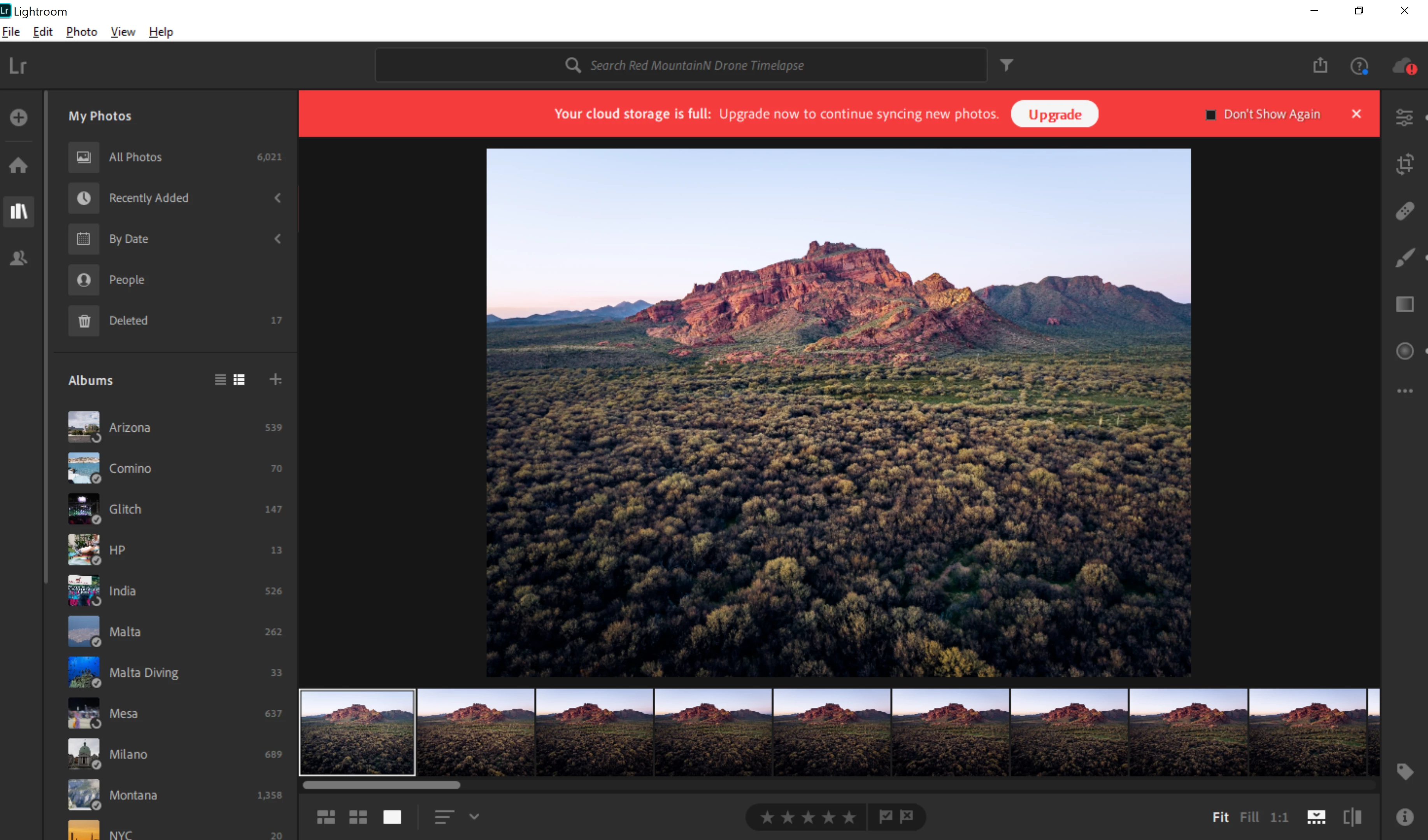
Scaling performed by application
After changing the DPI scaling to application, the images were slightly out of focus (as if it still needed to finish loading). Cursors and small items were TINY on the laptop screen. Most was normal on the monitor.
Scaling performed by the system
After changing to system, it was still not focusing on the monitor, and then on the laptop, the image detached from the workspace, but there was no way to interact with it, along with two ribbons at the bottom.
By system, on monitor
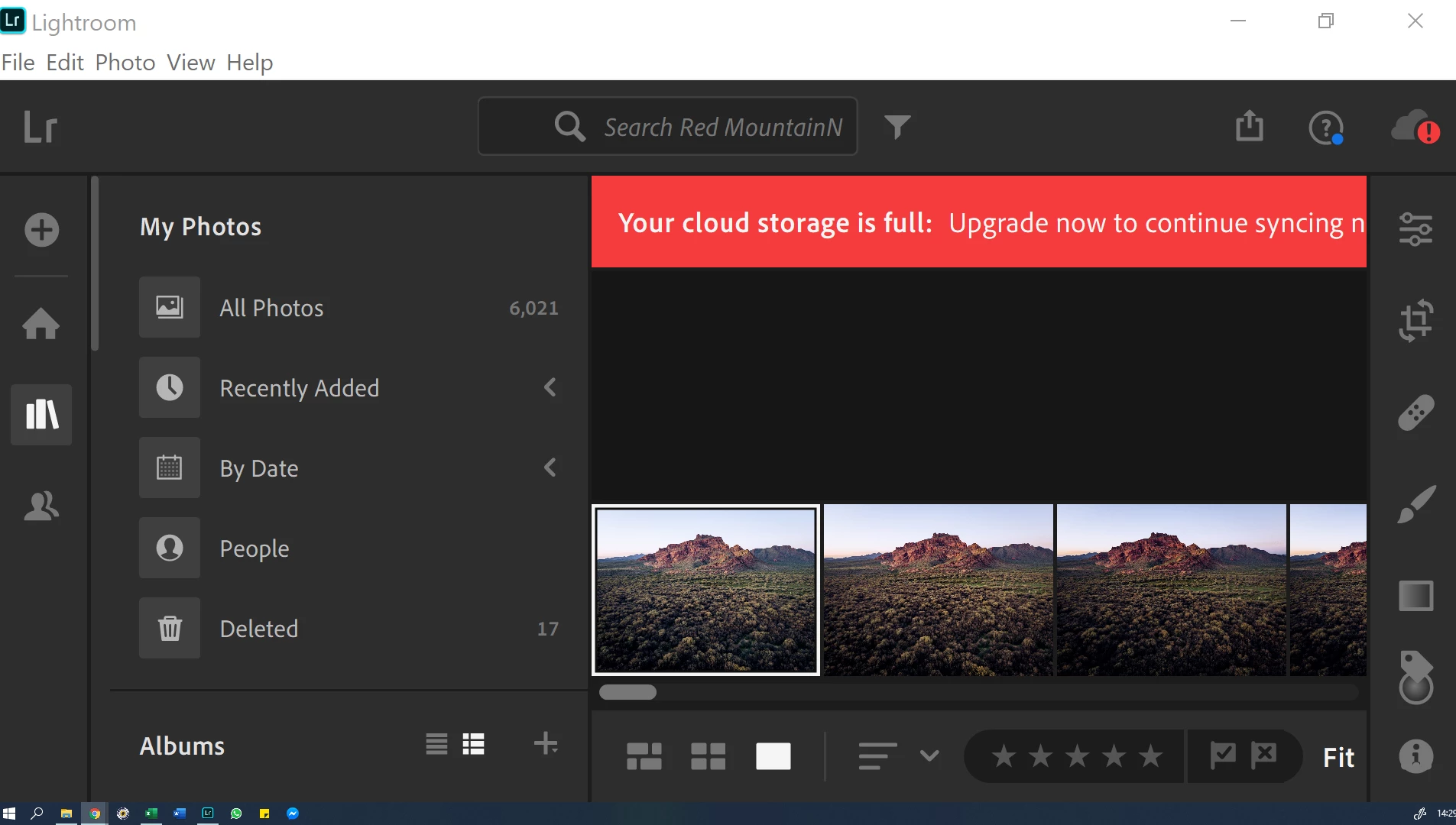
By system, on laptop
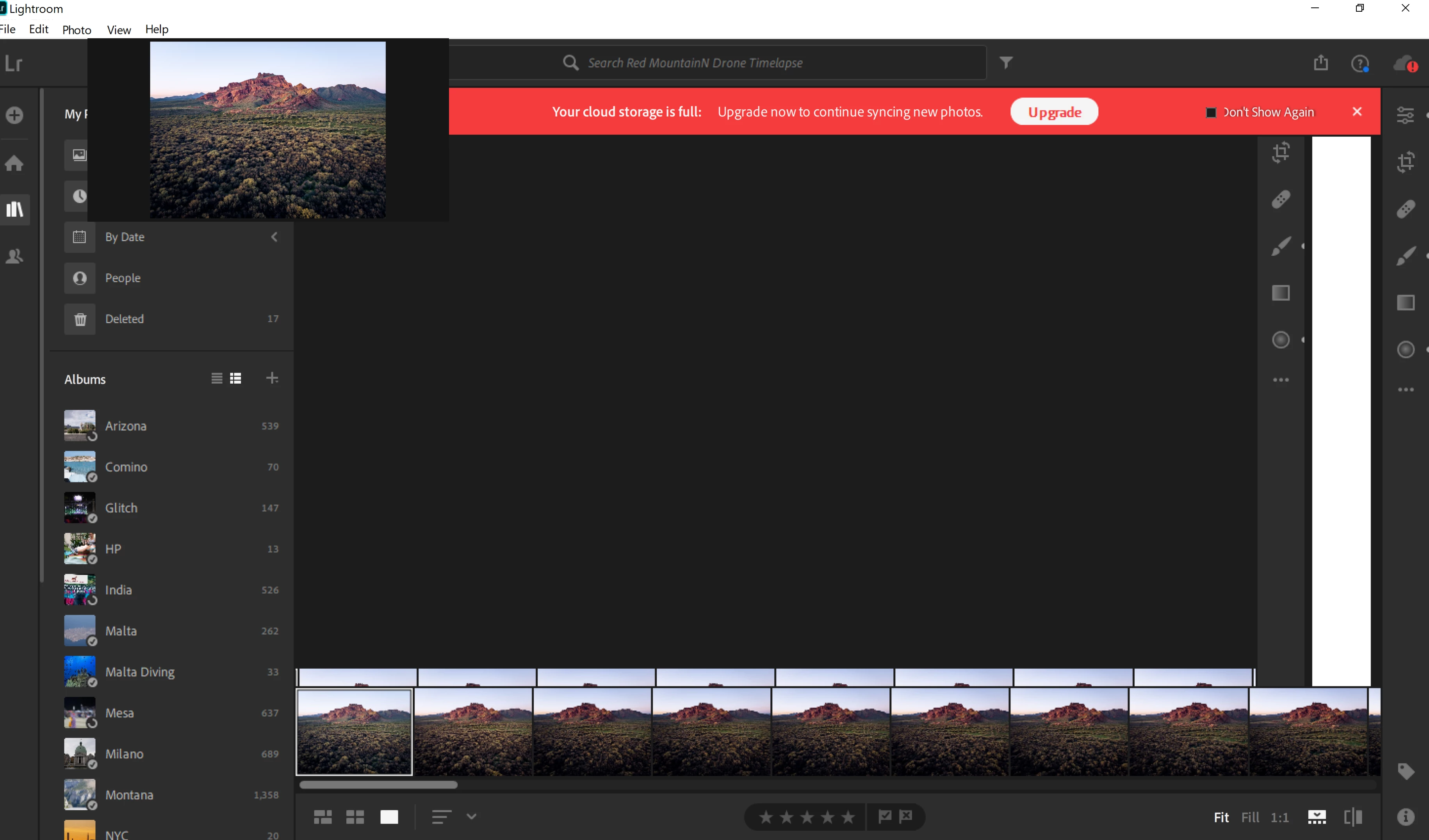
Scaling performed by system (enhanced)
Similarly to when performed by system, it appeared to work fine on the monitor, but is misbehaving on the laptop.
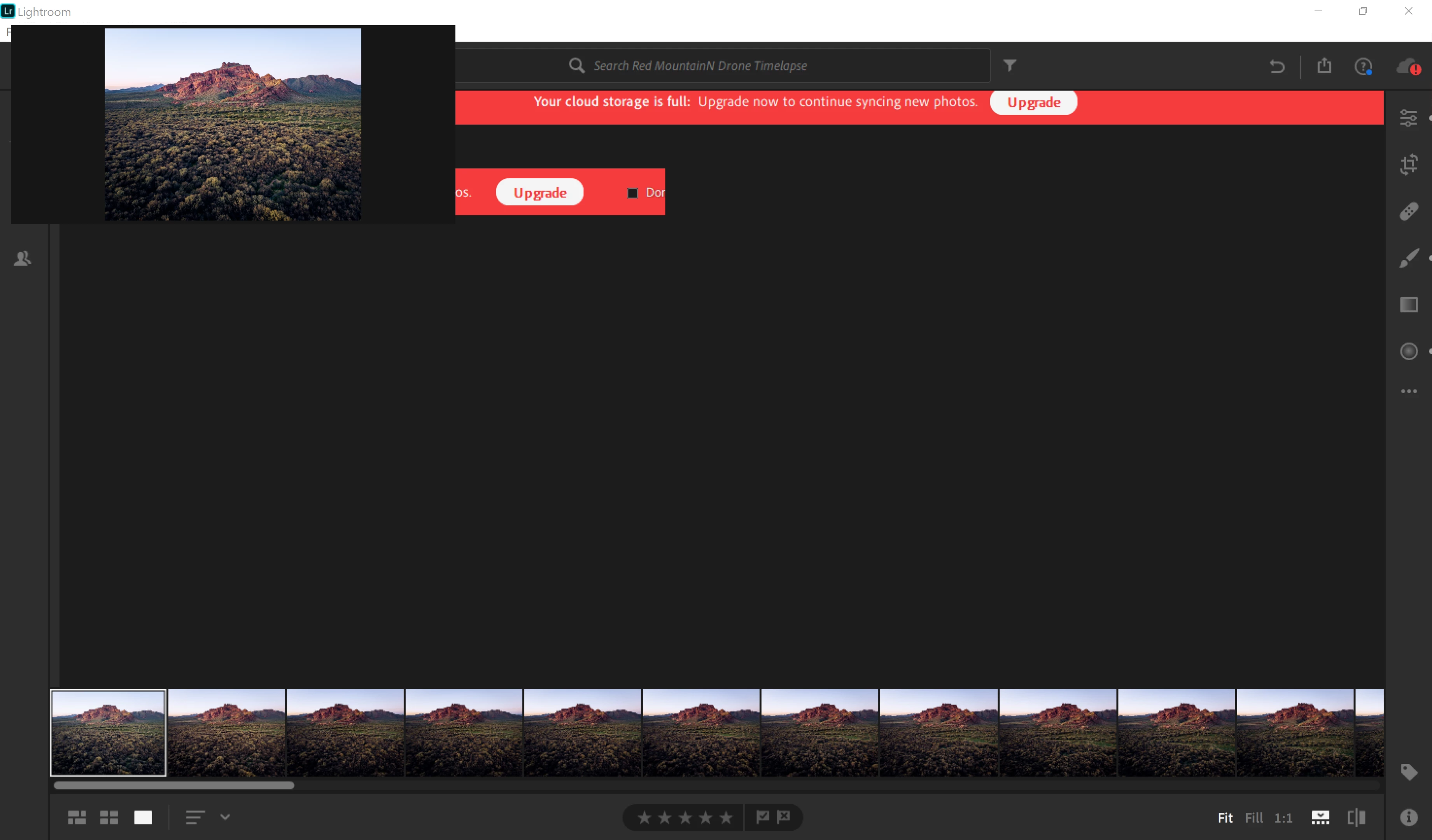
Classic
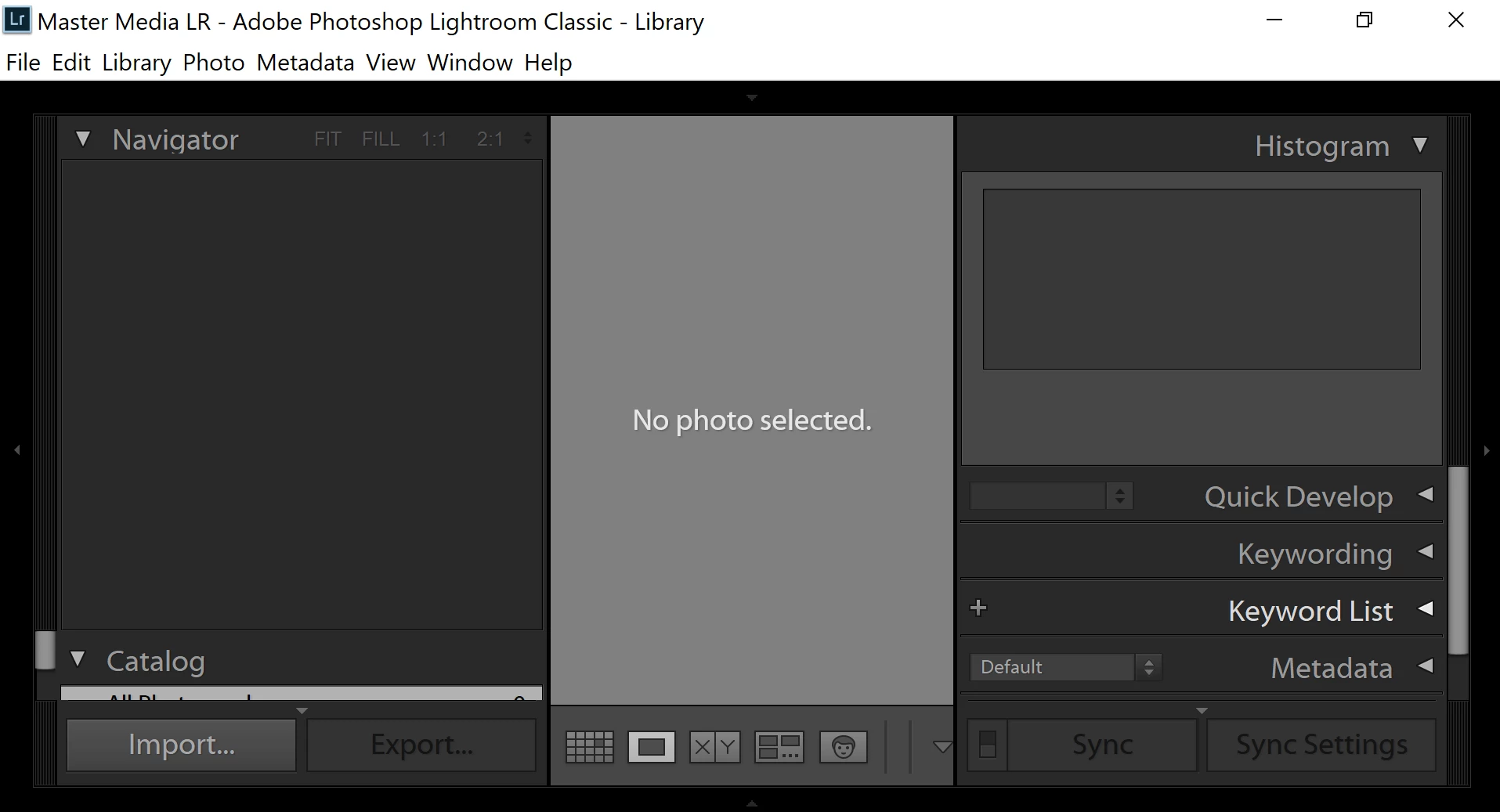
I'm having similar issues with Classic (screenshot on monitor).
Detailed system info
Lightroom version: 3.1 [ 20191126-2330-434c343 ] (Nov 27 2019)
NGL Version: 1.11.0.8
Operating system: Windows 10
OS Version: 10.0 [18362]
Application architecture: x64
System architecture: x64
Computer model: HP HP Spectre x360 Convertible 13-ap0xxx / Intel(R) Core(TM) i7-8565U CPU @ 1.80GHz
Logical processor count: 8
Processor speed: 1.9 GHz
Built-in memory: 16121.8 MB
Real memory available to Lightroom: 16121.8 MB
Real memory used by Lightroom: 2492.8 MB (15.4%)
Virtual memory used by Lightroom: 2616.0 MB
Memory cache size: 2122.7 MB
Internal Camera Raw version: 12.1 [ 351 ]
Maximum thread count used by Camera Raw: 5
Camera Raw SIMD optimization: SSE2,AVX,AVX2
Camera Raw virtual memory: 1259MB / 8060MB (15%)
Camera Raw real memory: 1260MB / 16121MB (7%)
System DPI setting: 240 DPI
Desktop composition enabled: Yes
Displays: 1) 3840x2160, 2) 1920x1080
Input types: Multitouch: Yes, Integrated touch: Yes, Integrated pen: Yes, External touch: No, External pen: No, Keyboard: Yes
Graphics Processor Info: DirectX: Intel(R) UHD Graphics 620 (26.20.100.6813)
Graphics Processor Detail: loaded: Yes, supported: Yes, compute: No, init: I2_GPU2, hard: fail_cached_sanity_test, soft: not_checked, wl: No, bl: No
OS Media Capability: true
Application Folder: C:\Program Files\Adobe\Adobe Lightroom CC
Settings Folder: C:\Users\jesse\AppData\Roaming\Adobe\Lightroom CC
Library Folder: C:\Users\jesse\AppData\Local\Adobe\Lightroom CC\Data
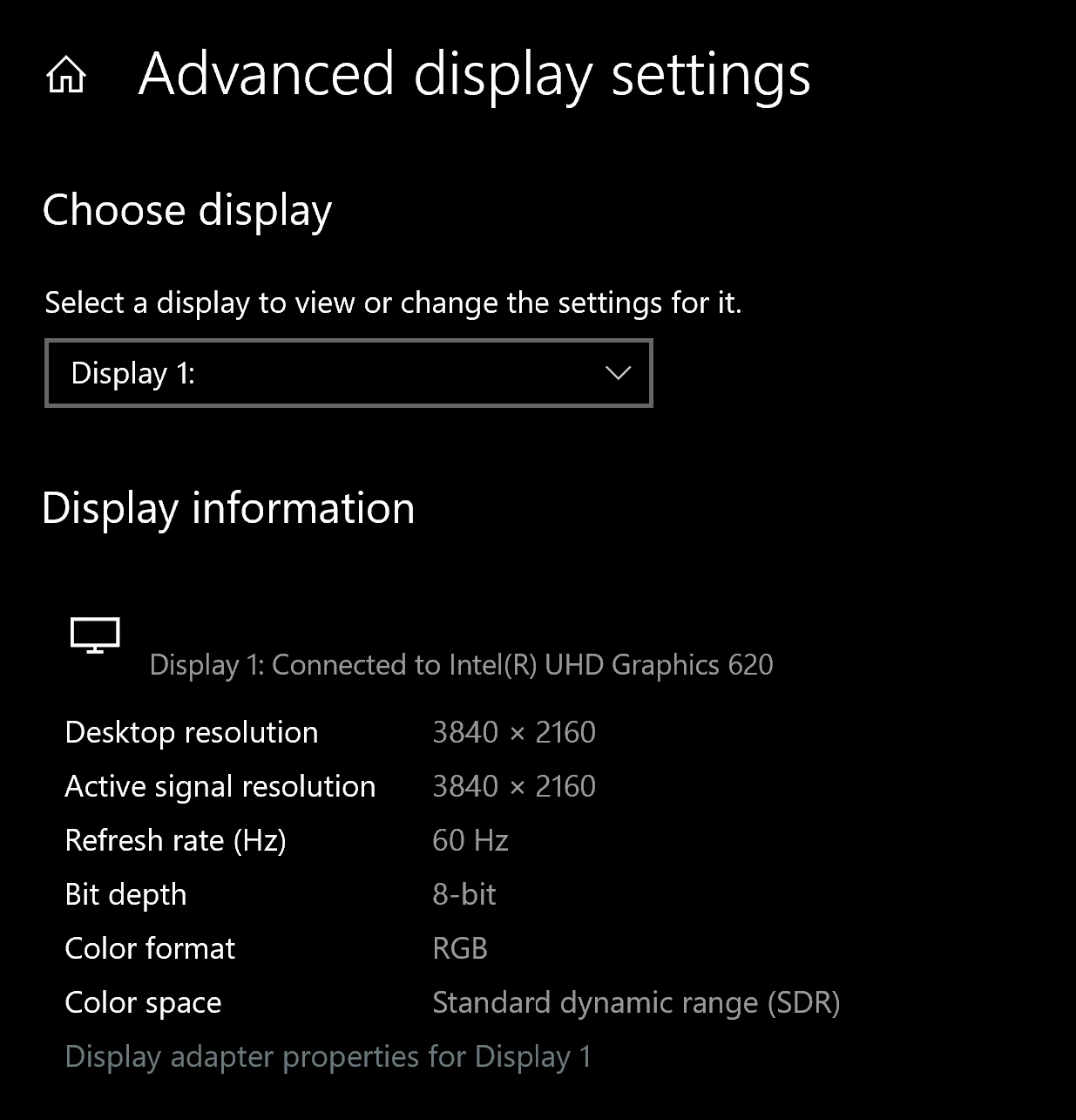
Display 1 (laptop) information
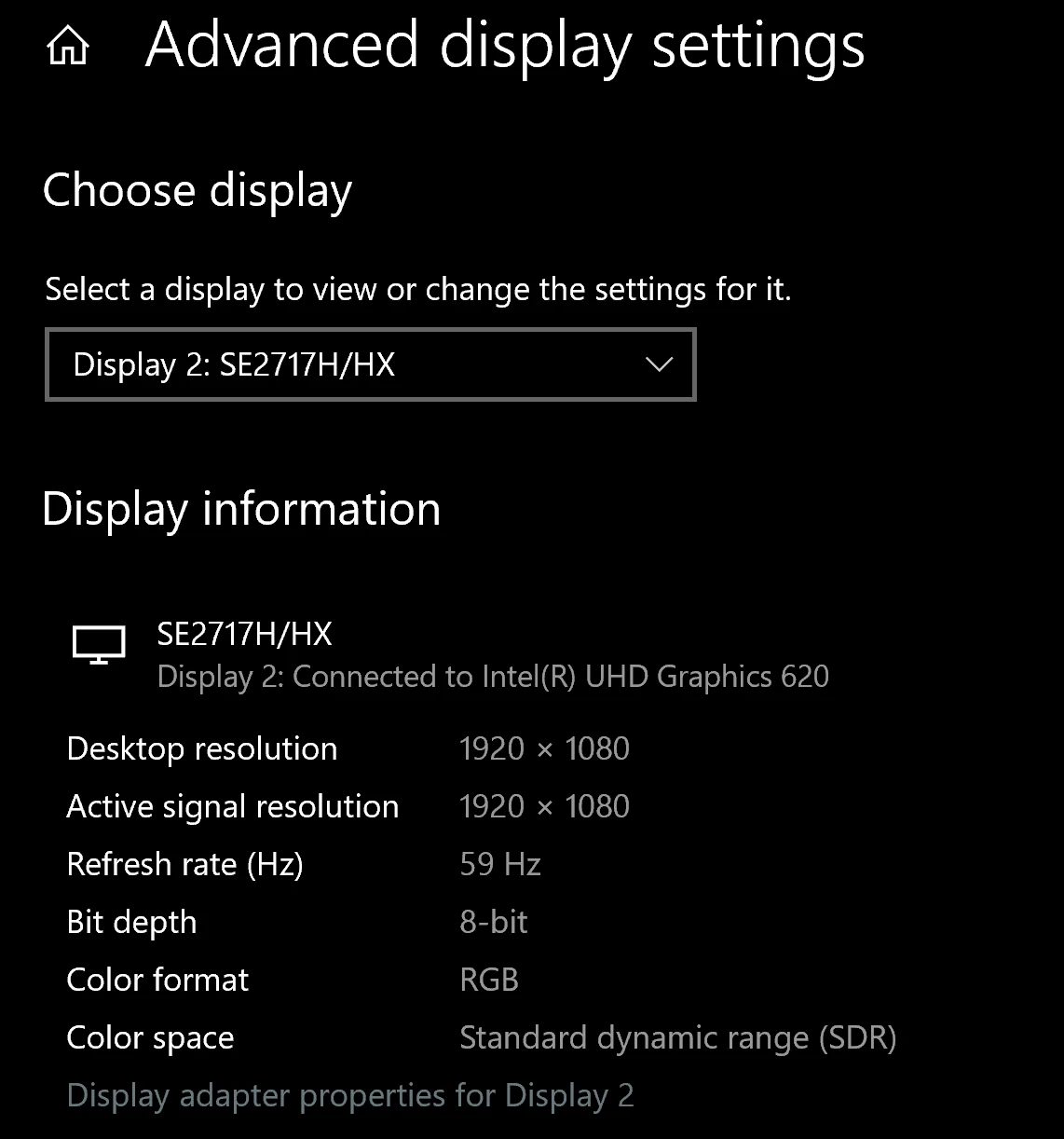
Display 2 (monitor) information
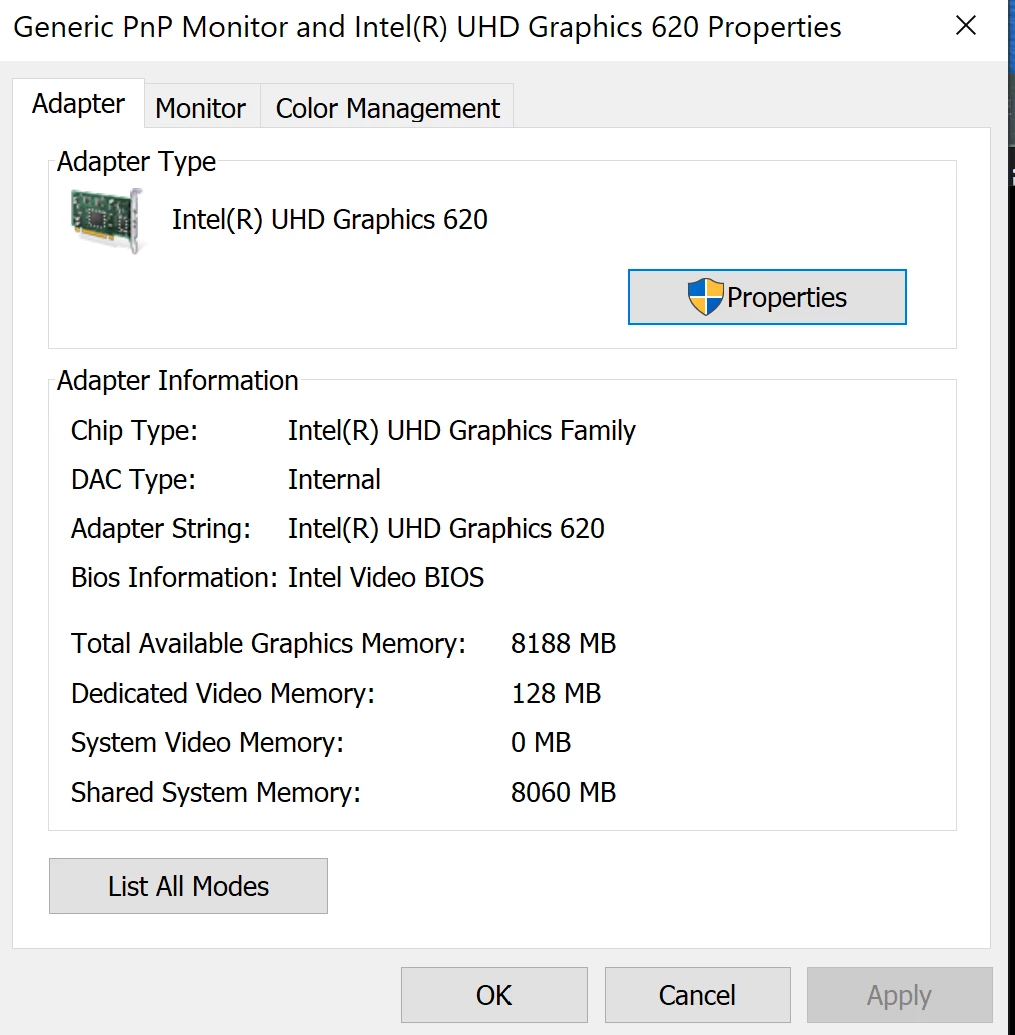
Adapter properties for display 2
 AdChoices