
Question
Lightroom changes Saturation of non-Raw files when importing
Dear comunity
When I import PNG's into Lightroom, they change in Saturation. It's not by a whole lot but it's enough that skintones are too desaturated and the lively look of a picture gets diminished. This can easily be corrected of course but I don't fancy paying for an Application and than having to go through 100s of pictures to get adjust them to their original color.
In my sample picture, the left hand is inside of lightroom after the import and the right hand is before the import (displayed using the standard preview app).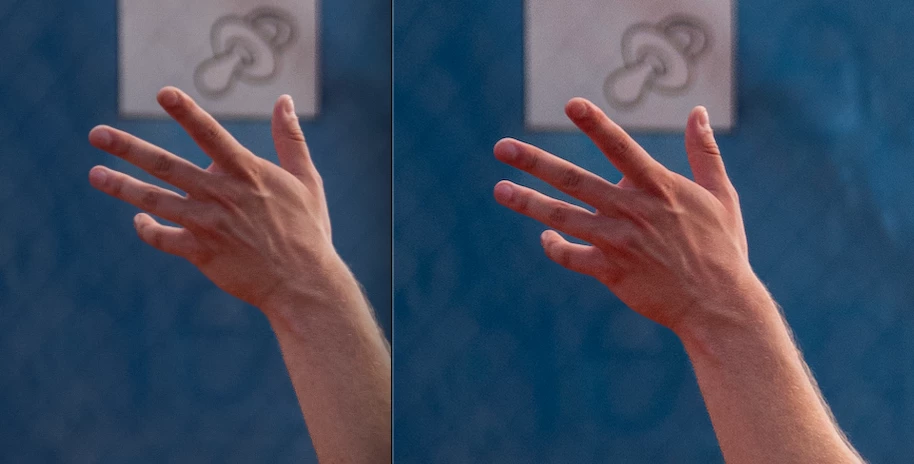
My Specs:
Lightroom Version 5.3
Macbook Pro (M1 Max)
thank you very much
 AdChoices