Answered
Lightroom cloud version Edit History
Where do I find my Edit History panel in the Cloud based Lightroom version?

Where do I find my Edit History panel in the Cloud based Lightroom version?
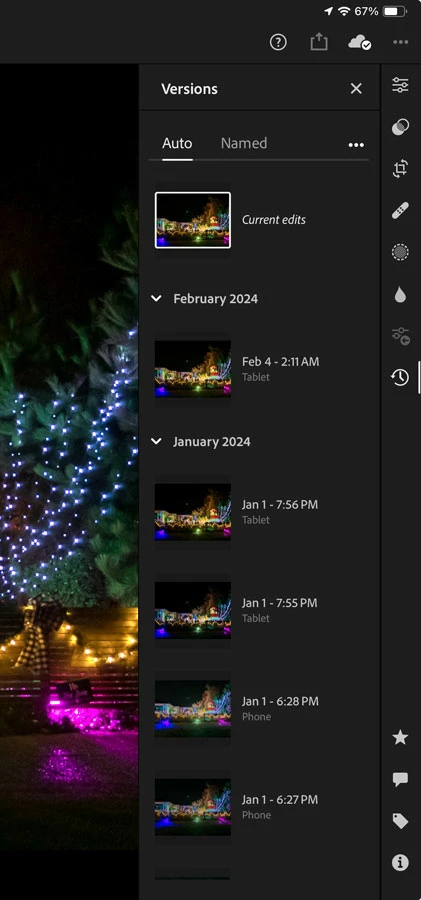
One feature of Versions is Auto Versions. This gets you a little closer to History in Lightroom Classic, because you don’t have to manually create versions; it automatically creates them over time. It isn’t as granular as Lightroom Classic History because it doesn‘t list every edit step, but at least you can roll back to automatically generated points in time, all the way back to the original state. It’s enough to let you roll back to a time before a mistake was made.
In other words, Versions in Lightroom (manually created and named) are like Snapshots in Lightroom Classic, and Auto Versions (automatically created at certain time points) are the closest that Lightroom has to the History states in Lightroom Classic.
However, the many limitations in Lightroom cause me to prefer using Lightroom Classic for most work.
Already have an account? Login
Enter your E-mail address. We'll send you an e-mail with instructions to reset your password.
 AdChoices