

📸 Lightroom Desktop 8.4 & Lightroom Mobile 10.4
Lightroom Desktop 8.4 & Lightroom Mobile 10.4: Distraction Removal, AI Enhancements, and more!
New AI-powered tools are making photo editing easier and more powerful than ever. We are excited to announce the new Distraction Removal tool across the Lightroom ecosystem, enhancements to AI editing workflows, support for the latest devices, and more ways to get stunning results fast!

To update Lightroom Desktop to 8.4, click "Update" in the Creative Cloud desktop app next to Lightroom. More detailed instructions for updating.
Here's what's new in Lightroom Desktop and Mobile:
|
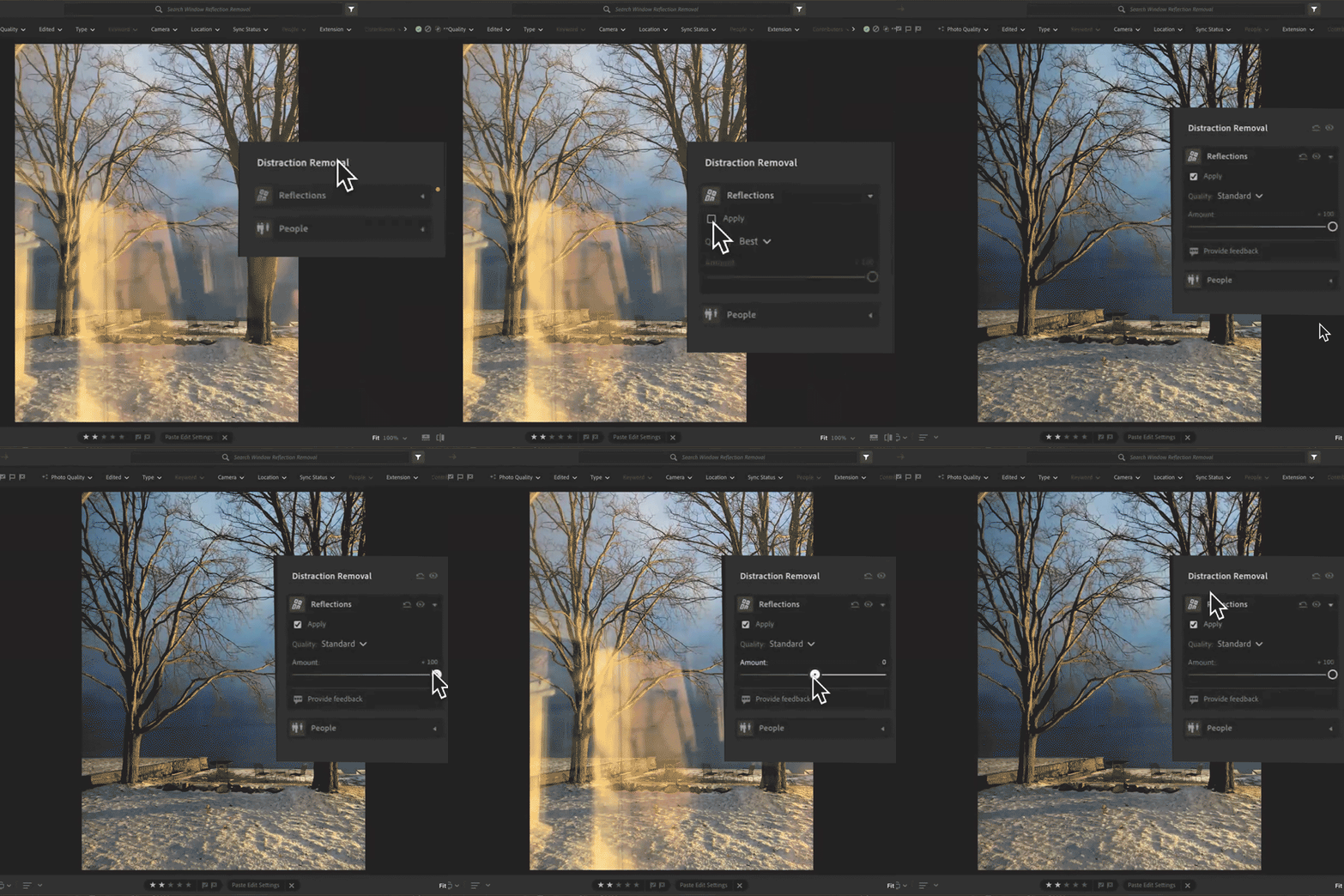
Reflection Removal on Desktop Shooting through a window or glass door? Use Reflections Removal to eliminate glare and surface reflections from your image, leaving behind a clean, crisp final photo. You can even adjust the Quality setting to control your final resolution—great for balancing speed and precision.
Learn how you can remove reflections on your photos by using the new Reflections Removal Tool here.
|
 |
|
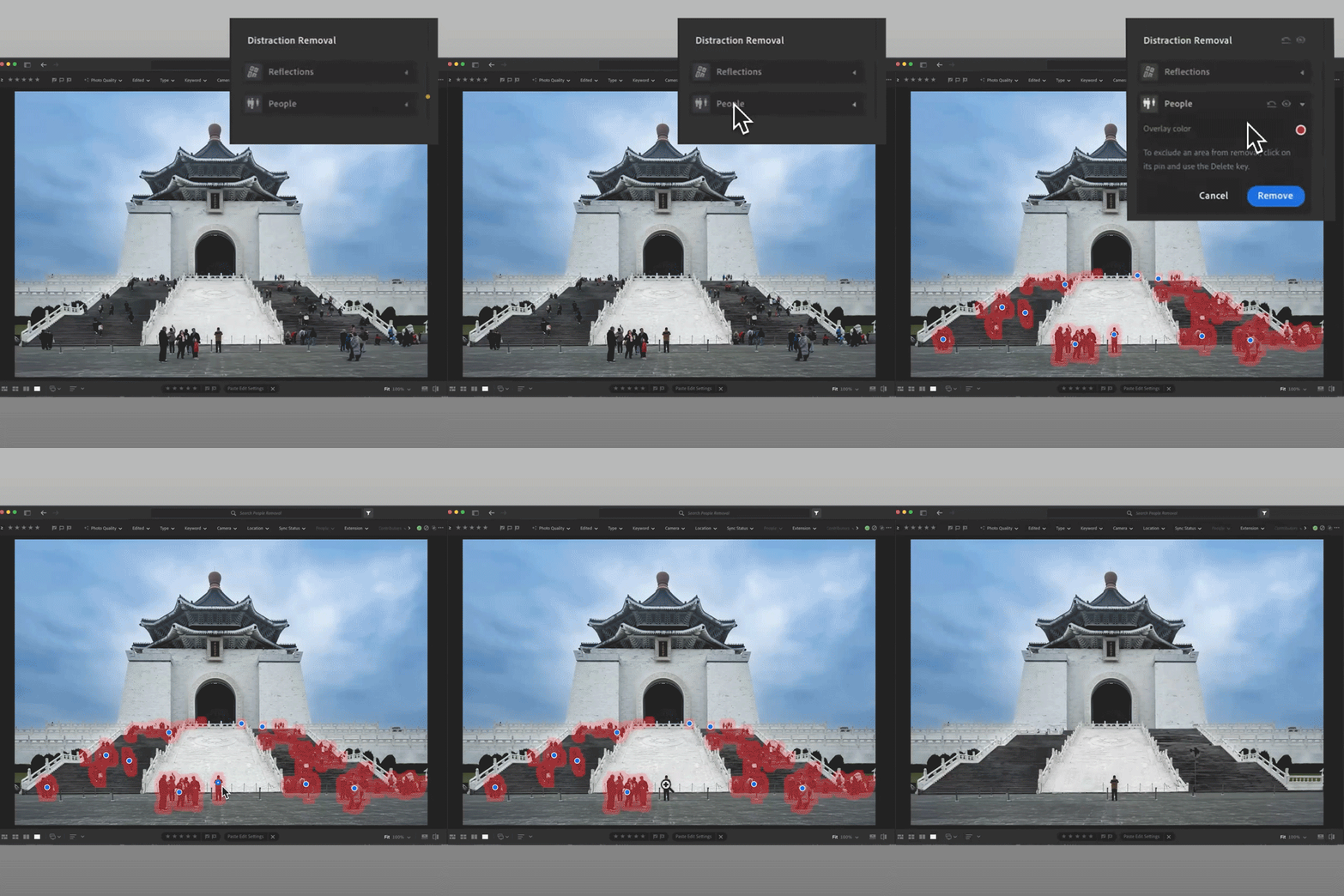
People Removal Crowded backgrounds? The new People Removal feature automatically detects and removes extra or unwanted people from your shot. Whether you're on the desktop or mobile app, it's easy to clean up your photo so your main subject shines.
Learn how to remove distracting people in a photo with the AI-powered Distracting People Removal tool here. |
 |
|
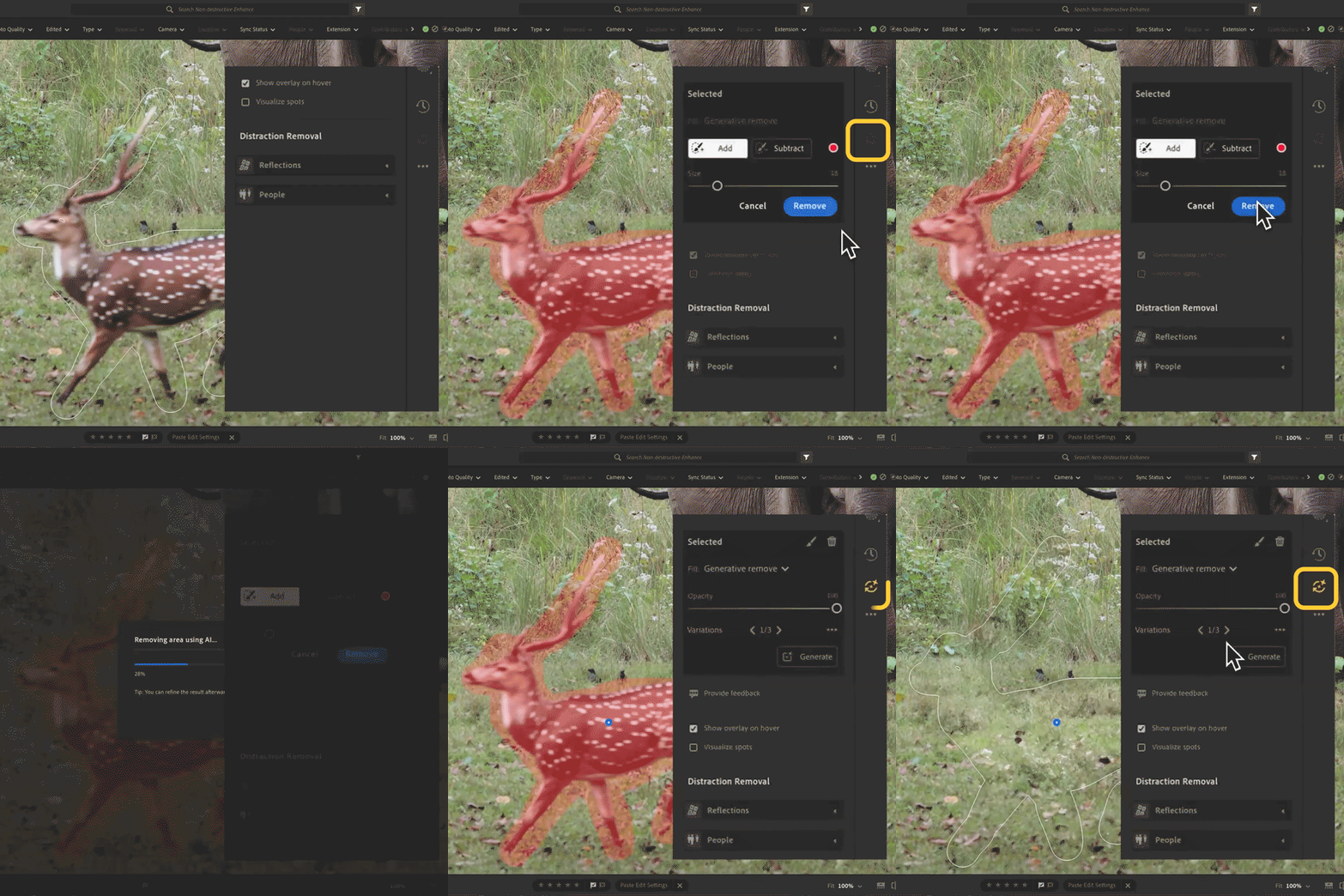
View and Update AI Edit Settings Stay in control of your edits. Now, when you apply AI-powered tools like Denoise, Remove, or Lens Blur, an AI Edit Status icon will show up. If anything changes that might affect your results, the icon turns yellow so you'll know it's time to reapply or tweak your settings. It's an easy way to keep your edits looking their best with no guesswork needed.
Learn more about the AI Status Icon here. |
 |
What's new on Lightroom iOS and Android 10.4:
|
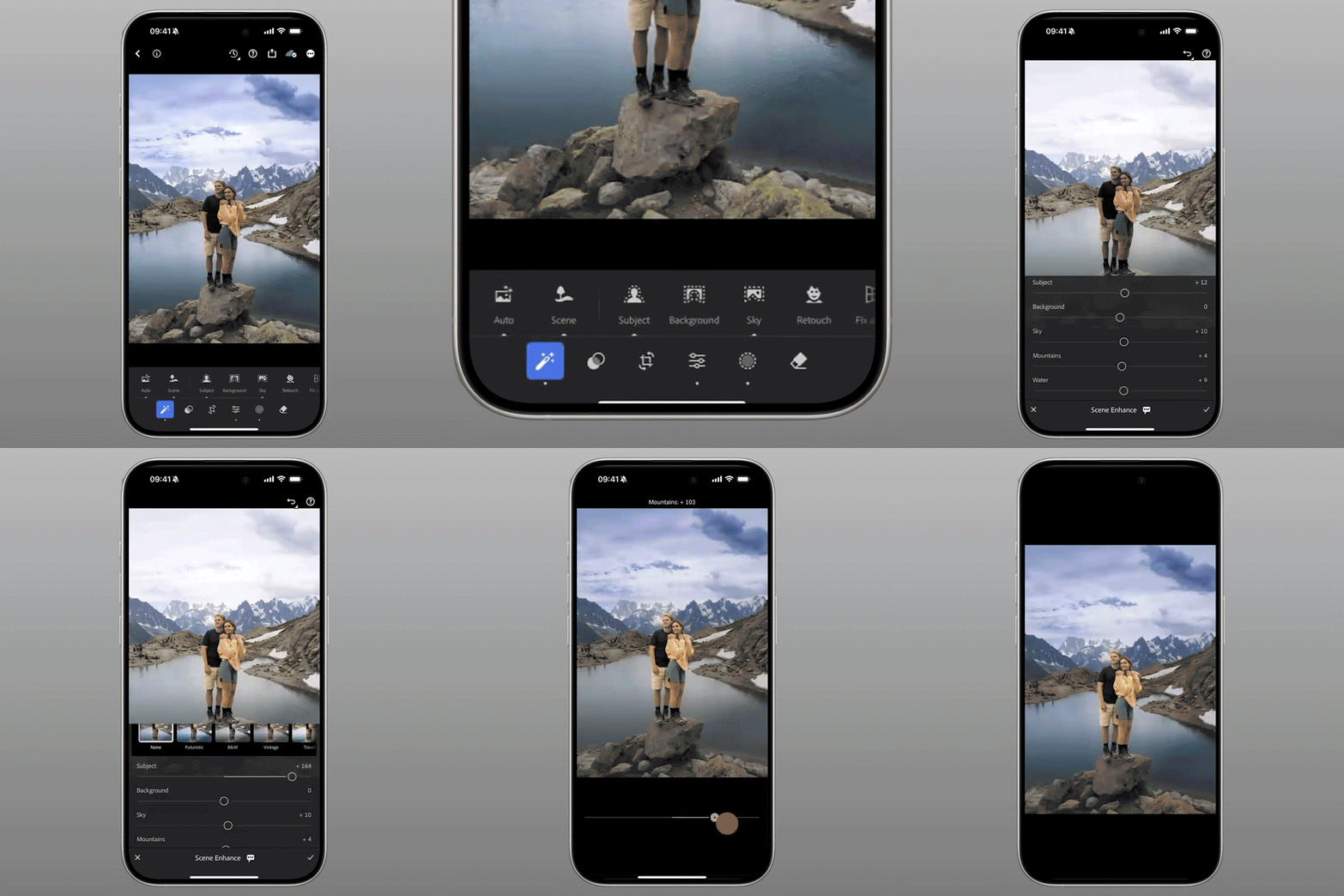
Scene Enhance on Lightroom Mobile Turn your landscapes into showstoppers! Scene Enhance helps balance elements like skies, water, and mountains, bringing out the natural beauty in your photo. Just tap the Actions panel and select Scene to start enhancing with a single click.
You can access Scene Enhance in Lightroom for mobile iOS and Android. |
 |
Camera & Lens Support + Enhancements:
Lightroom 8.4 & 10.4 also include newly supported cameras and lenses, plus some exciting improvements:
-
Desktop: Access Denoise, Raw Defaults, and Super Resolution directly under the Detail panel.
-
Export to PNG formats.
-
On Mobile: Share multiple images as an album, swipe through photos faster in Loupe view, and switch between original and reduced resolution when using AI tools.
-
New color picker tool for selecting border colors directly from your image
-
Android 15 support and more ways to engage on shared content
Check out the full list of supported cameras and lens profiles.

Are you ready to get started? Update Lightroom to the latest version and explore the new tools for faster, smarter editing. Let us know what you think below or share your before/after results in the comments.
On Desktop: Open your Creative Cloud desktop app and click "Update" next to Lightroom Desktop.
On Mobile: Head to the App Store or Google Play, and download the latest version of Lightroom Mobile.
More detailed instructions for updating.
We’d love to hear from you!
Try out the new Lightroom Desktop 8.4, and let us know your thoughts. Feel free to reach out if you have any questions or need more tips!

We’d love to see what you’ve created and hear about your experience or feedback! Click 'Reply' below.
Click 'Follow' below to bookmark this post for easy reference.
For other questions, feel free to start a new post in the community.


 AdChoices