
Exit
  • Global community
    • Language:
      • Deutsch
      • English
      • Español
      • Français
      • Português
  • 日本語コミュニティ
  • 한국 커뮤니티
1

Lightroom (Not Classic) Photos Not Syncing

Community Beginner ,
Feb 24, 2025 Feb 24, 2025

I imported photos to Lightroom (Not Classic, idk what to call the desktop version of mobile thanks to the stupidity of the names) on my Macbook, and it seems that 3,970 of those photos are stuck syncing, while 593 of them decided to sync just fine. The 593 that did sync, are photos that I added to an album I created while the photos were syncing. Now I'm just stuck with no other photos, and those 3,970 are only on my Macbook, and not syncing.
355
Translate
Report
Community guidelines
Be kind and respectful, give credit to the original source of content, and search for duplicates before posting. Learn more
community guidelines

correct answers 1 Correct answer

Adobe Employee , Feb 25, 2025 Feb 25, 2025

You call it "Lightroom Desktop". 


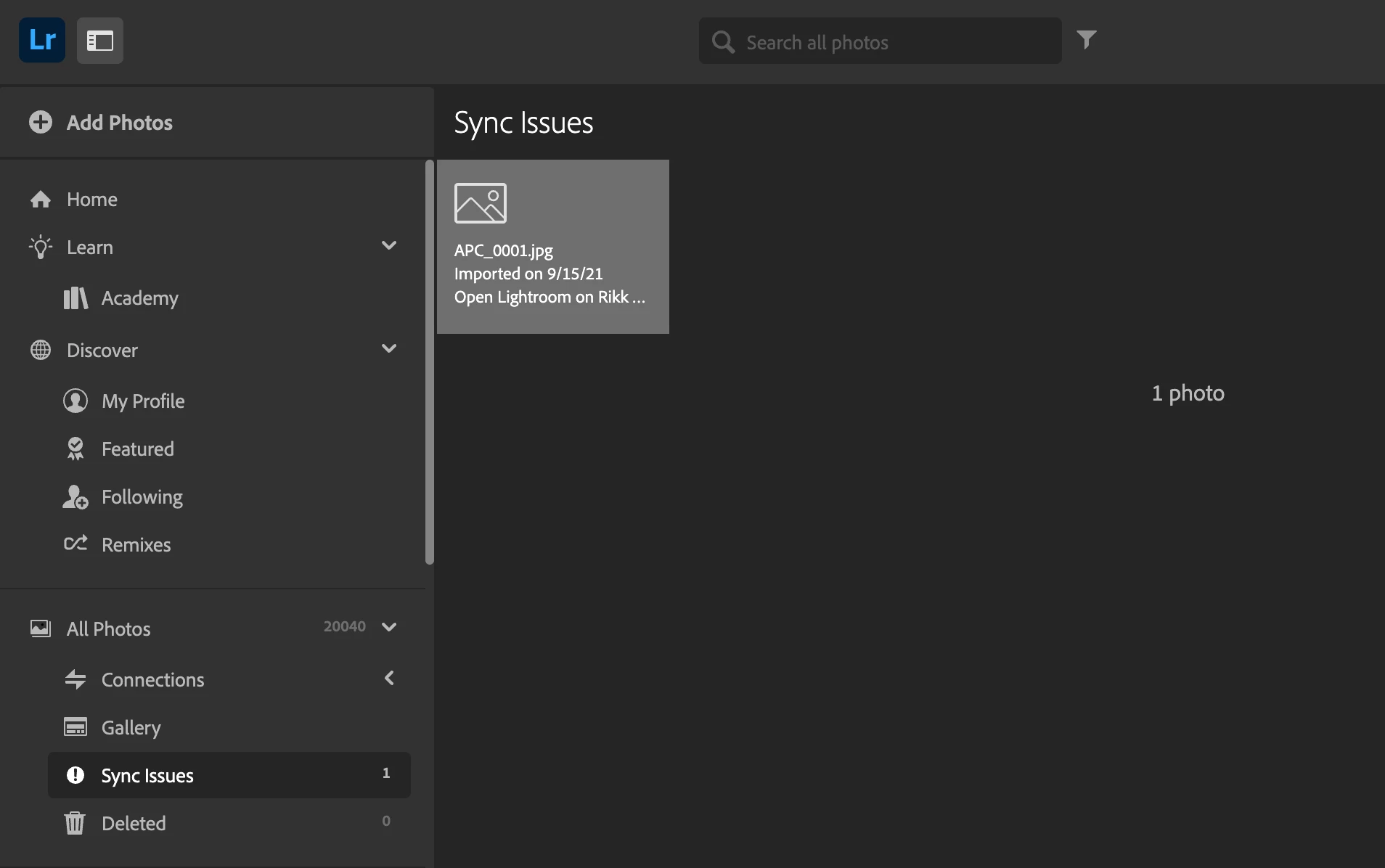
If you log into your Lightroom Web account at https://lightroom.adobe.com and look for a folder called Sync Issues (see image)

LightroomWebSyncIssues.png
Do your unsynced images show up here? 

If 'yes' then the image thumbnail should contain instructions to right the ship and restore the sync. 
If 'no', you will need to send us some logs so we can see what issue your LrDesktop installation is encountering. 


Translate
Community Expert ,
Feb 24, 2025 Feb 24, 2025

in the future, to find the best place to post your message, use the list here, https://community.adobe.com/

p.s. i don't think the adobe website, and forums in particular, are easy to navigate, so don't spend a lot of time searching that forum list. do your best and we'll move the post (like this one has already been moved) if it helps you get responses.


<"moved from using the community">
Translate
Report
Community guidelines
Be kind and respectful, give credit to the original source of content, and search for duplicates before posting. Learn more
community guidelines
Community Beginner ,
Feb 24, 2025 Feb 24, 2025

yeah unfortunately the help page is never very helpful to the specific problems I have, and so I rarely find fixes for my issues using others' posts. This time I couldn't seem to find any appropriate solutions via keyword searches. I also don't understand how I'm supposed to know where to post, considering I just go to 'help' and it brings me to either search or make a post.

Translate
Report
Community guidelines
Be kind and respectful, give credit to the original source of content, and search for duplicates before posting. Learn more
community guidelines
Adobe Employee ,
Feb 25, 2025 Feb 25, 2025

You call it "Lightroom Desktop". 


If you log into your Lightroom Web account at https://lightroom.adobe.com and look for a folder called Sync Issues (see image)

LightroomWebSyncIssues.png
Do your unsynced images show up here? 

If 'yes' then the image thumbnail should contain instructions to right the ship and restore the sync. 
If 'no', you will need to send us some logs so we can see what issue your LrDesktop installation is encountering. 


Rikk Flohr: Adobe Photography Org
Translate
Report
Community guidelines
Be kind and respectful, give credit to the original source of content, and search for duplicates before posting. Learn more
community guidelines
Community Beginner ,
Feb 26, 2025 Feb 26, 2025
LATEST

They did show there, but it showed no info as to why they were stuck. Regardless, it did fix itself last night suddenly, and so now, all is well.

Translate
Report
Community guidelines
Be kind and respectful, give credit to the original source of content, and search for duplicates before posting. Learn more
community guidelines