
Participant
August 31, 2022
Question

Lightroom won't read the RAW image; exclamation mark (macOS)

  • August 31, 2022
  • 3 replies
  • 267 views

I have an issue with the lightroom. When i tried to import my raw images. The other photos will show and some will just have an error prompt image.
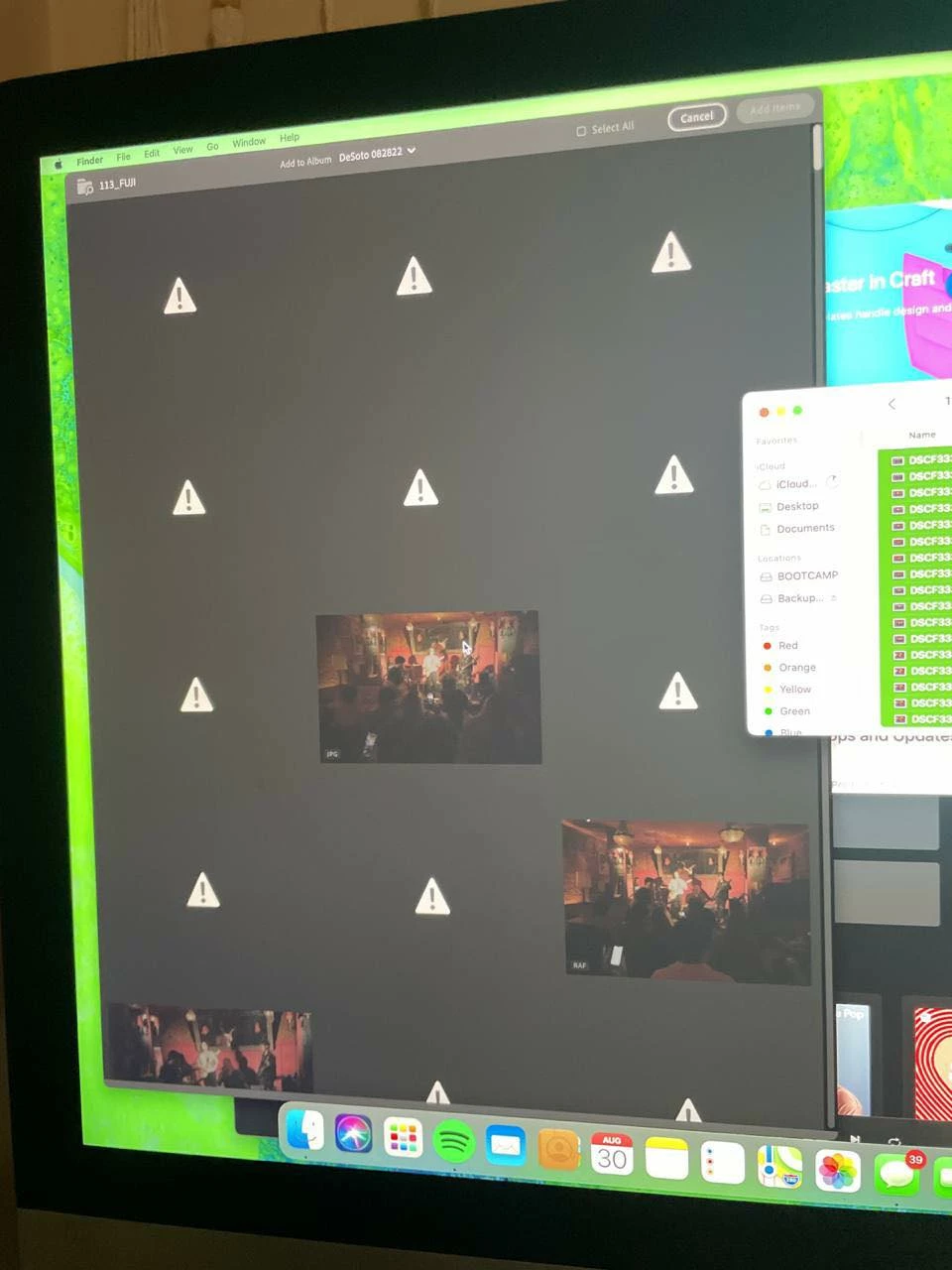


Though in my computer there no problem it shows all the photos. 

I hope this makes sense. thank you for your help in advance


{Title edited by Moderator}

This topic has been closed for replies.

3 replies

Community Expert
September 3, 2022

What camera? Is it on the supported list? https://helpx.adobe.com/camera-raw/kb/camera-raw-plug-supported-cameras.html Are you using the latest version of Lightroom (5.5)?

Theresa J
Community Expert
Community Expert
September 1, 2022

Try copying the photos off of the card and on to the computer hard drive first. Add them to Lightroom from the drive.

Participant
September 1, 2022

Thank you for your time. Yes I have tried that. I tried to copy it first in the computer the try to import it in the lightroom but still the same

Theresa J
Community Expert
Community Expert
September 3, 2022

Is it just this set of images? Does this happen with other cards? 

Ranjisha Sengupta
Legend
September 1, 2022

Hi there,


Thanks for reaching out. Please provide a few details.

What is the version of Lightroom and macOS that you are using? What is the file format of the RAW files? (Check if it's supported: https://helpx.adobe.com/lightroom-classic/help/supported-file-formats.html

Where are the originals located? How have you imported them?


Thanks,

Ranjisha