Participant
May 22, 2024
Answered

Lightroom [You do not have permission to save files]

  • May 22, 2024
  • 10 replies
  • 25128 views

Just recently started getting this message, does anyone know to solve this problem ? I've given access to Lightroom but still says it
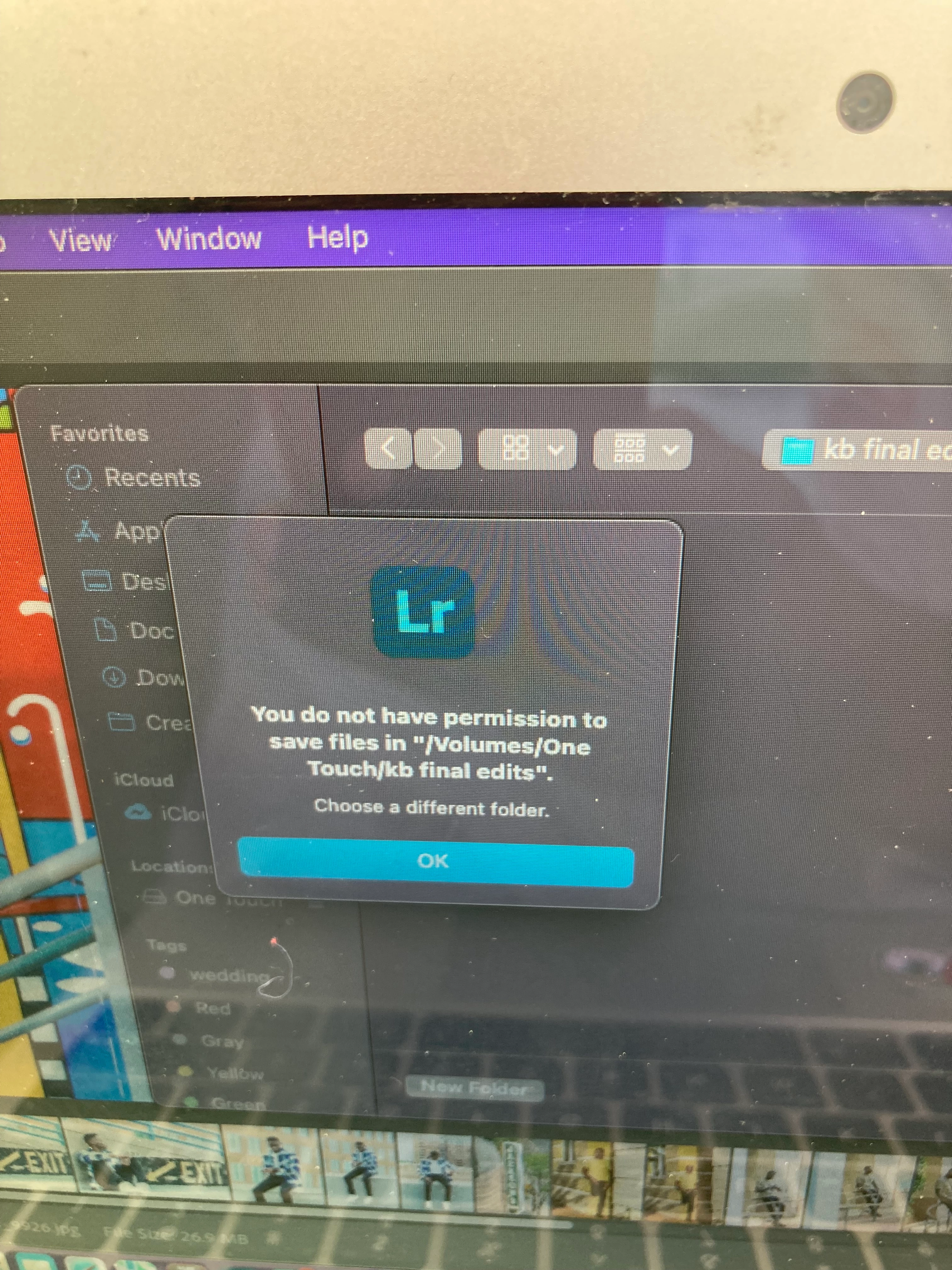

Correct answer Vicki37632029e3kr

Hello. can you say a little bit more about how to go to local please?
(sorry, but I can't figure out how to do that 😬)


Hey yes 

top left corner you'll see 

cloud and local 

select local 

home icon (username) select... allow access 

and that should resolve hopefully 🤞 

10 replies

Participant
August 26, 2024

Life Mein Sab feature free kaise karen

Participant
August 17, 2024

Im getting this same "no permission" message despite me allowing disk access.  However, there is one file on my desktop that ive created and it does allow it, but that's the only folder.  Why does it allow one and not rhe others? 

Participant
July 8, 2024

Hi everyone

I am trying to export my photos to a folder on my desktop and I get the message "You do not have permissions to save files in "/Users/xxxx/Desktop/folder". 

I have already given Lightroom full disk access through the Privacy & Security settings and I can export successfully to the Pictures folder. But, I still can't save to my Desktop which is synced to my iCloud account. 


If it helps, I also can't export to any other folder I create under "/Users/xxxx/" and this is the error message I see:

I have Lightroom version 7.3 from Mac App Store and macOS Sonoma 14.5

Brendaa
Participating Frequently
June 8, 2024

I just now figured mine out! First make sure you have the newer version of Lightroom for this to work, then :


Adobe Lightroom > Apple icon > System Settings > (should pull up screen box as below) > Privacy & Security >

..............(if you already have Adobe LR in the list below, skip this part)

Now this part I had to do myself because I did NOT have Adobe Lightroom in the list below. So if you were like me, you will need to >> Click + on bottom left list of box below > Find Adobe LR application (NOT FOLDER) and click > Turn the toggles on, for the apps you want full access on.


I hope this helps!


Participant
June 20, 2024

Hi,

Apologies for posting in this thread but I am having the same issue and wondered if you had any advice?  Any ideas would be greatly appreciated.  I've always exported my edited photos to an external hard drive once I have finished but since the last update I cannot export to my external HD.  

I get the message You do not have permission to save files in "volumes/My Passport/name of folder..."

If I go to the Local tab and try that I then get the mesage Folder Permission denied - The Folder "My Passport" cannot be opened because you do not have permission to see its contents

If I try to save to an already created folder on the external hard drive it allows me but if I try to save to a new folder I am being blocked by the messages above.

I have checked the System Settings and Privacy & Security settings and everything seems to be as it should be so I am totally confused.

Participant
May 27, 2024

Hi I have just started to have the same issue.  I was able to save to a folder created on the desktop.  I have now clicked on 'local' and selected my external drive, LR indicated I needed to give permission, click okay and seems to be working now. 

Participant
May 25, 2024

I've got the same message, did you have any luck resolving it?


Participating Frequently
May 25, 2024

Yes, I solved it. Check my answer above. 

Community Expert
May 25, 2024

What are your settings for Lightroom in System Settings->Privacy and Security->Files and Folders? It should show the following there:

You should not need to put Lightroom in Full Disk access and this dialog should be enough (you might not have the dropbox entry if you don't use dropbox) but it doesn't hurt if you do. 

Participant
May 25, 2024

I am having the same issues; however, my Lightroom under the above directions shows this - see screenshot

Participant
May 25, 2024

Did you mamage to get this issue resolved? 
Ive the same error message 

Participating Frequently
May 25, 2024

No, unfortunately I haven't found a solution yet. It's very frustrating.

Participant
May 25, 2024

If you go to local

allow access 

this solved for me 


Hello. can you say a little bit more about how to go to local please?
(sorry, but I can't figure out how to do that 😬)

Victoria Bampton LR Queen
Community Expert
Community Expert
May 24, 2024

Is it only external drives, or even places like the desktop?

Victoria - The Lightroom Queen
Participating Frequently
May 24, 2024

In my case, it happens in any folder (desktop, documents, external drives, new folders, etc.). Since last update LR can only export images in its own folder (where LightroomLibrary.lrlibrary is by default). 

Victoria Bampton LR Queen
Community Expert
Community Expert
May 24, 2024

Odd! What operating system version please?

Victoria - The Lightroom Queen
Participating Frequently
May 23, 2024

Since the recent update, I have the same problem. When I try to export a photo, Lightroom can't access any folder, though it has full disk access.

Participant
May 25, 2024

i have the same problem, i can export to my desktop but when I try to my external hard drive I can not!