Under System Info it says
Lightroom version: 5.7.1 [994254]
License type: Creative Cloud
Operating system: Windows 7 Business Edition
Version: 6.1 [7601]
Application architecture: x86
System architecture: x86
Logical processor count: 4
Processor speed: 2.5 GHz
Built-in memory: 3240.8 MB
Real memory available to Lightroom: 716.8 MB
Real memory used by Lightroom: 209.6 MB (29.2%)
Virtual memory used by Lightroom: 305.4 MB
Memory cache size: 63.9 MB
Maximum thread count used by Camera Raw: 2
System DPI setting: 96 DPI
Desktop composition enabled: Yes
Displays: 1) 1366x768
When I try to import a RW2 file it says: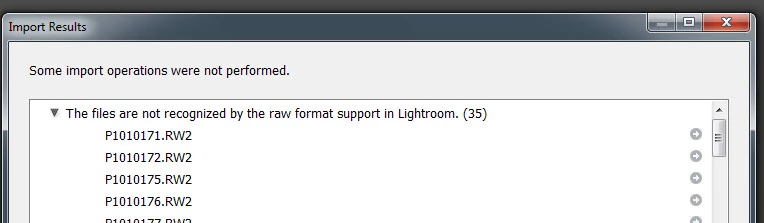
It looks as though your operating system is 32-bit only, and unfortunately both LR6 and LR Classic (version 7) will only run on 64-bit systems. As a result, the Creative Cloud app will only download and install the latest version of LR (version 5 in this case) which is supported on 32-bit Windows. Unfortunately, you need version 6.6 as a minimum to get raw support for that camera.
So your choices are:
1. Download the free Adobe DNG Converter, which you can use to convert your raw files to the DNG format (still raw, but packaged differently), which you can then import into LR5.
2. Upgrade your Operating System to 64-bit (assuming your hardware supports that), after which you can install the latest version of Lightroom Classic.

 AdChoices