
Copy link to clipboard
Copied
I'm running macOS Mojave V10.14.5
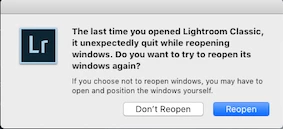
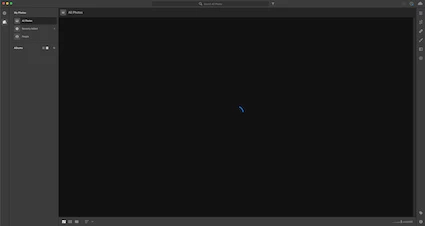
Last night a power failure shut down my computer. When restarting all programs were fine but my Lightroom programs. When I start Lightroom Classic, it gives me an error report that "Lightroom unexpectedly quit..... do you want to Reopen", when I click reopen it goes into an endless loop of continually asking that same question. When I open Lightroom CC, it opens but I have a blank screen with a spinning circle.
I've tried uninstalling both programs, and reinstalling them.
I've tried other tips I've seen online like running a Mac sweep with Onyx
I've rebooted.
My pictures are on my mac hard drive, I can see them. I can run Lightroom CC from my Windows laptop and all my cloud pictures are there.
Need help,
Thanks
Ron
Copy link to clipboard
Copied
Hi Rontravel.yvr,
Sorry that you cannot use Lightroom Classic and Lightroom desktop on your Mac as it crashed due to a power failure. Let us help make this right.
It seems that there are some registry entries that might b causing this issue. Removing both the apps using Adobe Creative Cloud cleaner tool and then reinstalling them might help the cause. See Use the Creative Cloud Cleaner Tool to solve installation problems
Let us know if that helps.
Thanks,
Akash
Copy link to clipboard
Copied
This still doesn't help. I did this also before posting on the forum but I tried again and it still is a problem.
First off, I don't think the cleaner tool runs fully.

I get this one error, and I can't find any .log file on my computer as stated.
When reloading everything, Lightroom classic still won't open. I just get in an endless loop that the program crasshed before, do I want to reopen.
For Lightroom CC I get this error

There must be some library file corrupt...
Thanks for the help
Ron
Copy link to clipboard
Copied
Help.... can anyone help getting Lightroom working on my computer again.
Thanks
Ron
Copy link to clipboard
Copied
Since you can see all your images on your windows laptop, the simplest thing to do is to delete the Lightroom Cloudy library from your computer. It will get automatically recreated from the cloud data. This is done by dragging the file "Lightroom Library.lrlibrary" that you should see in your Pictures folder to the trash. Do this will Lightroom Cloudy is not running. Then restart Lightroom Cloudy and it should say it needs to do some cleanup and after a while you should see all your images start show up again. If this doesn't work, you should log off of creative cloud from the creative cloud icon in the menu bar and then log back in.
For Lightroom Classic, the best thing to try first is to reset the preferences. Reinstalling seldomly does anything. You reset the preferences using the instructions here:
https://www.lightroomqueen.com/how-do-i-reset-lightrooms-preferences/
Find more inspiration, events, and resources on the new Adobe Community
Explore Now