




Question
Move and edit files between Lightroom and Photoshop Web
Discover the ease of transferring and editing files between Lightroom and Photoshop on the web! Accessible directly from your browser, these tools let you accomplish tasks swiftly and unlock your creative potential effortlessly.
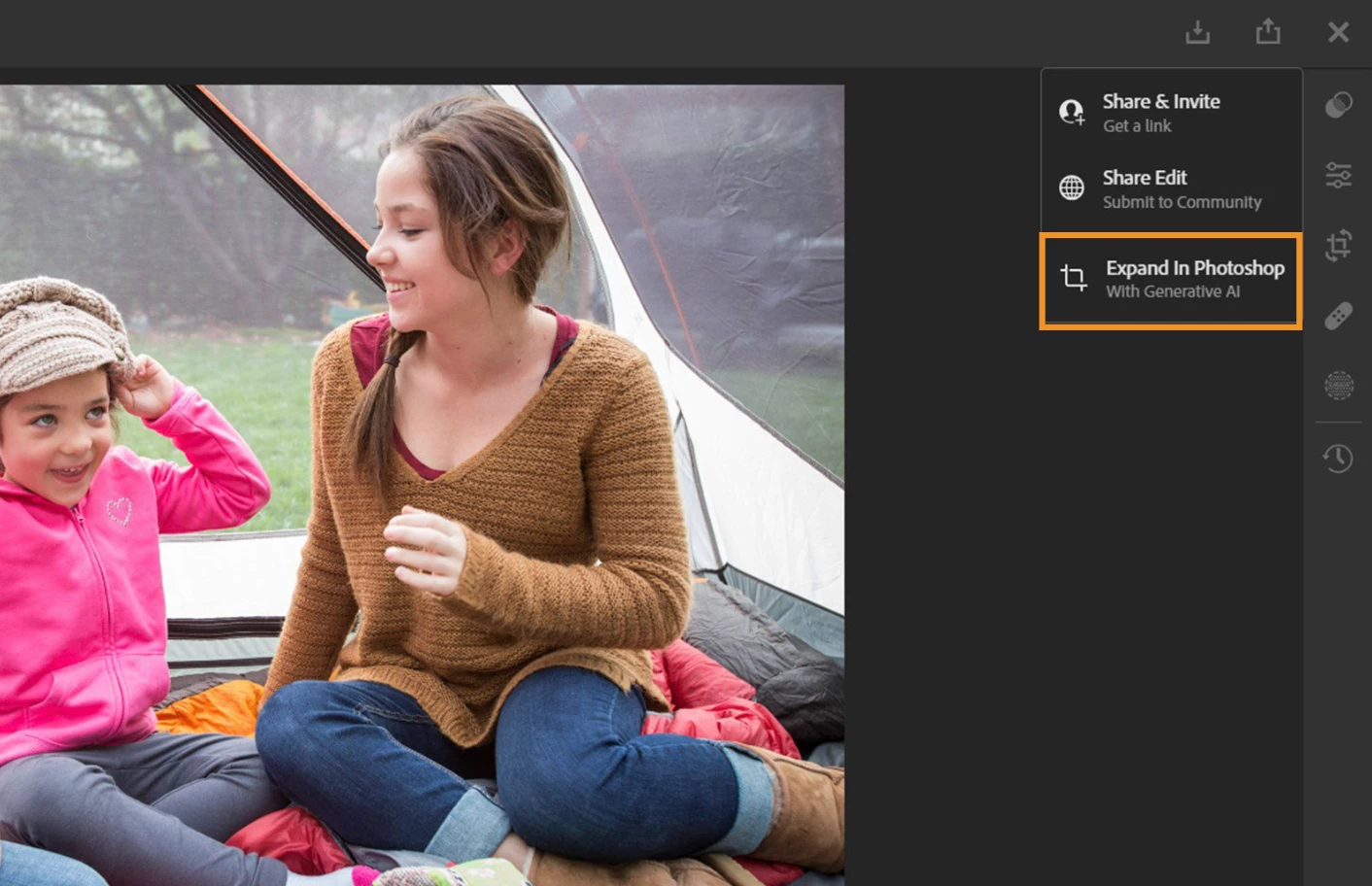

Open your Lightroom Web files in Photoshop Web
❶ Open your file in Lightroom Web and select the file to edit/move in Photoshop Web
❷ Click the Share at the top right
❸ A new tab opens with multiple options; select "Expand Photoshop" to open the file in Photoshop Web.
❹ Step 3 will open Photoshop Web in a new tab with your Lightroom Web image
Related links:
Get started with Lightroom Web
 AdChoices