
napast59178197
Participant
November 17, 2018
Answered

Move lightroom mobile from iPhone 6 to iPhone Xs without computer. Is it possible?

  • November 17, 2018
  • 1 reply
  • 343 views

Hi, I am Lightroom mobile user for 4 years (with paid subscription) and never use Lightroom desktop before.

My problem is I just bought a new iPhone Xs and I want to move everything in Lightroom from my iPhone 6 to new iPhone Xs. I search everywhere but only found desktop to mobile solution. So is it possible to move everything from lightroom in iPhone 6 to new iPhone Xs without sync through computer? Any guideline or how to for this?

Thank you

p.s. sorry for my bad english
This topic has been closed for replies.
Correct answer Michael J. Hoffman

Hi napast,

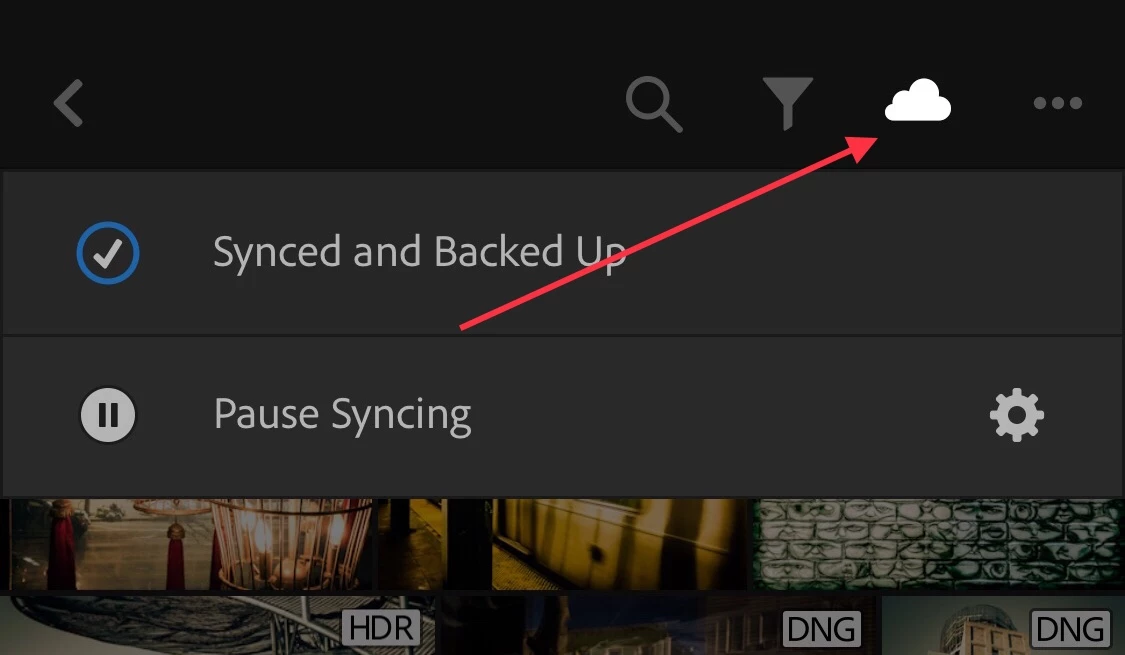
Since you have a paid subscription, your photos should be backed up to the Creative Cloud. You can verify this by tapping the “Cloud” icon at the top of the screen:

Once all your photos are synced and backed up, you will see them in Lightroom Mobile on the second phone.

Note: you must sign in with the same Adobe ID on the second phone to access your subscription and to see the photos.

Mike

1 reply

Michael J. Hoffman
Community Expert
Michael J. HoffmanCommunity ExpertCorrect answer
Community Expert
November 17, 2018

Hi napast,

Since you have a paid subscription, your photos should be backed up to the Creative Cloud. You can verify this by tapping the “Cloud” icon at the top of the screen:

Once all your photos are synced and backed up, you will see them in Lightroom Mobile on the second phone.

Note: you must sign in with the same Adobe ID on the second phone to access your subscription and to see the photos.

Mike

napast59178197
Participant
November 17, 2018

It’s work! Thank you very much

Michael J. Hoffman
Community Expert
Community Expert
November 17, 2018

Glad to hear it! Enjoy your new device

Mike