
February 19, 2025
Answered

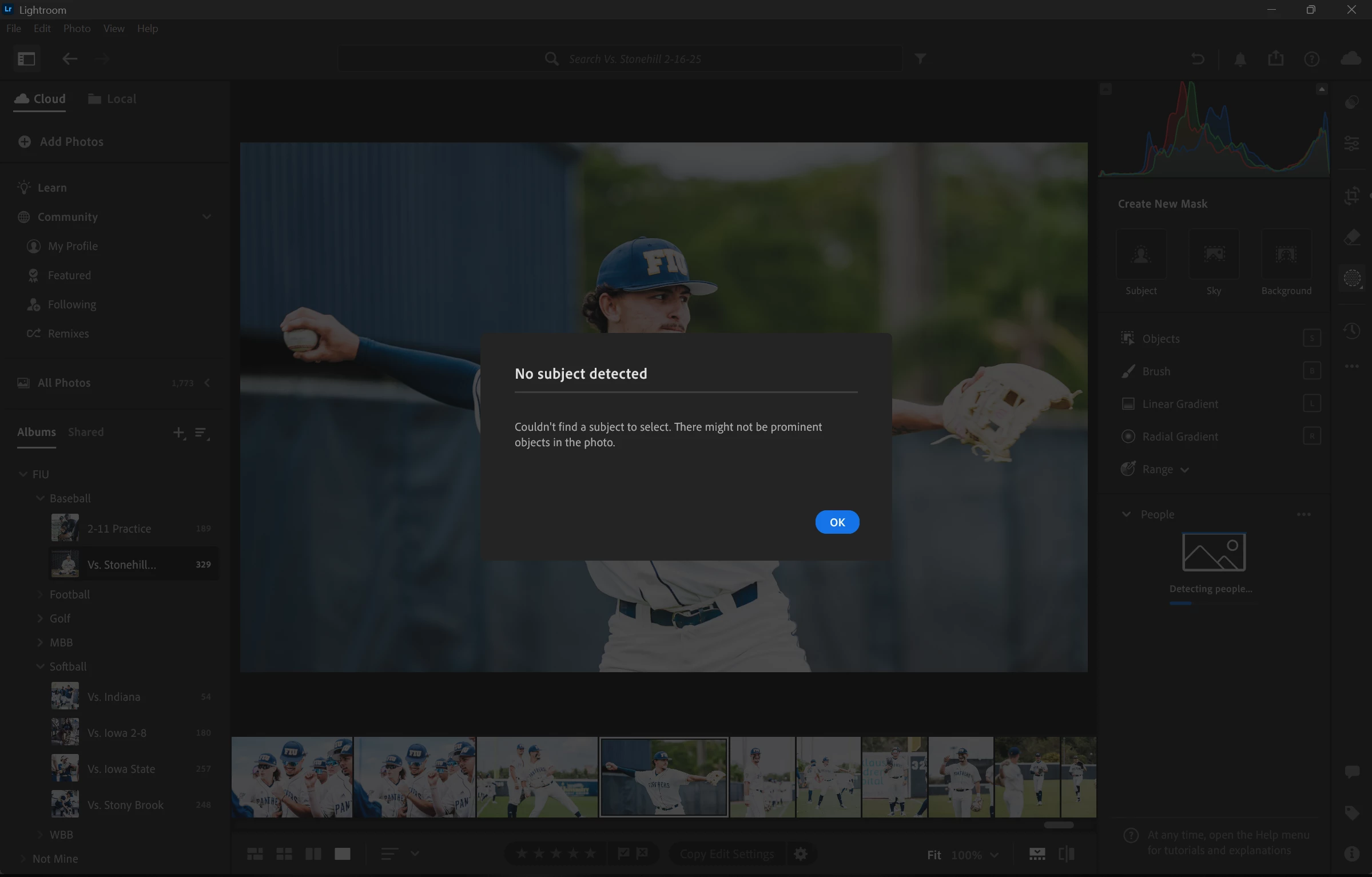
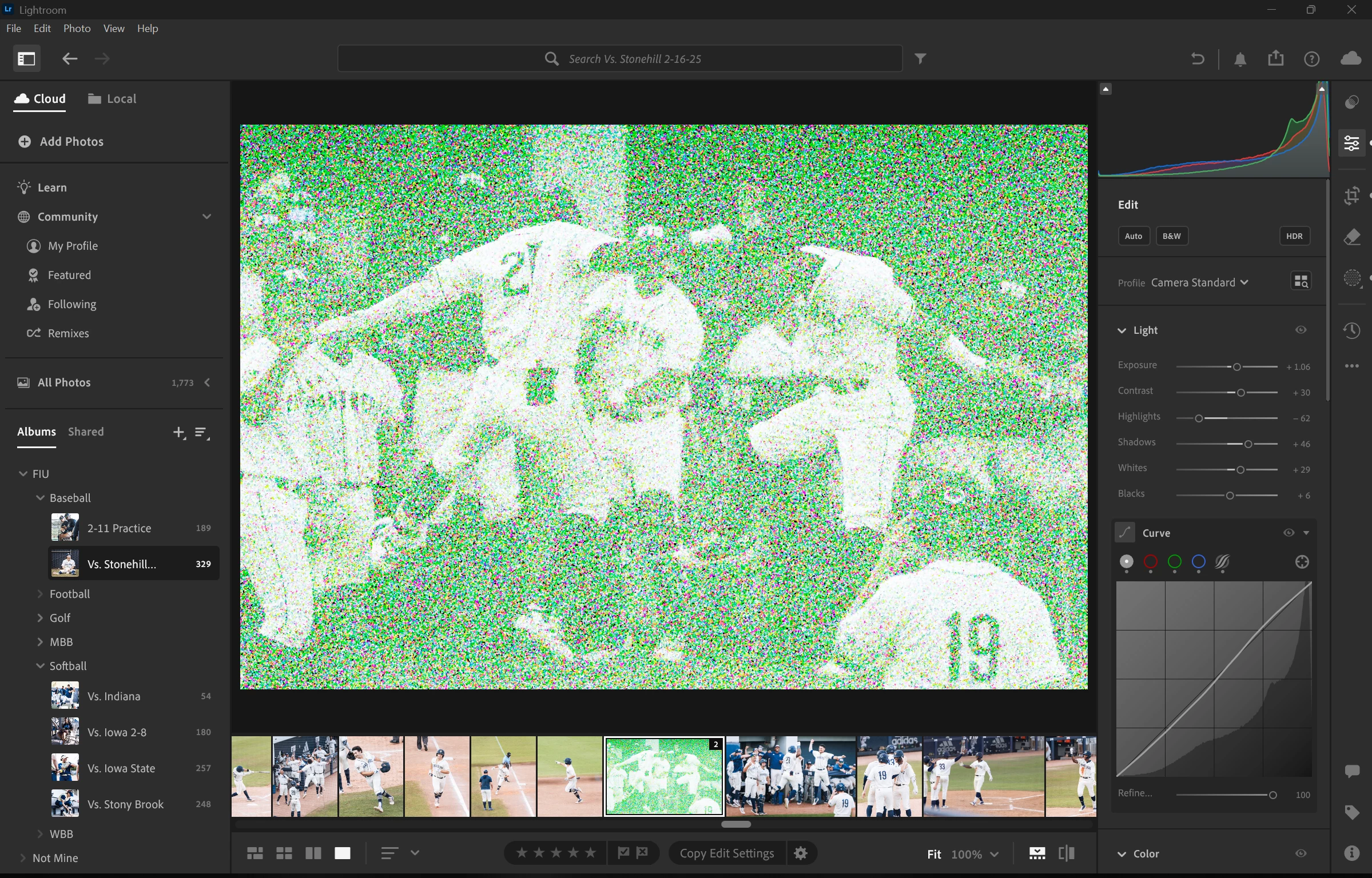
My lightroom can't detect subjects or backgrounds, as well as denoise not working.

  • February 19, 2025
  • 2 replies
  • 426 views

I've been trying to use Lightroom's subject and background detect feature, but I constantly have been getting an error telling me that they can't be detected. As well as get very noisey images when attempting to denoise.
Correct answer T-ron Asphalt

Thanks! It was a driver issue with the old driver.

Got an update from the work admin, and now it works! 

2 replies

Participant
April 10, 2025

I have the same issue.


Lightroom versjon: 8.2 x64 [ 20250201-0700-1b12095 ] (Feb 1 2025)
NGL-versjon: 1.39.0.9
WF-versjon: 7.2 963a5a9
VF-versjon: 1.0.154
HIL-versjon: 40501
CAI-versjon: adobe_c2pa/0.9.3 c2pa-rs/0.31.0
PH-versjon: 5.0

Operativsystem: Windows 10
OS-versjon: Windows 10 Enterprise (2009)
Programarkitektur: x64
Systemarkitektur: x64
Datamodell: Dell Inc. Precision 5480 / 13th Gen Intel(R) Core(TM) i7-13800H
Logisk prosessorantall: 20
Prosessorhastighet: 2,9 GHz
Virkelig minne tilgjengelig for Lightroom: 32375,0 MB
Ekte minne brukt av Lightroom: 8171,1 MB (25,2%)
Virtuelt minne brukt av Lightroom: 8695,3 MB
Størrelse på minnebuffer: 4088,6 MB

Intern Camera Raw-versjon: 17.2 [ 2155 ]
Maksimalt trådantall brukt av Camera Raw: 11
SIMD-optimalisering for Camera Raw: SSE2,AVX,AVX2
Virtuelt minne for Camera Raw: 2258MB / 14139MB (15%)
Virkelig minne for Camera Raw: 2261MB / 32375MB (6%)

Skjerm: 1920x1200
DPI-innstilling for system: 96 DPI
Mørk modus: Nei
Skrivebordskomposisjon aktivert: Ja
Inndatatyper: Flerberøring: Nei, Integrert berøring: Nei, Integrert penn: Nei, Ekstern berøring: Nei, Ekstern penn: Nei, Tastatur: Nei

Informasjon om grafikkprosessor: DirectX: NVIDIA RTX A1000 6GB Laptop GPU (31.0.15.3827) - 6 GB
Detaljer om grafikkprosessor: lastet inn: Ja, støttet: Ja, beregn: Ja, init: I3_GPU4, hard: success, myk: success, al: Nei, dl: Nei
OS Media-funksjon: true

Sameer K
Community Manager
Community Manager
April 10, 2025

Hey, @42780231. Welcome to the Lightroom Community. Thanks for sharing the System info. Your machine has two GPUs: the power-saving Intel XE Graphics and the high-performance Nvidia RTX A1000.

Please try these two suggestions:
1 - Update the graphics drivers using Intel's and Nvidia's auto-detect programs. 

2 - Follow step 6 in the content here to configure the default GPU for Lightroom: https://adobe.ly/49YQSCI


After you update the GPU drivers, you can just try the steps below and check how it goes. The GPU info & Logs location on Windows is %APPDATA%\Adobe\CameraRaw. A shortcut to get to this folder on Windows is:

  • Press the Windows + R.
  • Enter %APPDATA%\Adobe\CameraRaw

    SameerK_0-1684329421513.png


  • Rename the GPU & Logs folder in this directory by adding .old at the end. (GPU.old & Logs.old)
  • Relaunch Lightroom.

Let me know how it goes. Thanks!
Sameer K

(Type '@' and type my name to mention me when you reply)

T-ron AsphaltCorrect answer
Participant
April 10, 2025

Thanks! It was a driver issue with the old driver.

Got an update from the work admin, and now it works! 

nikunj.m
Community Manager
Community Manager
February 19, 2025

Hi, we're sorry about the trouble!

Are you experiencing this behavior with all the images? 

Please go to the Help menu in Lightroom, then System Info and copy the text. You can either paste the text as a reply here or in a text file and share the file with us by attaching it to the reply. 


Thanks,
Nikunj

February 19, 2025

Returning to Lightroom 8.1 fixed the issue, I'm assuming the update might not be compatible.