[This post contains formatting and embedded images that don't appear in email. View the post in your Web browser.]
@Eugen38751249qo17, I dug into the first of your problem DNGs, 20240720_210626.dng, and the evidence strongly indicates this is a problem with the DNG itself, not LR's rendering (see below). There have been many reports over the past year or two of problems with DNGs produced by Samsung's Expert Raw app:
https://community.adobe.com/t5/forums/searchpage/tab/message?sort_by=-topicPostDate&advanced=false&allow_punctuation=false&q=samsung%20expert%20raw%20dng
This post in the Camera Raw forum suggests that uninstalling Expert Raw and reinstalling the latest version fixes these symptoms (but only for photos taken after reinstallation):
https://community.adobe.com/t5/camera-raw-discussions/samsung-dng-looks-fine-through-windows-photos-looks-washed-out-green-in-camera-raw/m-p/14738399
That aligns with Adobe employee @Sameer K's advice that the most recent version of Expert Raw fixes some previously reported issues with DNGs.
Unfortunately, the Samsung app isn't recording a human-intelligible version number in its DNGs (as reported by Exiftool), so I can't tell from your sample DNGs which version produced them.
Examining the DNGs
Here's the JPEG preview embedded in the DNG by the camera app (which LR initially shows after import) and LR's much-different rendering:
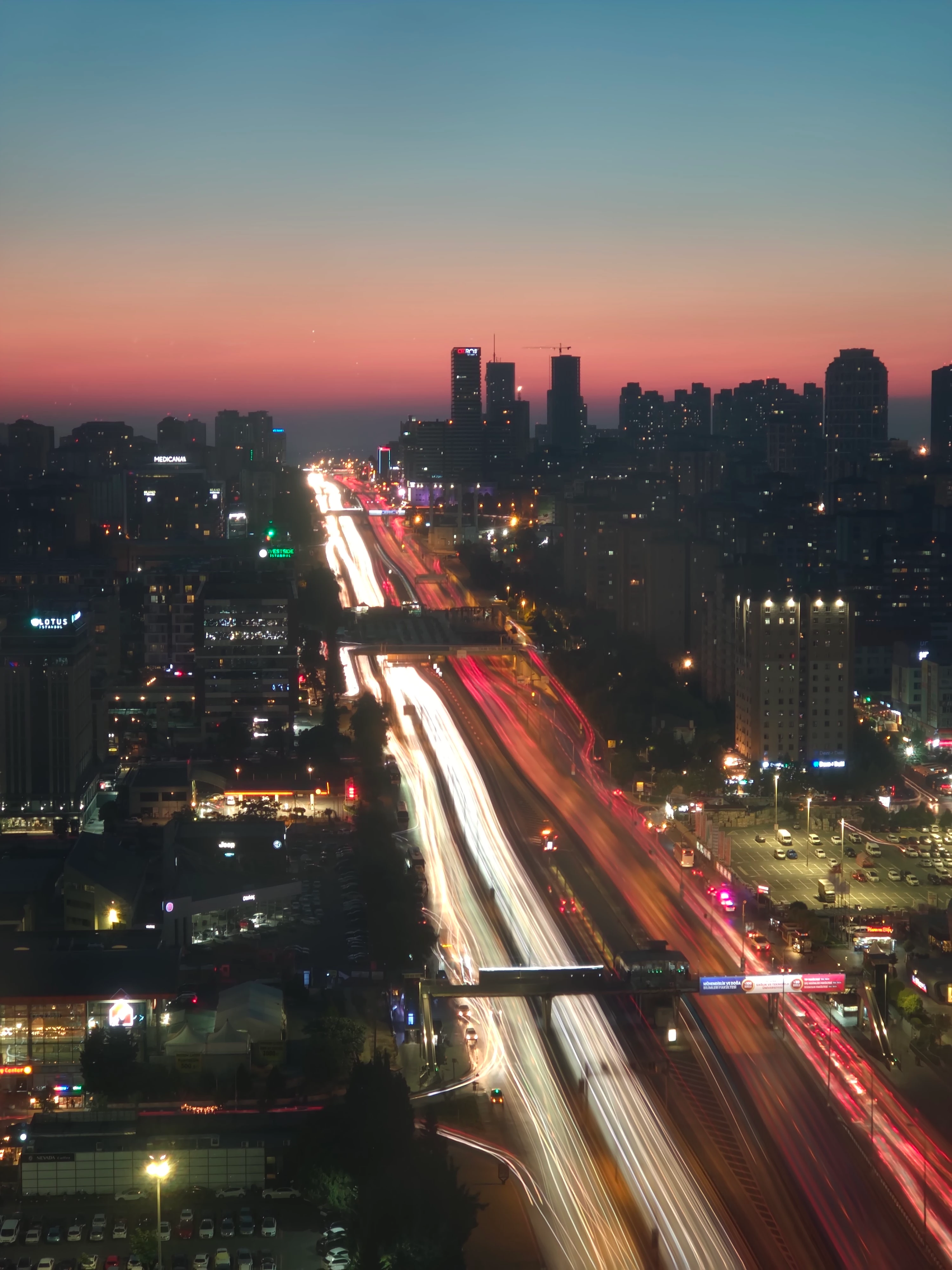
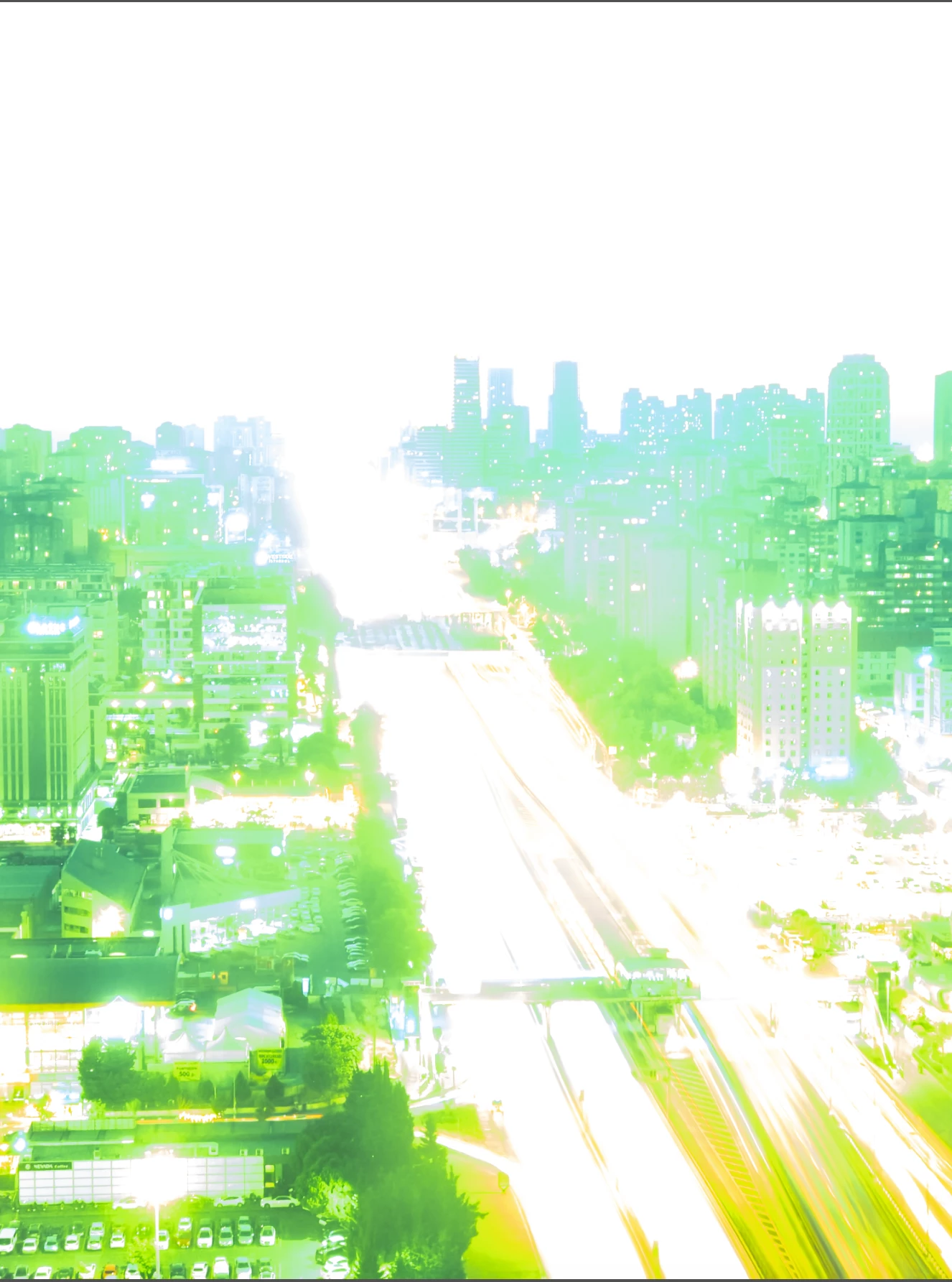
The Rawdigger app lets you examine the raw data in each of the red, green, and blue channels. It shows that the sky and highways have blown-out highlights in each of the RGB channels:
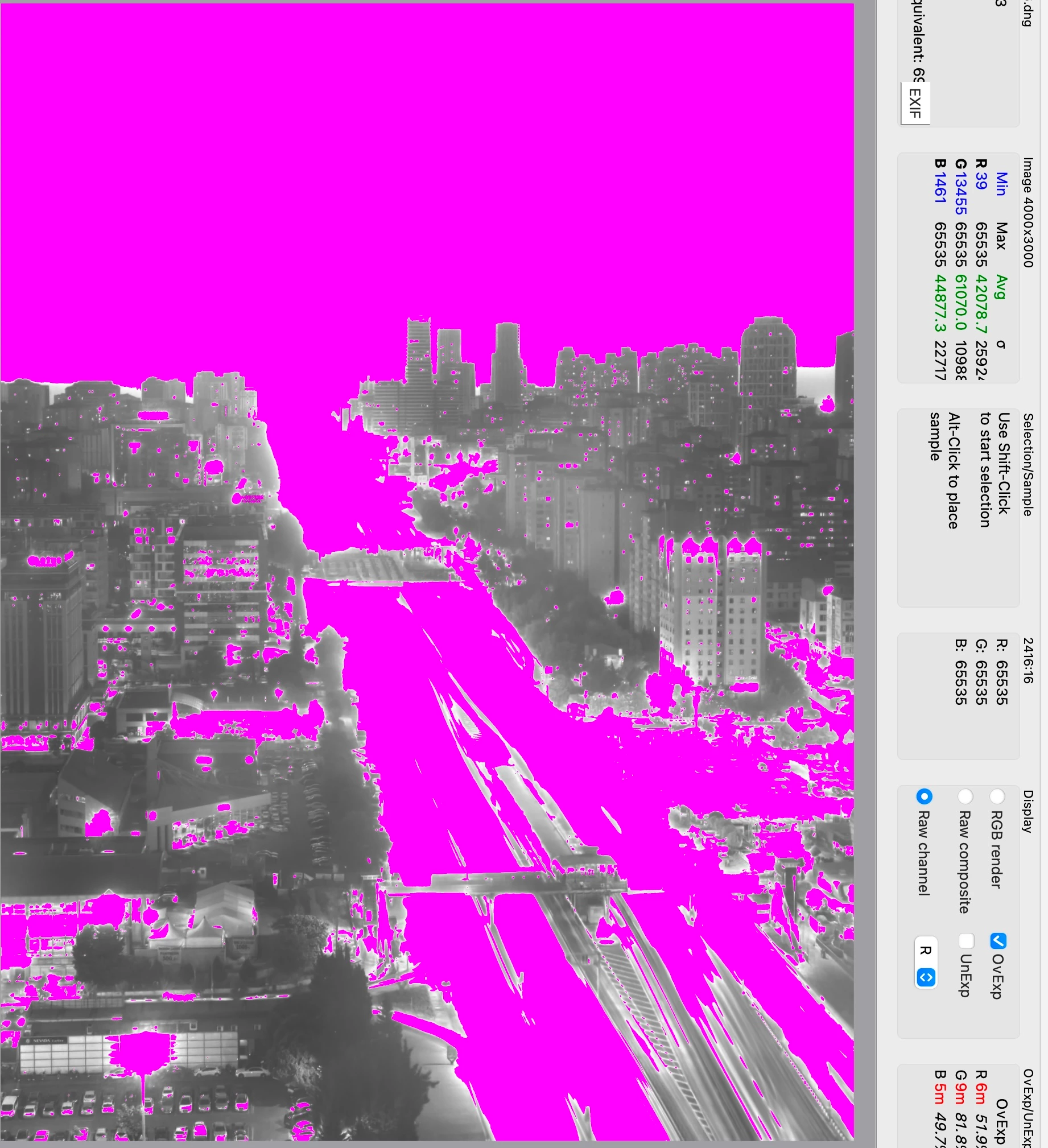
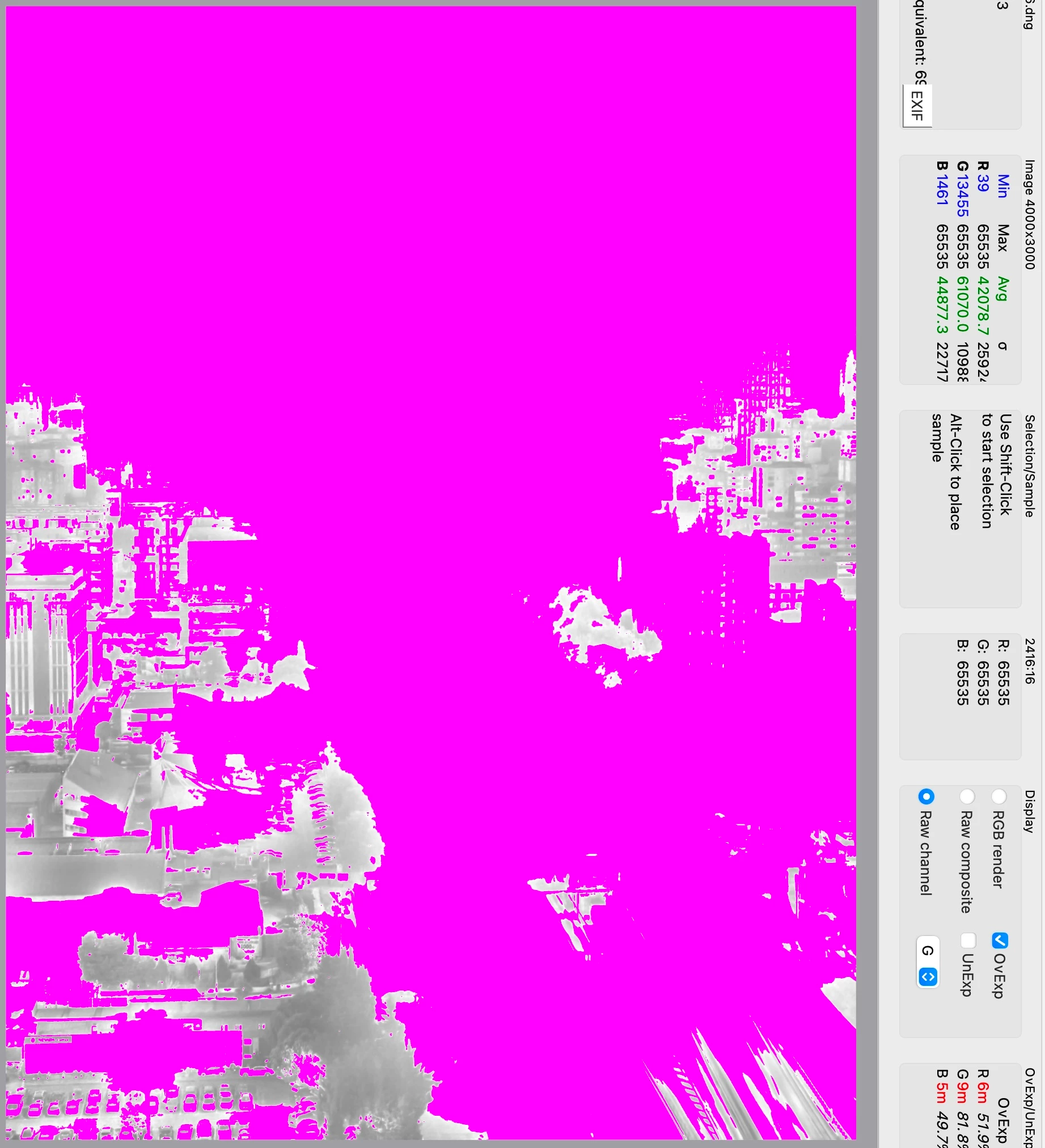
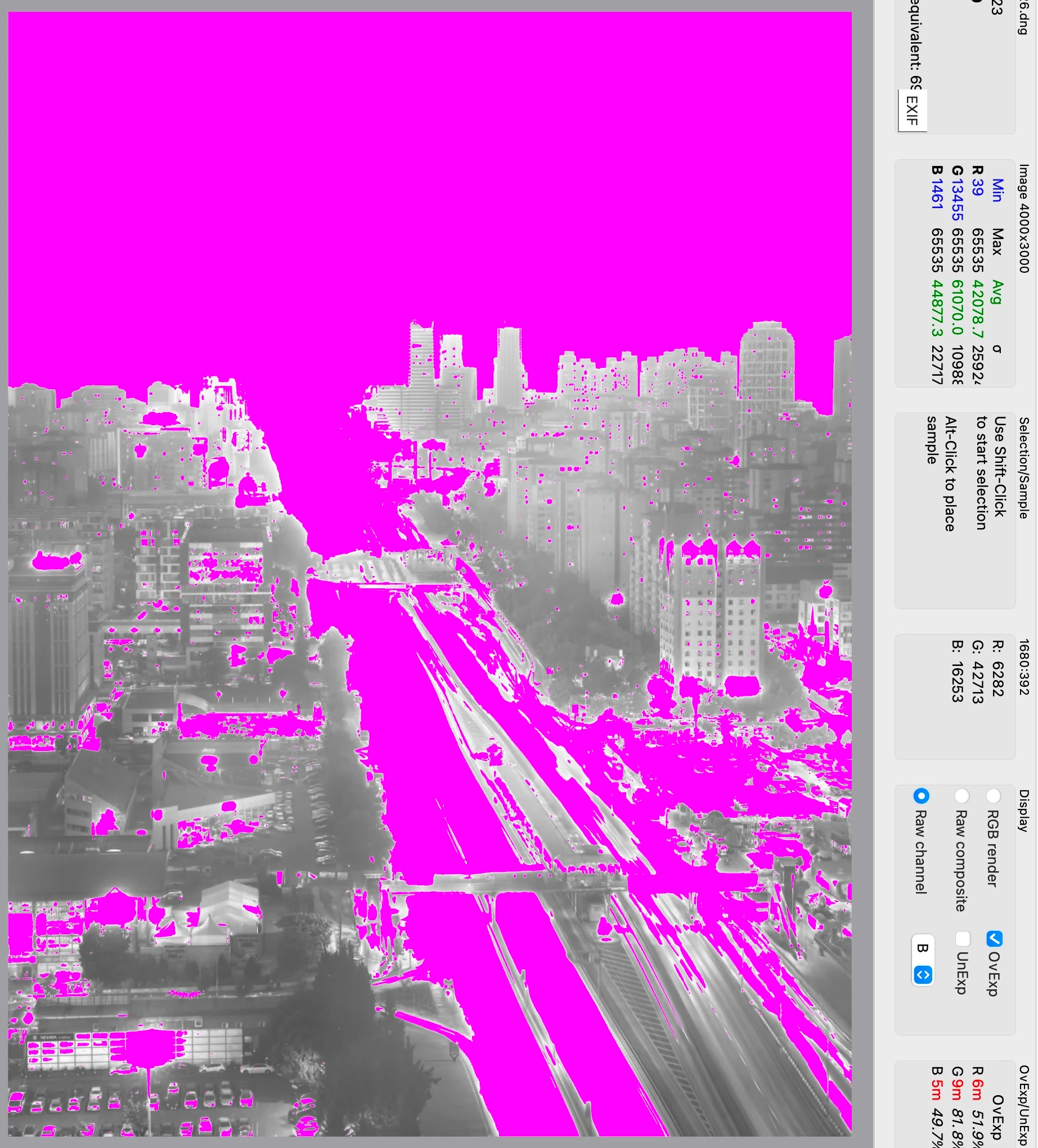
The Rawdigger data aligns with LR's rendering, indicating there's a problem with how the Expert Raw app is recording DNGs.
Exiftool shows that the DNG uses JPEG XL compression, and LR says "Lossy Compression: Yes" in the Metadata > DNG panel.
@johnrellis
I can confirm reinstalling expert RAW fixes the problem in newly created images. Thanks!

 AdChoices