Lindsay Makes Videos
Known Participant
December 27, 2022
Question

Portfolio syncing Lightroom photos but not edits

  • December 27, 2022
  • 2 replies
  • 3184 views

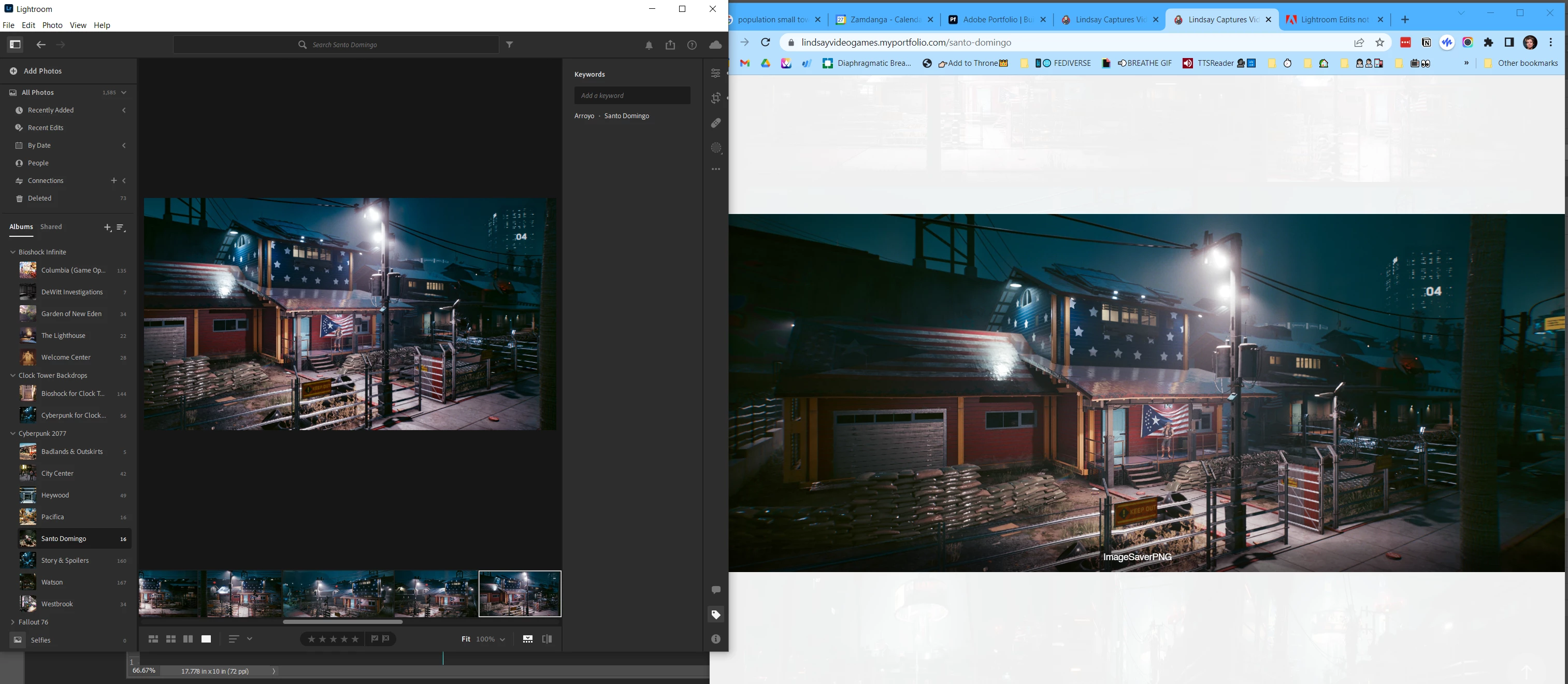
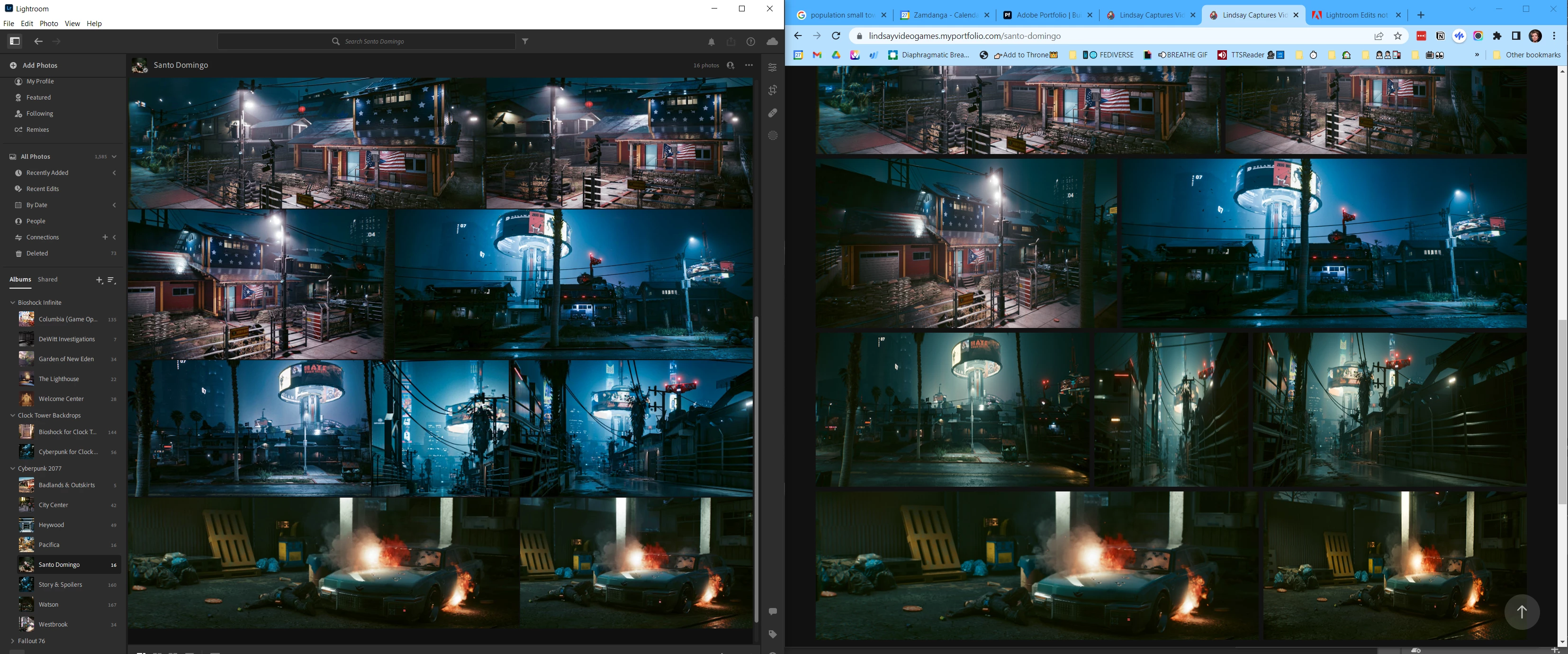
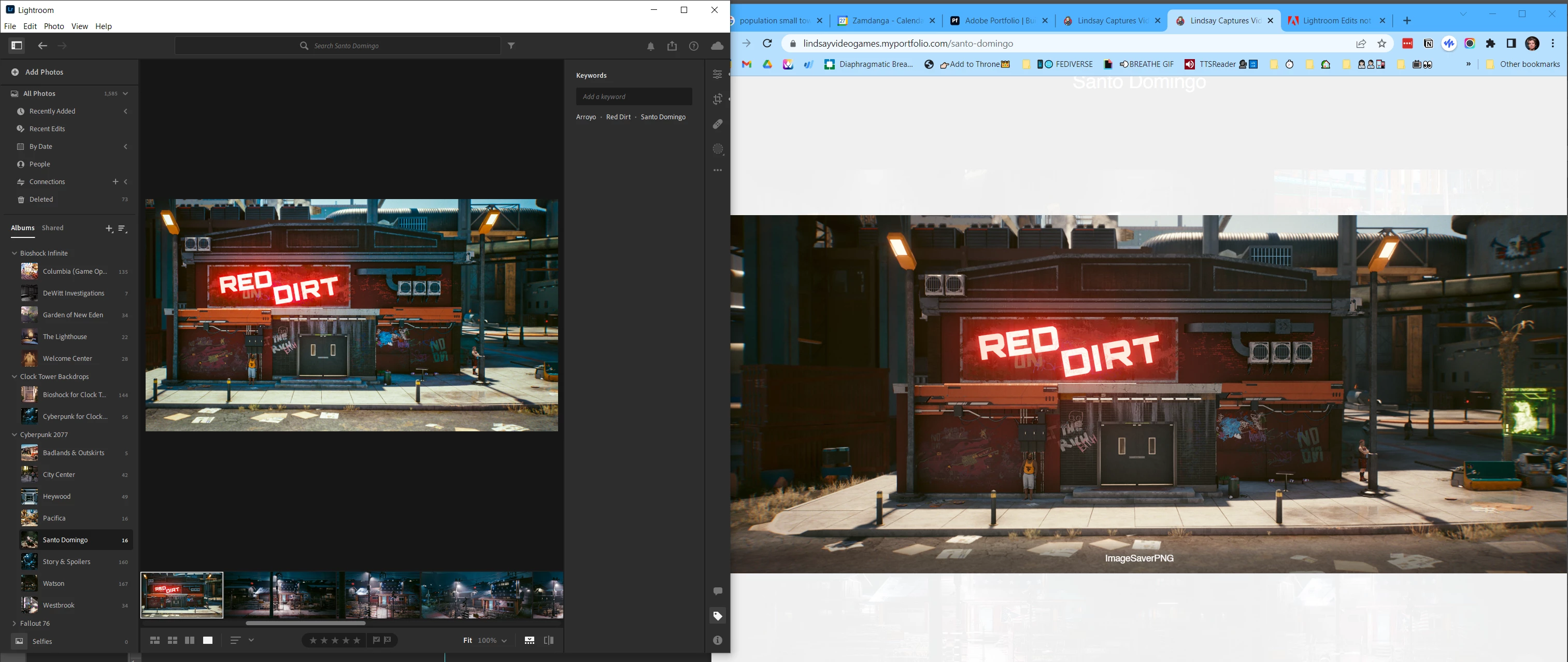
When I sync (reset) my Portfolio to match my Lightroom gallery, it updates with my photos but not their edits. Help?

These edits were made and saved the day before, so it doesn't appear to be a lag/delay issue.


Geeky supplemental info:


Lightroom version: 6.1 x64 [ 20221207-0956-730bf3f ] (Dec 7 2022)
NGL Version: 1.31.0.19
WF Version: 5.1 3e5491e
VF Version: 1.0.133
HIL Version: 40405

Operating system: Windows 10
OS Version: Windows 10 Home (2009)
Computer model: Gigabyte Technology Co., Ltd. X470 AORUS GAMING 5 WIFI / AMD Ryzen 7 2700X Eight-Core Processor
Logical processor count: 16
Processor speed: 3.7 GHz
Built-in memory: 32715.3 MB
Real memory available to Lightroom: 32715.3 MB
Real memory used by Lightroom: 1618.8 MB (4.9%)
Virtual memory used by Lightroom: 3296.9 MB
Memory cache size: 1253.1 MB

2 replies

Lindsay Makes Videos
Known Participant
December 28, 2022

Thank you for trying. None of it works. Not resending, not resetting, not publishing. My pictures are staying old.

The worst one is this - it's frozen on my portfolio in this gross, mid-edited state.


Are there any other options where I can go to get help?


If I were to give up on Portfolio, what other portfolio website service do y'all recommend?

I've also responded to this forum with this post 3 times and every time, after I hit Post, and then look at it, it disappears. 

Seems like Adobe is refusing my updates all over the place 😂

Jim Wilde
Community Expert
Community Expert
December 29, 2022

Have you verified that the edits that you have made in the Lightroom desktop app have definitely reached the cloud, either by checking on the LrWeb app in a browser window (login at lightroom.adobe.com), or by checking in LrMobile (if you have that installed on a phone/tablet)? A long shot, for sure, but technically when you send data to Portfolio it is sent from the cloud server, so we just need to check that the edits you see in the Lightroom desktop app have definitely synced to your cloud account. 

Lindsay Makes Videos
Known Participant
December 29, 2022

Yes, the edits are definitely in the cloud and I can access them through Lightroom across multiple devices.


I ended up deleting my Portfolio hoping that disconnecting and starting over would solve the problem, but now I'm stuck because Lightroom refuses to disconnect from Portfolios that no longer exist. 

Timothy.Spear
Inspiring
December 27, 2022

You will need to resed the images. From LrD, on the left panel. 

Find the "All Photos" -> "Connections" -> "Adpbe Portfolio"

Once selected the projects should be visible in the main body. On the desired project, there should be a resend action item on the far right. Select this to send the images over to Portfolio again.


Syncing with Portfolio is manually initiated, not automatic.


Tim

Lindsay Makes Videos
Known Participant
December 28, 2022

Thank you for response.

It was a reasonable assumption that I must not know that syncing with Portfolio is manual, but maybe it was unclear what I meant when I said "When I sync (reset) my Portfolio to match my Lightroom gallery, it updates with my photos but not their edits."


I know they need to be connected manually and I have initiated the resetting exactly as you just said numerous times. Screen grabs that prove I know how it is done:


Resetting this multiple times, only to be told to reset it again, adds to my confusion and frustration.


Someone please help!

Lindsay Makes Videos
Known Participant
December 28, 2022

Also feels worth mentioning - I have also tried clearing my browser cache with no success.