

csgaraglino
Known Participant
September 25, 2017
Answered

Rating on the Grid View?

  • September 25, 2017
  • 3 replies
  • 2682 views

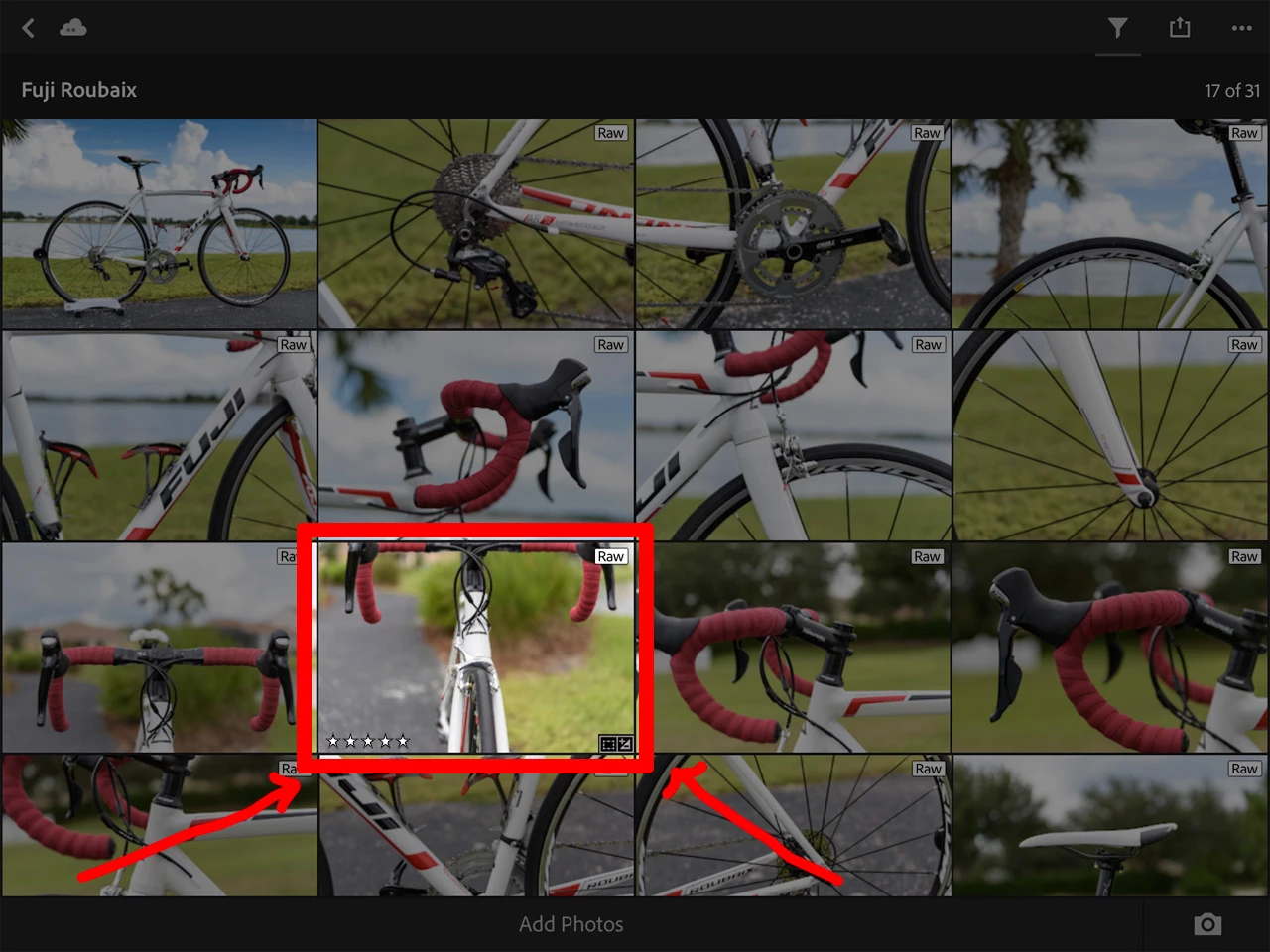
Is there a way to get the Star Ratings, Flag Status and even Editing Icon on the Library Grid Screen - especially on the iPad?

I am finding very quickly that LRM on the iPad is extremely convent for most all the basic editing needed for my photos. But not having these display (link on the desktop) means I have to open each image to see this info and that kind of a pain. if one or all were there I would have the visual tools I need to make quicker decisions on what still needs to be touched.

I have attached an example of what I am looking for.
Correct answer selondon

In Grid Mode, didn't the 'Tap with two fingers' used to cycle through the different view options?

3 replies

Participant
October 21, 2022

Can you explain specifically what I should be doing on my computer to get this view on my library to see starred or flagged images? I can't figure it out in Lightroom CC on my iMac. Thanks! 

selondon
Community Expert
selondonCommunity ExpertCorrect answer
Community Expert
September 25, 2017

In Grid Mode, didn't the 'Tap with two fingers' used to cycle through the different view options?

Michael J. Hoffman
Community Expert
Community Expert
September 25, 2017

selondon  wrote

In Grid Mode, didn't the 'Tap with two fingers' used to cycle through the different view options?

Exactly! Two finger tapping in Grid view cycles through a range of view overlay options:

  1. File type
  2. Flags and Ratings
  3. Photo Info
  4. EXIF info
  5. Comments and Likes
  6. Hide all overlays


Note that two finger tapping in Develop view also cycles between info and histogram overlays.

Here's what the Flags and Ratings view looks like:

Mike

99jon
Legend
September 25, 2017

You can filter photos (see image below) by flags and ratings e.g. you can filter for all photos = 5 stars, or 3 stars and above. Or filter by picks and rejects. Let us know if this helps.

csgaraglino
Known Participant
September 25, 2017

I'm not looking to filter - I want to see this info on the Grid so I can see them side by side.

99jon
Legend
September 25, 2017

I suggest you make a feature request and it could get included in a future update.

https://feedback.photoshop.com/photoshop_family/categories/photoshop_family_photoshop_lightroom