Wurstkrapfen
Inspiring
September 14, 2024
Answered

Search is missing cameras and lenses?

  • September 14, 2024
  • 2 replies
  • 657 views

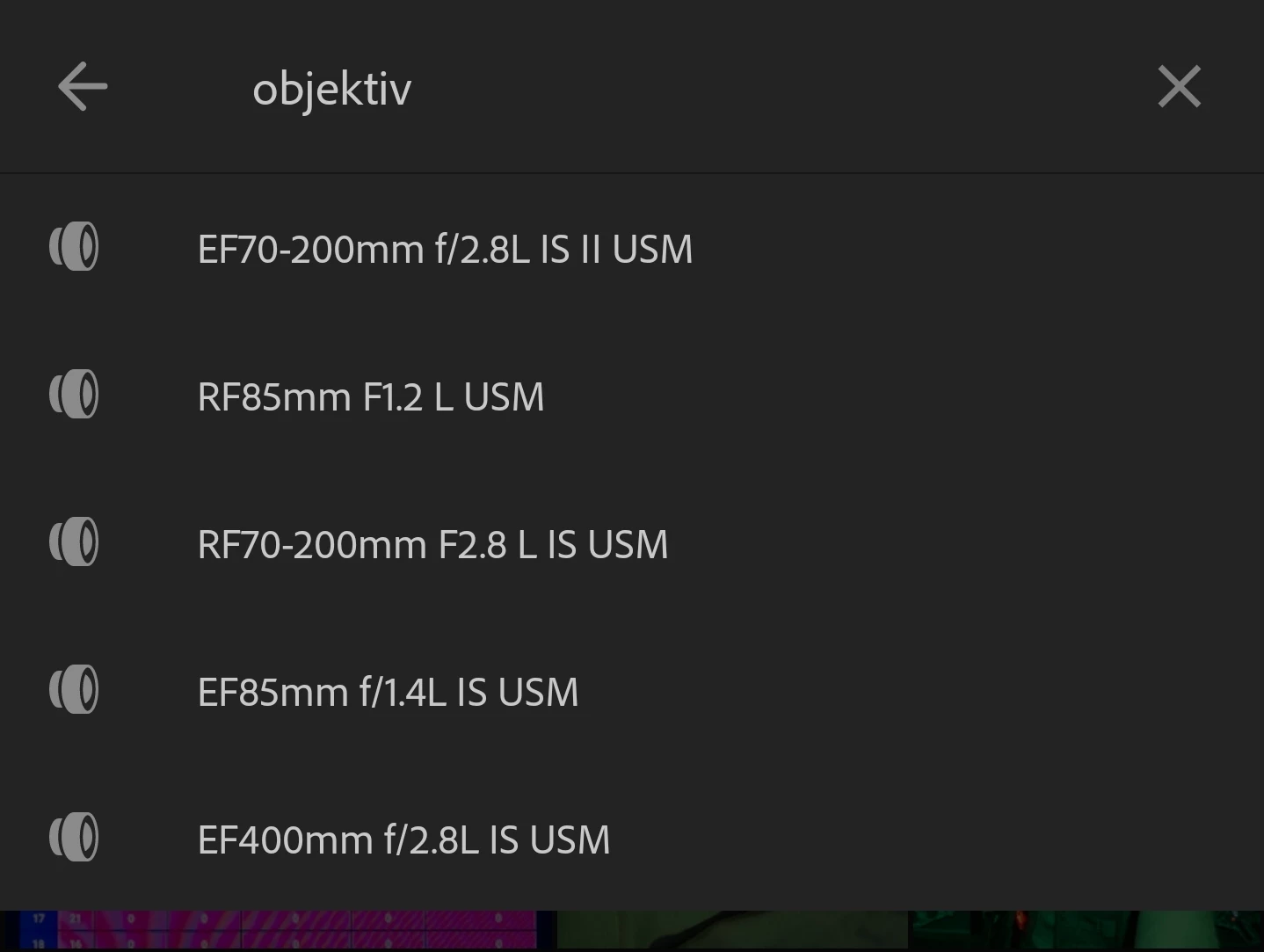
Tested on the mobile app. And no, it's nothing fancy that is missing, a lot of standard EF and RF lenses are not showing in the list, the whole EF-M system is skipped entirely. 

Correct answer Wurstkrapfen

Btw the solution was that I need to know the words in my local language. I need to find out exactly what it was translated as (often there are more than two possibilities), the English base search terms should always work regardless of the translation of the software.

2 replies

luxBorealis
Inspiring
May 22, 2025

The 'real' answer, according to Rick Flohr from Adobe is this: simply type in "Lens:" with the colon. It works!

Participant
September 14, 2024

Search only shows a list of auto-suggested Lenses that you may have used, not the entire list of available lenses.  You should still be able to search for a given lens by name, using "Lens:" followed by the name.  Please try and see if that gives you expected results.  In addition, there is an issue where populating this list for more recently added photos is delayed, so that may be impacting what you are seeing as well.  This is something we are working on addressing.


-Peter

luxBorealis
Inspiring
May 19, 2025

This 'feature' (if you want to call it that) still does not work properly. One of my lenses, the one used for the shot in the background does NOT show up in the list. This is TERRIBLE functionality.

Claire H.
Community Manager
Community Manager
May 19, 2025

Hi @luxBorealis, Thanks for sharing your experience. I can understand how frustrating that must be, especially when you expect full gear support. Lens profiles can sometimes be missing if the metadata from the file is not being read correctly or if the profile has not been added yet. Please let us know the exact camera and lens model you are using and whether this was a raw or JPEG file. That will help us narrow it down. Thanks! ^CH