
Participating Frequently
October 16, 2023
Question

Some image previews in grid view are shown in black and white

  • October 16, 2023
  • 3 replies
  • 1061 views

Hi,

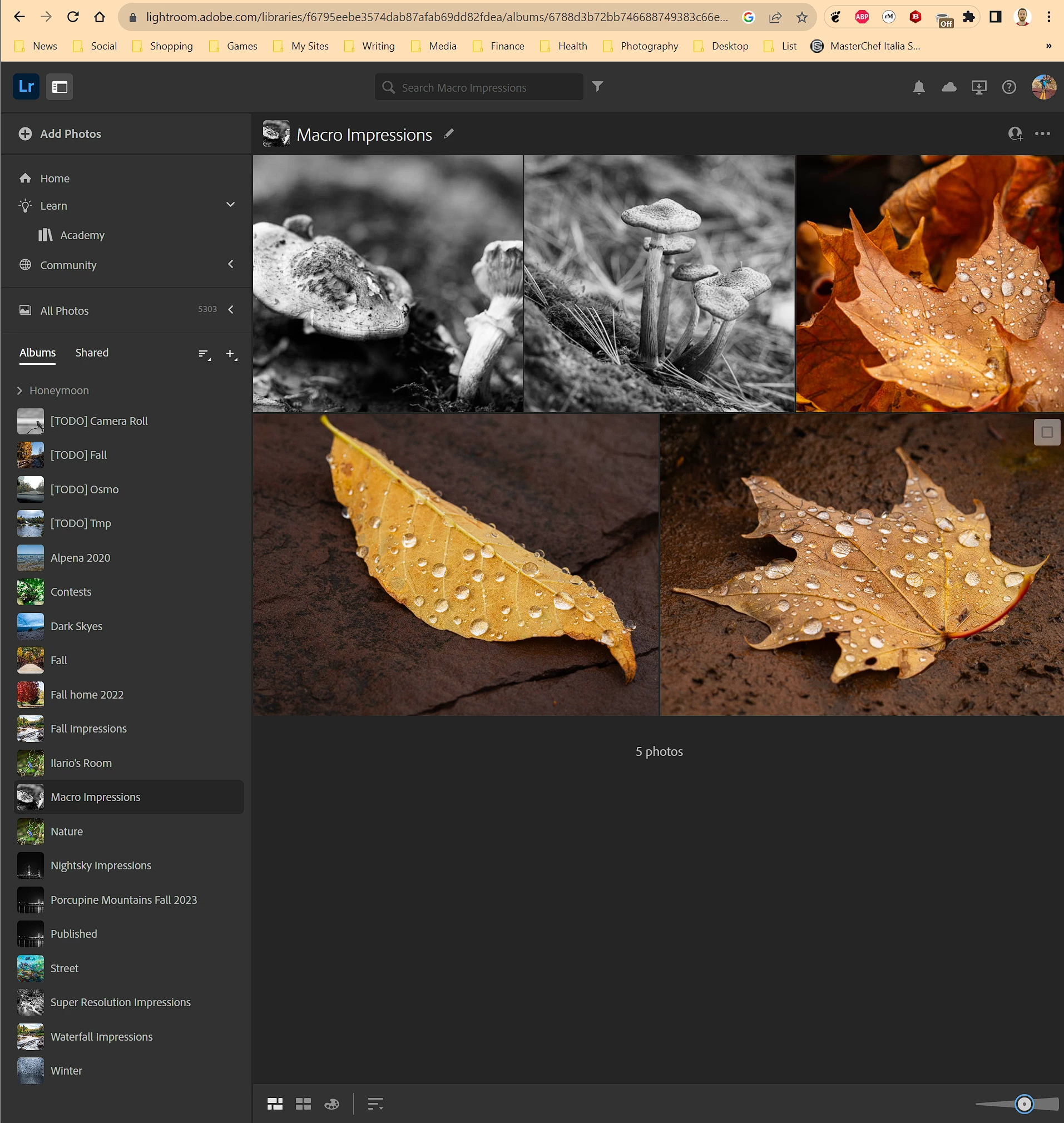
I am facing a weird issue that seems no other faced before. For some reason some album images in cloud lightroom are visualized in black and white when in browsing the album is grid view. See example below, specifically the first two images:
 

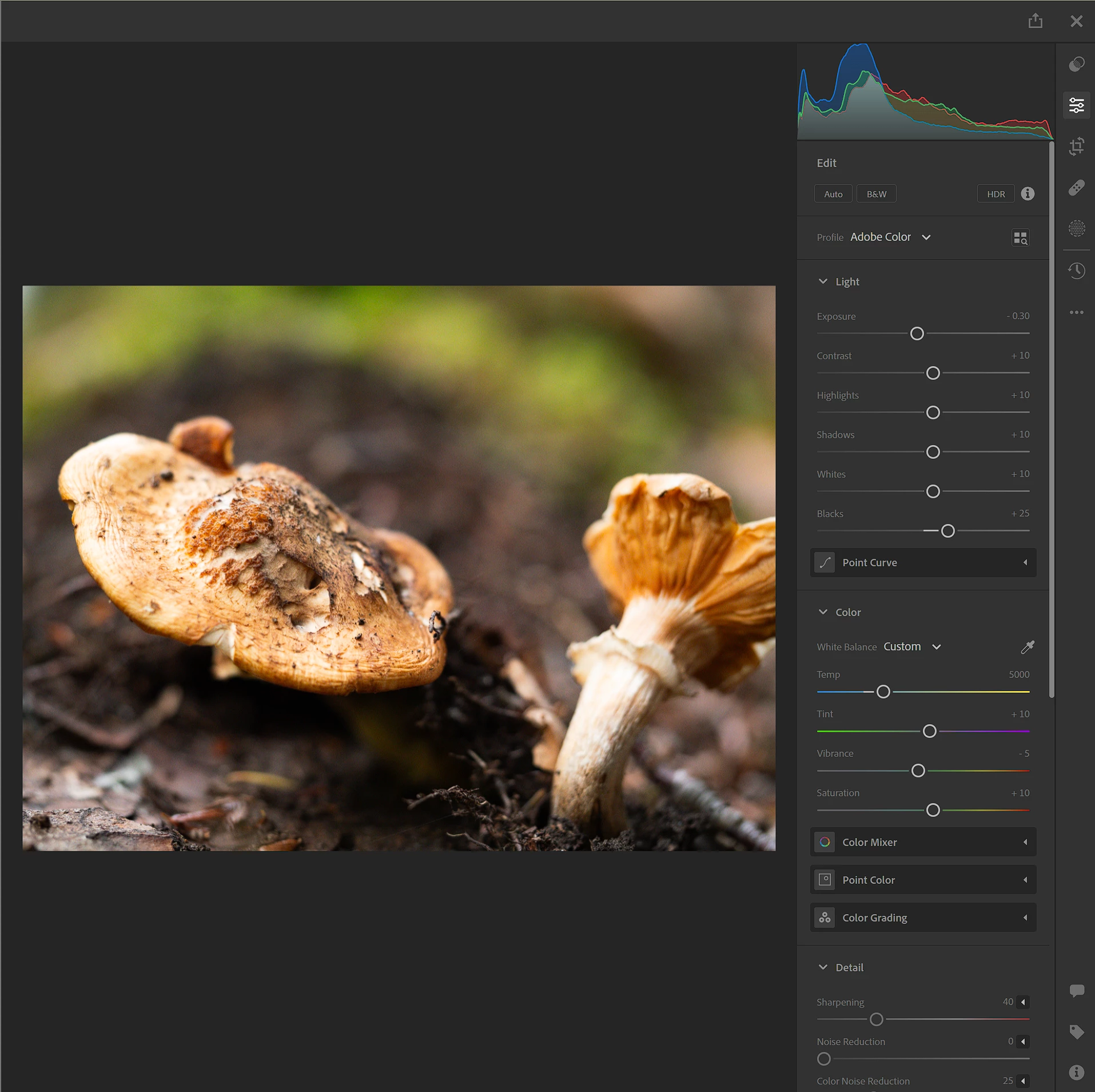
However, the underlying image is set to be color as you can see as soon as I open one of the images to modify it:
 

This is a problem because when I try to load the album in Adobe portfolio, these images are shown in black and white, instead of color:

 

Can somebody help me understand if this is caused by a weird setting I have on my Cloud Lightroom, or if this is an actual bug?  


Thanks for any help you can provide,

Jacopo 

This topic has been closed for replies.

3 replies

Nancy OShea
Community Expert
Community Expert
October 16, 2023

Adobe Portfolio website works best with color managed images saved in sRGB color mode.  Without a color profile, browsers have to guess which colors to use and that can lead to unwanted color variations.  See below for more about formatting images for Portfolio.

https://help.myportfolio.com/hc/articles/360038360914-Formatting-Images


Nancy O'Shea— Product User & Community Expert
Participating Frequently
October 17, 2023

Thanks for the reply Nancy. I understand, but I believe these guidelines apply when I actually export and upload the images myself into the portfolio. The problem I am highlighting here happens when I use the feature of adobe prtfolio which allows you to sync an album from lightroom. What is the purposee of this feature if I have to export them before doing that? Am I missing something?

Nancy OShea
Community Expert
Community Expert
October 17, 2023

I routinely optimize web images to reduce bandwidth & ensure good cross browser experience before placing them into web designated Collections / Albums. 


My originals are kept in separate folders.


Nancy O'Shea— Product User & Community Expert
Julie k
Participating Frequently
October 16, 2023

Do you use either the mobile or desktop versions of Lightroom? We're curious if you see the same thing on these other platforms. If you do use Lr on the desktop, we'd like to gather some diagnostic info from you.

Participating Frequently
October 17, 2023

Hi Julie, thanks for answering. This happens on the cloud, on mobile app, and desktop app. With the desktop app it seems that if I play with the image eventually the preview that was originally showed in black and white, changes to color. For the cloud and mobile app there is nothing I can do, no matter what I do when I go back on the grid view the images remain in balck and white, and I think this is the main issue with adobe portfolio. I think it does not syncs with my desktop app, but instead it syncs with the cloud, hence the images show up in black and white in the portfolio even though my desktop app shows them in color 

Rikk Flohr_Photography
Community Manager
October 16, 2023

Can you please do the following?


  1.  Close Lightroom
  2.  Open Lightroom 
  3.  Navigate to Grid and select one of the Black and White Items
  4.  Create a Diagnostic log


For LrDesktop

Go to Preferences

Account Section

Hold down the [Opt/Alt] key to make [Diagnostic Log] button appear

When you are ready to share the log post back here please!


Rikk Flohr: Adobe Photography Org
Participating Frequently
October 17, 2023

Hi Rikk, thanks for answering.

I generated a diagnostic log for both the desktop and the mobile apps.

How can I share the logs though? It seems here I cannot attach html files.

Thanks,

    Jacopo 

Rikk Flohr_Photography
Community Manager
October 17, 2023

How large is the file in MB?

Rikk Flohr: Adobe Photography Org