
Participant
February 9, 2019
Answered

Some photos get stuck loading (Lightroom CC)

  • February 9, 2019
  • 1 reply
  • 3580 views

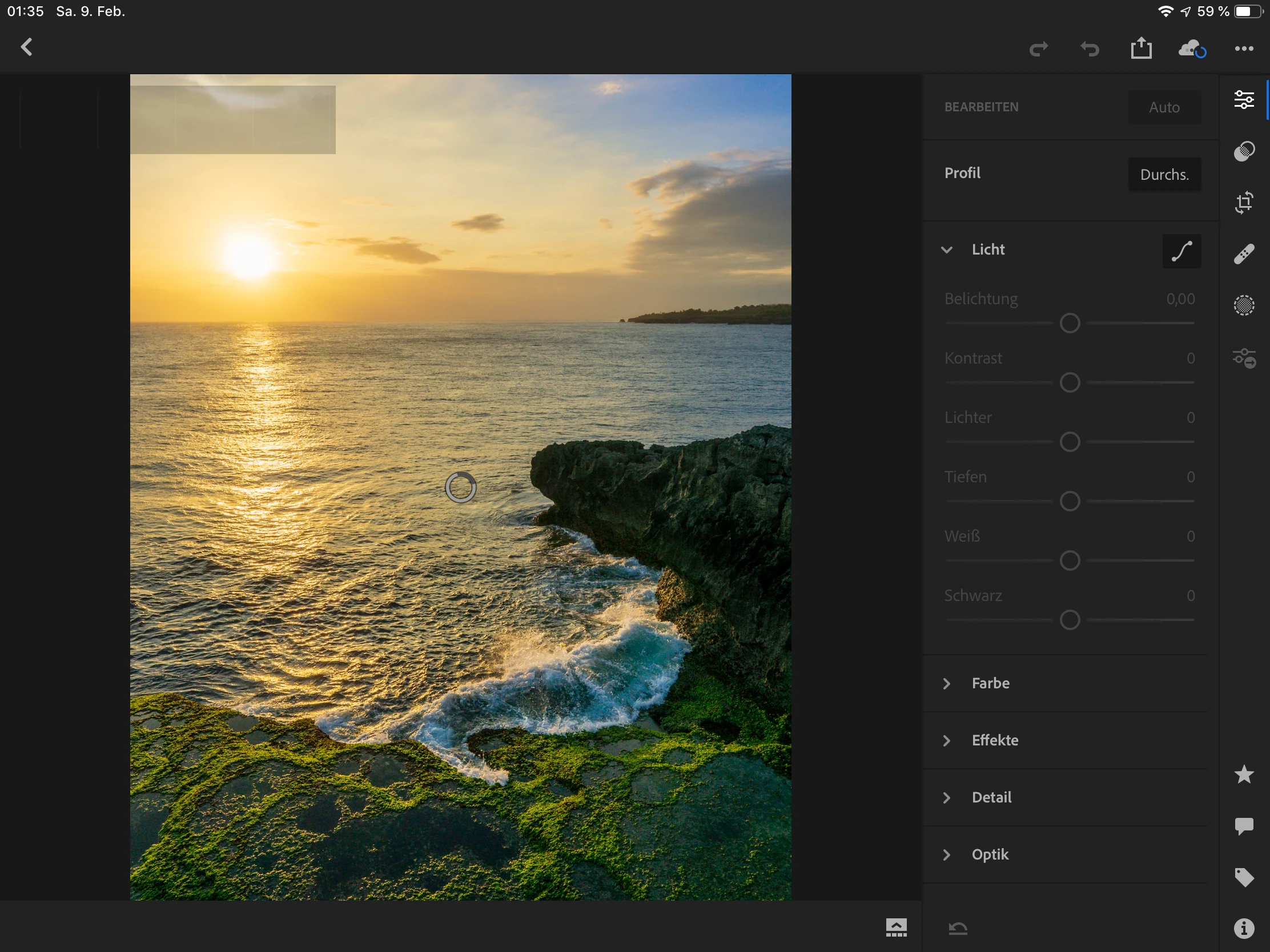
Hi all, I have an issue editing or sharing some pictures I have edited in the past (couple of month ago). The pictures are still in my library and if I try to edit them now they are stuck loading without any progess (see screenshot). And I cannot change any settings as well. All pictures were edited with selective adjustments if I remember well.

Does anyone know how to solve this problem or does anyone have the same issue? I have already tried to delete the image and import it again. But it didn‘t solved the problem. Seems the settings habe been saved.

I am Using an Ipad Pro and shoot in RAW.

Thanks in advance.
This topic has been closed for replies.
Correct answer cmgap

I am using the Lightroom CC mobile premium plan. I checked my pictures in the cloud and the cloud seems to be full. I am using the 100GB free storage only. But there are only 272 photos stored well and another 4000 with synchronisation failure.

I am not afraid to reinstall the app on the Ipad because I already stored all RAW files to an external harddrive. Only thing that messes me up is the lost working hours I spent in the development... means I`ll have to start by zero again.

I need to know why that happend to avoid such things in the future. If it was caused due to software updates I would be very disappointed. I love to work with lightroom mobile but I don`t want to be dependent on the cloud. If I import files to my liberary they should be editable until I remove them even though there was an update running.


If you'd rather not be dependent on the cloud you may want to consider using Classic and synced collections. You'll be able to access your images on all of your devices and store your images locally to external hard drives. Synced collections in Classic are smart previews (smaller jpgs), edits you make on other devices are synced to your catalog.

1 reply

cmgap
Community Expert
Community Expert
February 10, 2019

Are you storing images locally on the iPad? How much storage is left on your iPad?

travel3rAuthor
Participant
February 10, 2019

Yes I am storing locally. My Ipad has a capacity of 256GB and I always try to have at least 30 GB of storage left.

cmgap
Community Expert
cmgapCommunity ExpertCorrect answer
Community Expert
February 13, 2019

I am using the Lightroom CC mobile premium plan. I checked my pictures in the cloud and the cloud seems to be full. I am using the 100GB free storage only. But there are only 272 photos stored well and another 4000 with synchronisation failure.

I am not afraid to reinstall the app on the Ipad because I already stored all RAW files to an external harddrive. Only thing that messes me up is the lost working hours I spent in the development... means I`ll have to start by zero again.

I need to know why that happend to avoid such things in the future. If it was caused due to software updates I would be very disappointed. I love to work with lightroom mobile but I don`t want to be dependent on the cloud. If I import files to my liberary they should be editable until I remove them even though there was an update running.


If you'd rather not be dependent on the cloud you may want to consider using Classic and synced collections. You'll be able to access your images on all of your devices and store your images locally to external hard drives. Synced collections in Classic are smart previews (smaller jpgs), edits you make on other devices are synced to your catalog.