
BaierLife
Participant
September 6, 2018
Answered

Unable to export photos

  • September 6, 2018
  • 3 replies
  • 928 views

new user for lightroom, currently using web based LightRoom CC (new) wanting to export old albums to external hard drive to free up cloud space. According to the online how-to the steps are as follows, Click on "My photos" icon (file box on left side) to show all albums, next "right click" on album and select export...
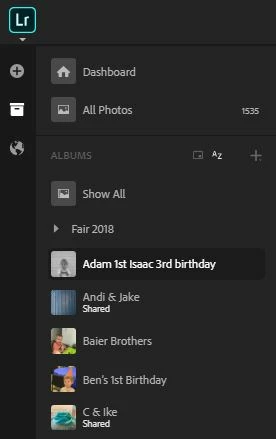
When I right click it gives me the typical windows options of "back, forward, reload....blah blah)

I have found no options to export or save as... only to move images to other albums or share online and download from their which I have 1553 images I want to remove and there surely has to be an easier way. I've got to be overlooking something.... thanks in advance for any help...

This topic has been closed for replies.
Correct answer Jao vdL

You have to first select all images in the album. Then you can right click on one of the images and select "save to". Now you can save all the images. Best is to save to originals+settings to retain optimal quality.

3 replies

Participant
July 1, 2019

Unfortunately I can't say the same! I tried in every way to select photos to download them together but it is not possible. I can only download one photo at a time but I have hundreds of photos to download. How is it possible?

Community Expert
July 1, 2019

You need to use the Lightroom "Cloud" desktop app. This doesn't work in a browser or in the iOS/Android apps. in the browser or in iOS/android you can only export originals one at a time.

Jao vdLCommunity ExpertCorrect answer
Community Expert
September 7, 2018

You have to first select all images in the album. Then you can right click on one of the images and select "save to". Now you can save all the images. Best is to save to originals+settings to retain optimal quality.

selondon
Community Expert
Community Expert
September 6, 2018

There is this, but I don’t think you can select Albums. It does the whole Library I believe: Download synced Lightroom photos and videos from the cloud to a computer

You could Share a Link of the desired Albums (allowing downloads) and download the whole Album as a zip from there (maybe in another browse)