Participant
August 13, 2023
Answered

When I export a picture in Lightroom mobile it loses the geolocation

  • August 13, 2023
  • 1 reply
  • 1611 views

Good afternoon. I have a doubt that I can't solve. When I take a photo with my iPhone device on iOS and edit it in Lightroom mobile, then I export it, it loses the geolocation, that is to say the photo that initially in its meta tags had the geolocation stops having it when I do a "save a copy on my device" of the edited photo. Is there any way to solve this? Thank you very much.

Correct answer Jao vdL

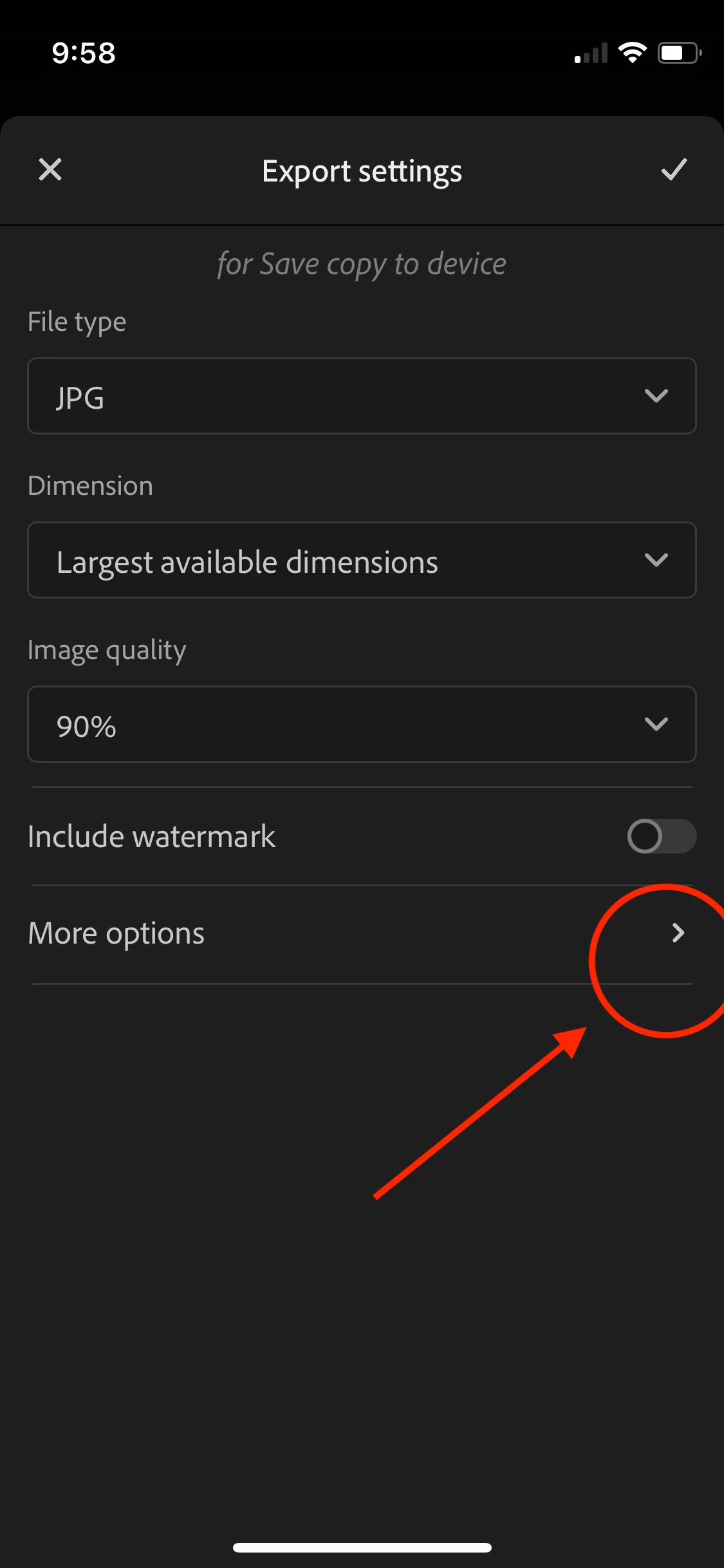
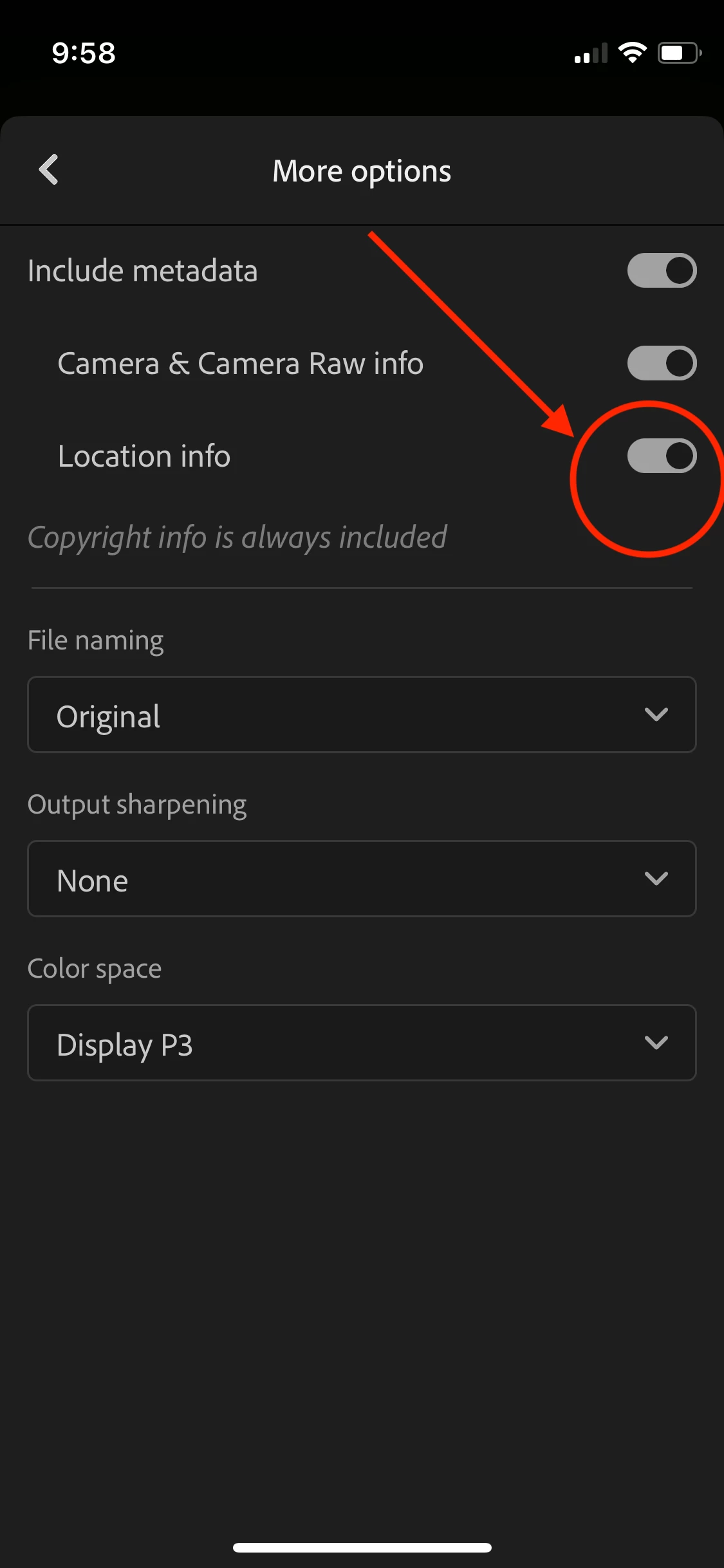
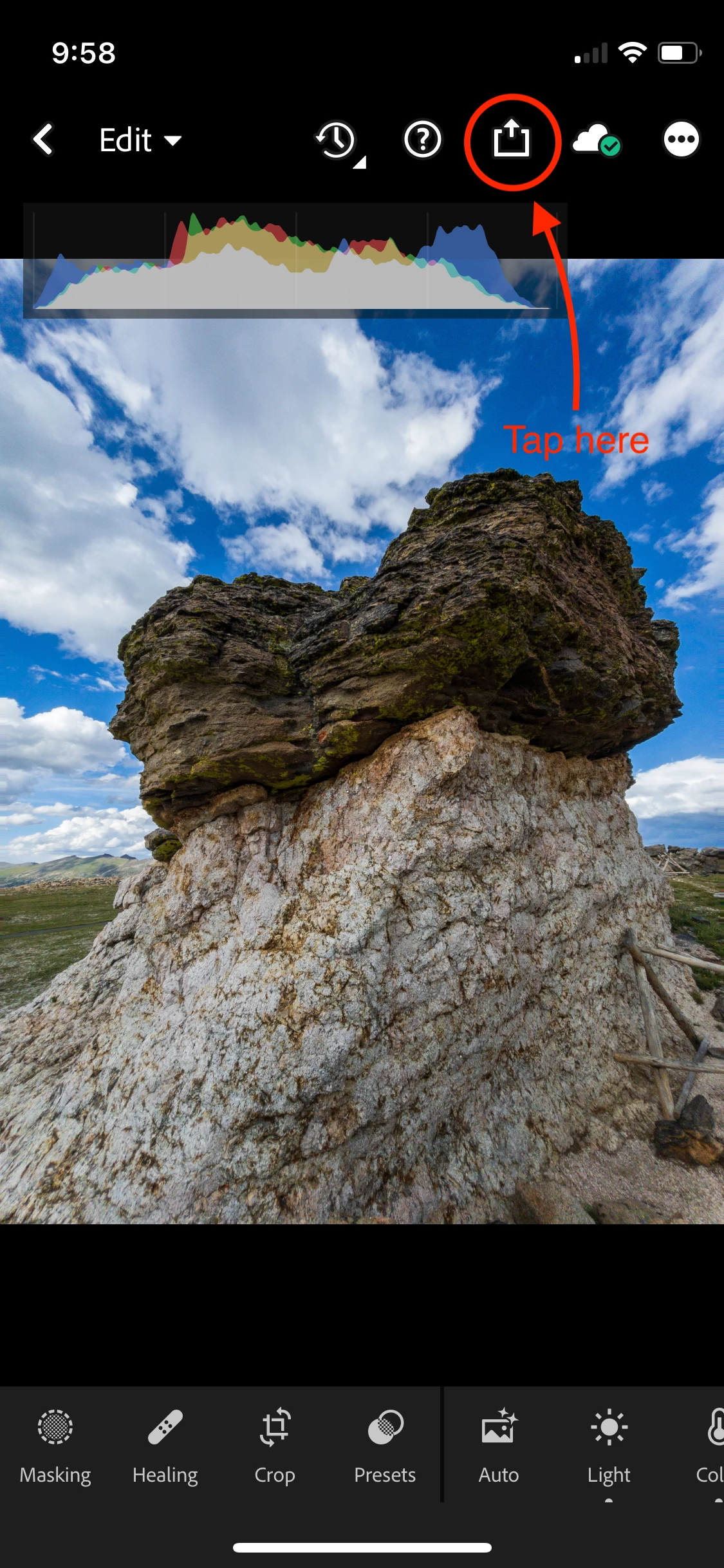
I think you are looking at the worng screen. It's a bit hard due to the different languages but here is how it looks for me:

1 reply

Community Expert
August 13, 2023

Hit the little settings icon to the right of "Save copy to device". Hit "More Options" and enable the Location Info slider. By default this is turned off.

Participant
August 13, 2023

Thank you very much for your answer. The option that you mention does not appear to me or I cannot see it. Thank you so much.

Jao vdLCommunity ExpertCorrect answer
Community Expert
August 13, 2023

I think you are looking at the worng screen. It's a bit hard due to the different languages but here is how it looks for me: