
Exit
  • Global community
    • Language:
      • Deutsch
      • English
      • Español
      • Français
      • Português
  • 日本語コミュニティ
  • 한국 커뮤니티
0

Why is the import presets icon grayed out?

New Here ,
Sep 08, 2020 Sep 08, 2020

Hi Everyone,


I need a little IT help, I'm trying to import presets for Lightroom Classic CC 2020 but the little plus icon next to presets in the develop tab is grayed out. I've tried importing them through preferences as well but they are just not showing up even when I restart lightroom! HELP!
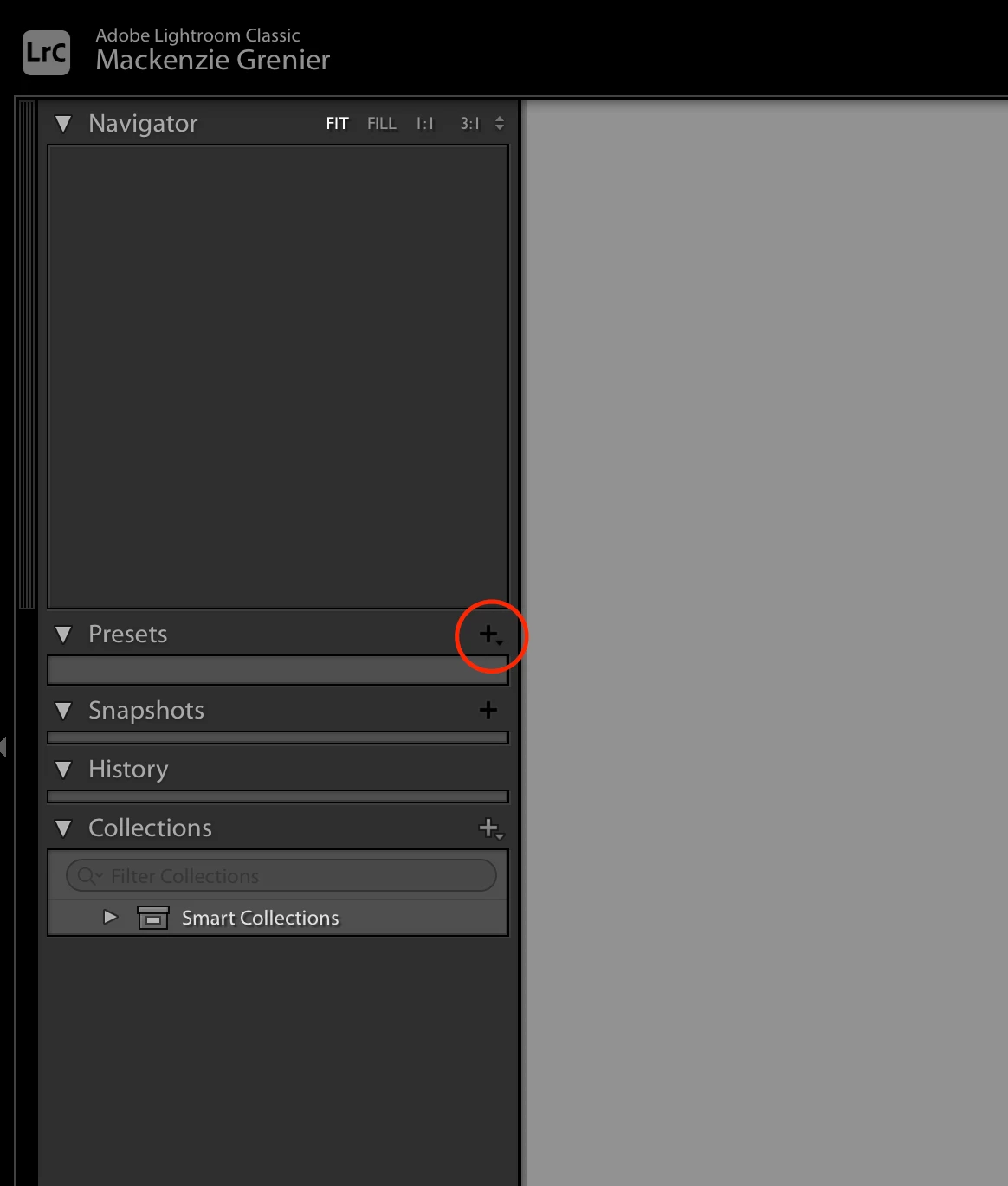
 

Screen Shot 2020-09-08 at 10.33.53 AM.png

293
Translate
Report
Community guidelines
Be kind and respectful, give credit to the original source of content, and search for duplicates before posting. Learn more
community guidelines
Community Expert ,
Sep 08, 2020 Sep 08, 2020
LATEST

You do not appear to have an image in the Develop window! (Navigator is empty!)

Select one image on the filmstrip and the Preset Import icon [ + ] should appear.


Regards. My System: Windows-11, Lightroom-Classic 15.0, Photoshop 27.0, ACR 18.0, Lightroom 9.0, Lr-iOS 10.4.0, Bridge 16.0 .
Translate
Report
Community guidelines
Be kind and respectful, give credit to the original source of content, and search for duplicates before posting. Learn more
community guidelines