
LinusMarton
Participating Frequently
February 20, 2018
Question

Available space is wrong?

  • February 20, 2018
  • 1 reply
  • 390 views

Hi!

I'm using Lightroom CC and when I go into Preferences > Local Storage I get this:
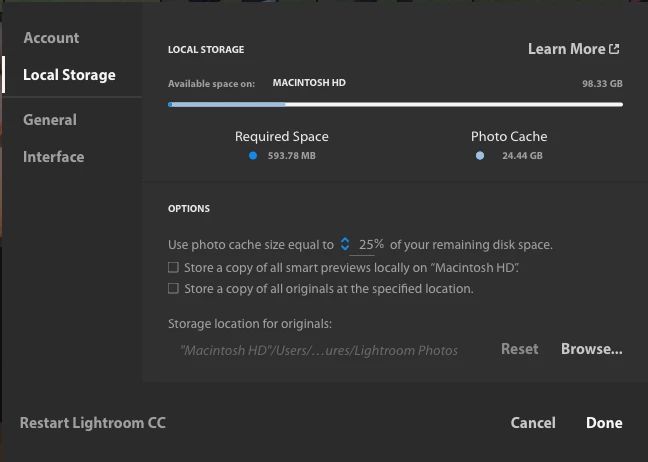
It is set to use 25% of remaining disk space. Also, it show that available space is "98.33GB" if I understand this correctly.

However, the available disk space on my drive is 7.37GB. So I would like Lightroom to reduce the Photo cache.

Why does Lightroom think that I have almost 100GB available when I only have a bit over 7GB?

This topic has been closed for replies.

1 reply

LinusMarton
Participating Frequently
February 22, 2018

Nothing?

How do I contact adobe about this? I tried the chat but it just told me to wait a couple of times and then said “Thank you for contacting us. Bye!” With a link to these forums...

JP Hess
Inspiring
February 22, 2018

I have thought about your question but don't have an answer for you. You could ask your question on a different forum that is monitored more closely by the development team. You "might" get more consideration there.

Photoshop Family Customer Community

LinusMarton
Participating Frequently
February 27, 2018

Thank you for the tip. I just posted over there as well. Let's see if I have better luck there