
Joshi-PB
Participant
February 6, 2020
Question

Cant import NEF to lightroom

  • February 6, 2020
  • 3 replies
  • 2758 views

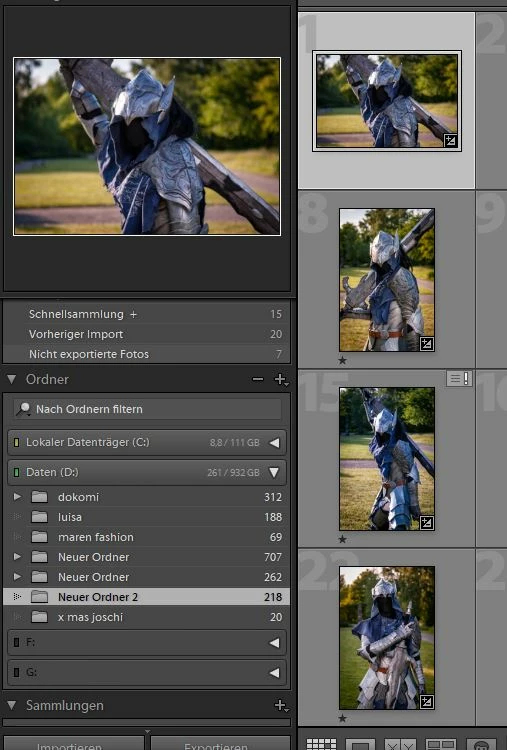
I can not import NEF Photos. Thay are not in Lightroom! But I can not import them. Why is lightroom so complicadet?


Can not import it

 

Not in Lightroom

l
 

{Moved from Lightroom Cloud to Lightroom Classic Forum by Moderator} 

This topic has been closed for replies.

3 replies

dj_paige
Legend
February 7, 2020

Yes, these NEF files can be imported into Lightroom Classic. The reason they are greyed out in your Import dialog box is because they have already been imported into LR Classic. Lightroom Classic, by default, prevents you from importing photos a second time (which is not a good idea anyway).


Why can't you find them? Because you are looking in the WRONG folder. You have accidentally imported these files using COPY instead of ADD, and so Lightroom Classic knows about the copy in some other folder. (And it doesn't matter what folder you think the photos are in) You have to search Lightroom Classic's Library module for these photos.


To perform this search, please follow ALL FOUR of these steps

  1. Click on All Photographs
  2. Turn off All Filters (ctrl-L once or twice)
  3. Expand all stacks (Photo->Stacking->Expand All Stacks)
  4. Use the Lightroom Classic Filter Bar to search for at least one of these photos by File Name
Just Shoot Me
Legend
February 7, 2020

First you haven't shown the Full LR Classic import window and because of that no one can see all the settings you have selected.

I Suspect you have All Photos select near trhe top and the images that are being display are all grayed out. That mean that LR knows they are already references in the catalog file. Just like the screen shot of my import window below with a folder selected that has already been imported into the LR catalog file and the All Photo option selected near the top of the screen. No matter what option is selected at the very top of that screen, Copy as DNG, Copy, Move or Add if All Photos is selected then images that are already in the LR catalog will appear Grayed out.


So use the Text Search feature of LR, in the Filter bar, to search for one of the file names of the grayed out images in the import diolog window and I bet it comes up with that image. Then Right Click on that image and select Go to Folder in Library. That will show what folder LR sees as there location when imported. You can also do that again and this time select Show in Finder or Explorer depending on which OS you aree using.

Akash Sharma
Legend
February 7, 2020

Hi there,


Sorry that you cannot import NEF images in Lightroom Classic as they are grayed out.


There could be multiple reasons they are not importing and we'd need some more information to help you better.


Which version of Lightroom are you using and what is your operating system? 

What is the destination of your images in Lightroom and where are you importing the images from(source)? See below:(highlighted 1-source, 3 destination)


Thanks,

Akash