Known Participant
December 14, 2020
Answered

Uploading 3D model into Mixamo with textures

  • December 14, 2020
  • 13 replies
  • 158493 views

Hi. I'm a teacher creating animations for my students during the pandemic to keep them motivated.

Believe it or not, I'm animating in PowerPoint with Mixamo models and backgrounds done with PS.

I uploaded a free model from the Valve game L4D2.

https://www.models-resource.com/pc_computer/left4dead2/model/12699/

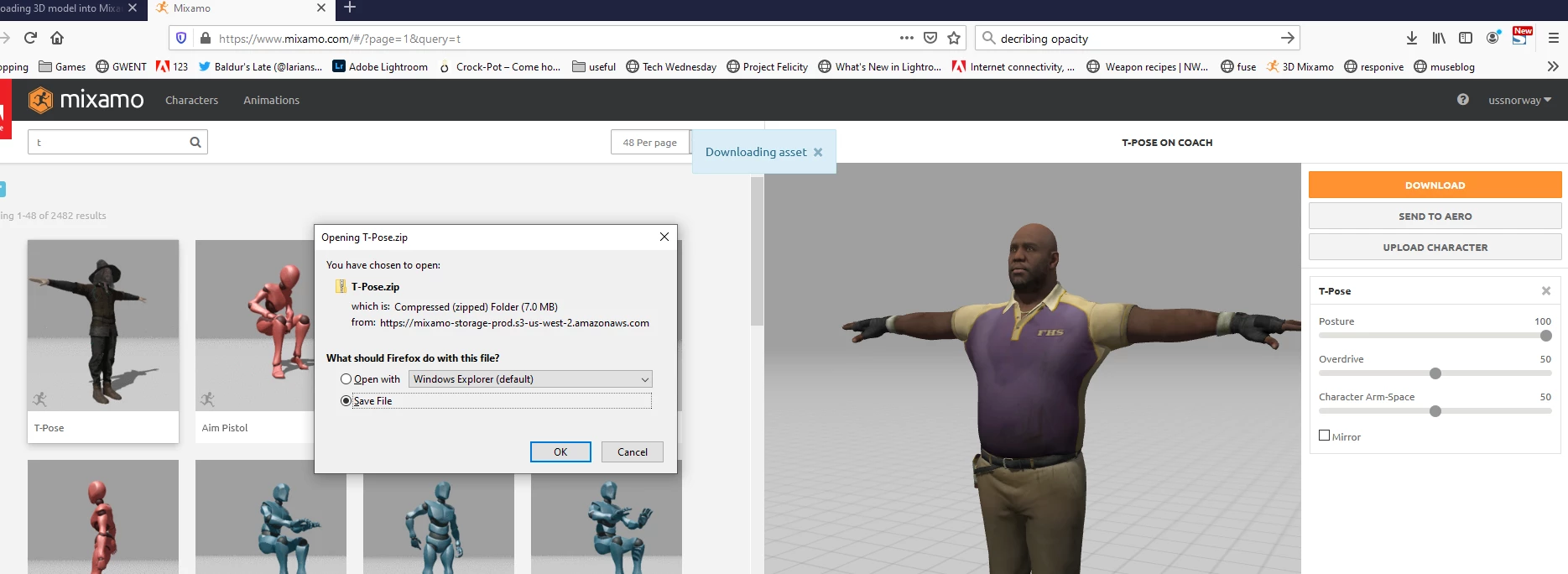
The upload worked perfectly as far as I can tell but not with the textures (these are included in zip).

I tried to export from Photoshop but it didn't work and Blender is very complicated for a noob like myself. In PS I could see the textures properly mapped.

I've searched 3 hours of youtube videos but none provided any answer.

Any help would be greatly appreciated.

Cheers

John


Correct answer Ussnorway7605025

the steps you need are;

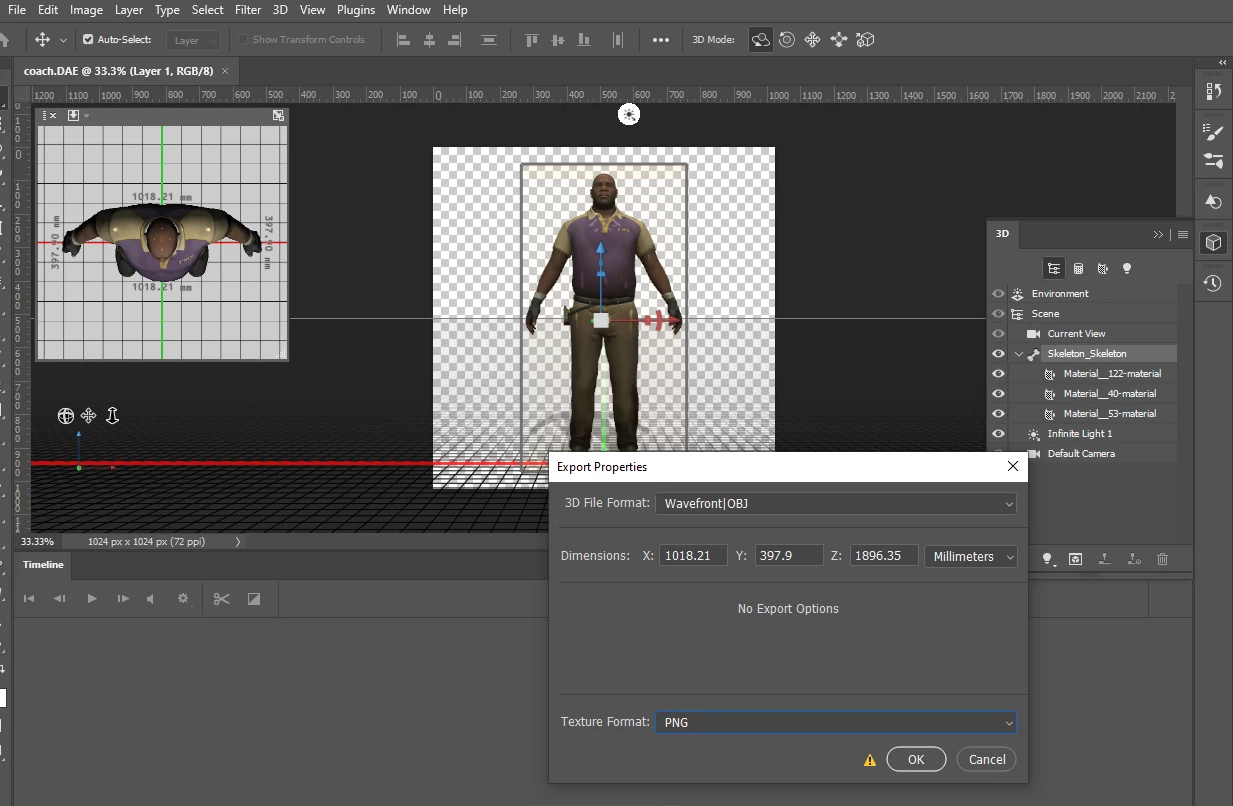
  1. load dae model into Photoshop with all textures
  2. export as wavefront Obj with Png textures... not Jpg or default!
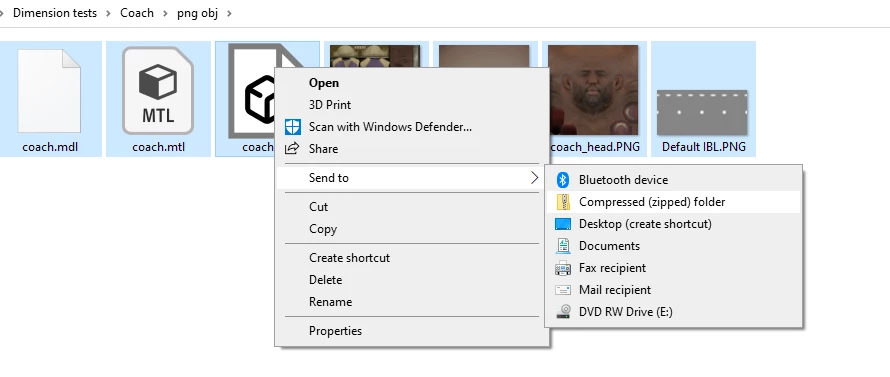
  3. zip all the files
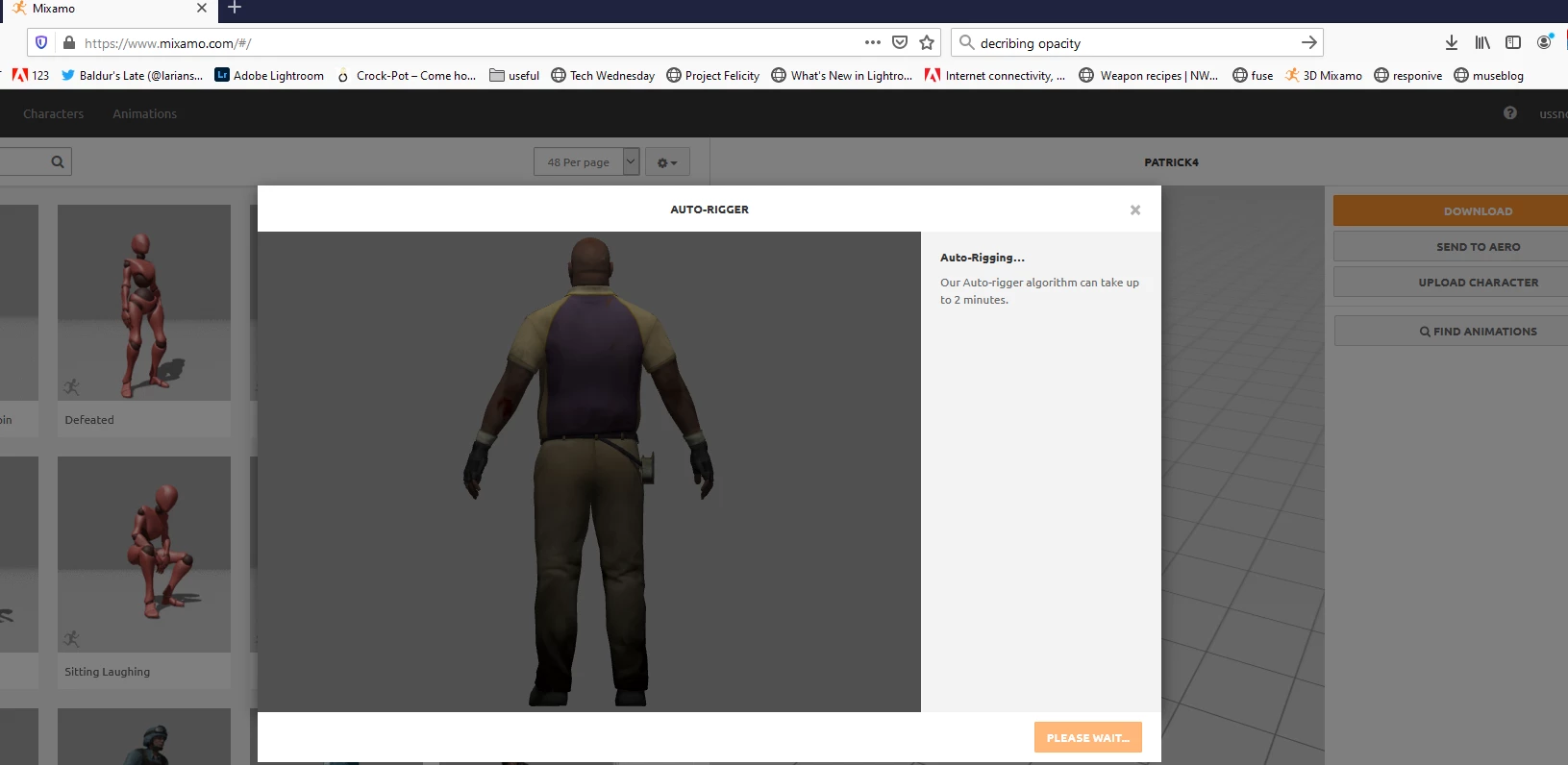
  4. upload the zip and place your markers

if you still need help let me know mate

13 replies

New Participant
November 15, 2025

Hello another noob here replying on this thread. Why does when I try to export fbx with copy path mode and embed textures, even i zip the fbx and textures folder, mixamo doesnt relly display the textured model I made. Did I do something wrong? I am going crazy for a week already 


New Participant
March 17, 2024

what i did was, i first exported my file as an obj file. with this, i got 2 files on my computer.. the obj file of the character and a mtl file (saved as a separate file, but saved with the obj file.) what i did next was that i exported the same character blender file as a dae file. this export process gives us two png texture files like you said. i thought this would be the same as importing and exporting the file in and out of photoshop. i then made a zip file cosisting of the obj file obtained from exporting as an obj and the 2 png texture files obtained from exporting as a dae. but not only did uploading the new zip file to mixamo not work, but i also got the error message that a file type in the zip file was not compatible with mixamo. since there were only 2 types of files in the zip (.obj and .png), i think it is fair to say that the error was caused by the png file.


but then what complicated things was that i tried a different method.. by zipping the obj file, the mtl file and the 2 png files. uploaded the new zip file with the obj, mtl and pngs. but this time, the character uploaded, but not only did the texture still not import, but the grey unfilled material that usually takes over when the texture is broken was not there as well. meaning, so sort of lighting on the body. it was completely black. no shades, shadows, nothing.. 


i have not yet tried out the photoshop method, but could anyone tell me, if this method with photoshop works, how is the method of exporting and importing in and out of photoshop any different from the method i specified at the start, which was easier and faster than the method with photoshop?

New Participant
December 17, 2023

My 3d models for no reason what so ever just stopped uploading the skins to the models. Literally no reason no explanation no changes made to the files it just stopped uploading skin

Ussnorway7605025
Brainiac
February 12, 2021

the best alternative to Mixamo is Iclone but their system is $ and Mac users need not apply


yes the Mixamo Fbx was changed just before Xmas to 'update' i.e, bust Fbx workflow and the fact that Adobe does whatever Apple tells them too is why we have metal drivers to play with now

New Participant
May 5, 2021

I got scanned at a booth at CES some years ago (before the pandemic) and I'm having issues getting the textures to bake into my model... the model just keeps showing up as a glowing thing (see video/photo)... I have the model, png, and MTL files zipped together in a folder and after about six tries, MIXAMO finally said it would rig my character, but when it shows there are no textures, just a glowing mass... if I leave out the textures and just upload the OBJ... the model is just gray (but we know that)


help!

Inspiring
May 5, 2021

I'm no expert, but have you tried to generate new UV files in Adobe Photoshop and reload the textures? What is the format of the original scan-obj-fbx?


Inspiring
February 12, 2021

Just wanted to thank you for the help...like an idiot I never look at the help file link on the rigging page in Mixamo which clearly states your answer...Adobe must have changed Mixamo because i always get an error that mixamo doesn't approve of what is in the zipped file...cheers


https://helpx.adobe.com/creative-cloud/help/mixamo-rigging-animation.html


Ussnorway7605025
Brainiac
February 12, 2021

sorry to give you screengrabs but the problem is I don't know what build of Photoshop or whatever else you are using and how it looks at your end will be different if you use the wrong build... actually its just a matter of fixing the way the light is rendored as Apple metal drivers tend to look more shinny

If you are working in Fbx then Dimension will load your downloaded animation file and allow you to make edits which you can then reupload or just swap out... it depends on how old your software is as to do you need to convert back to rbg or stay metal


  • a texture is a image [sometimes called a map] and Mixamo looks for image files... many of the new materials you get with Dimension are just the default material (even if they call it plastic) and they just have basic info stored in the mtl file i.e, no actual texture images are exported from Dimension when you use these materials and mixamo can't read a Obj that does not have textures... check the Obj file Dimension exports out for you, no images = pick something else or don't use Mixamo
Inspiring
February 12, 2021

Your my Valentine!


I will re-read your excellent response and thank you for taking so much time to explain things.

Last question is there an alternative to Mixamo with easily adding baked animations to files?

Again, with my deepest gratitude, thanks!

Ussnorway7605025
Brainiac
February 12, 2021
  • metal textures in Adobe Dimension... how to spot them and how to fix


  • how to spot in older versons of Photoshop and how to fix... if you have the current Photoshop it should look ok but will be shinny in Mixamo because Mixamo is old and can't read the new file types


Ussnorway7605025
Brainiac
February 12, 2021
  • take another look at the first screengrab I posted of your Dn file... it shows you what you have to change in order to export a standard Obj file for uploading to Mixamo... Mixamo allows Obj, Fbx or zip files only so you can't upload a Dn file


  • so you want me to teach you 3D and the difference between rbg Nvidia textures and Apple Metal textures? I know you use Dimension so will show you the workflow I use and how to spot different drivers because Adobe changed from Nvidia to Metal and it buggered up everyone that just downloads updates without asking why

Inspiring
February 11, 2021

Have you had a chance to read my response to your obj file ? ty Can you do a screen recording of the steps do I can see how  you actually get the 'correct answer' to work? Please, I'm desparate...ty

Vain3D
New Participant
January 21, 2021

Thank you. This is the only thing that helped.