Known Participant
December 14, 2020
Answered

Uploading 3D model into Mixamo with textures

  • December 14, 2020
  • 13 replies
  • 158849 views

Hi. I'm a teacher creating animations for my students during the pandemic to keep them motivated.

Believe it or not, I'm animating in PowerPoint with Mixamo models and backgrounds done with PS.

I uploaded a free model from the Valve game L4D2.

https://www.models-resource.com/pc_computer/left4dead2/model/12699/

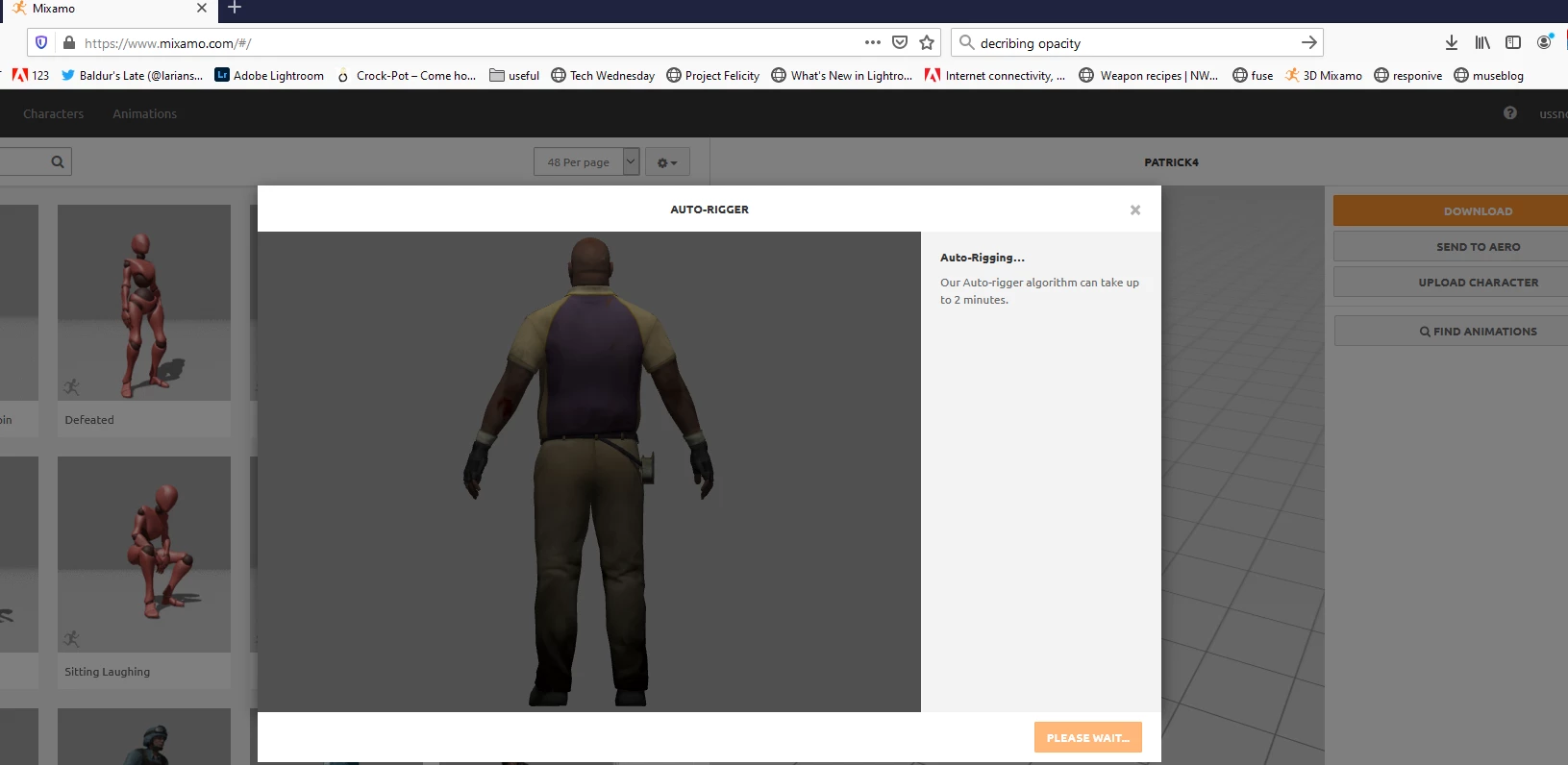
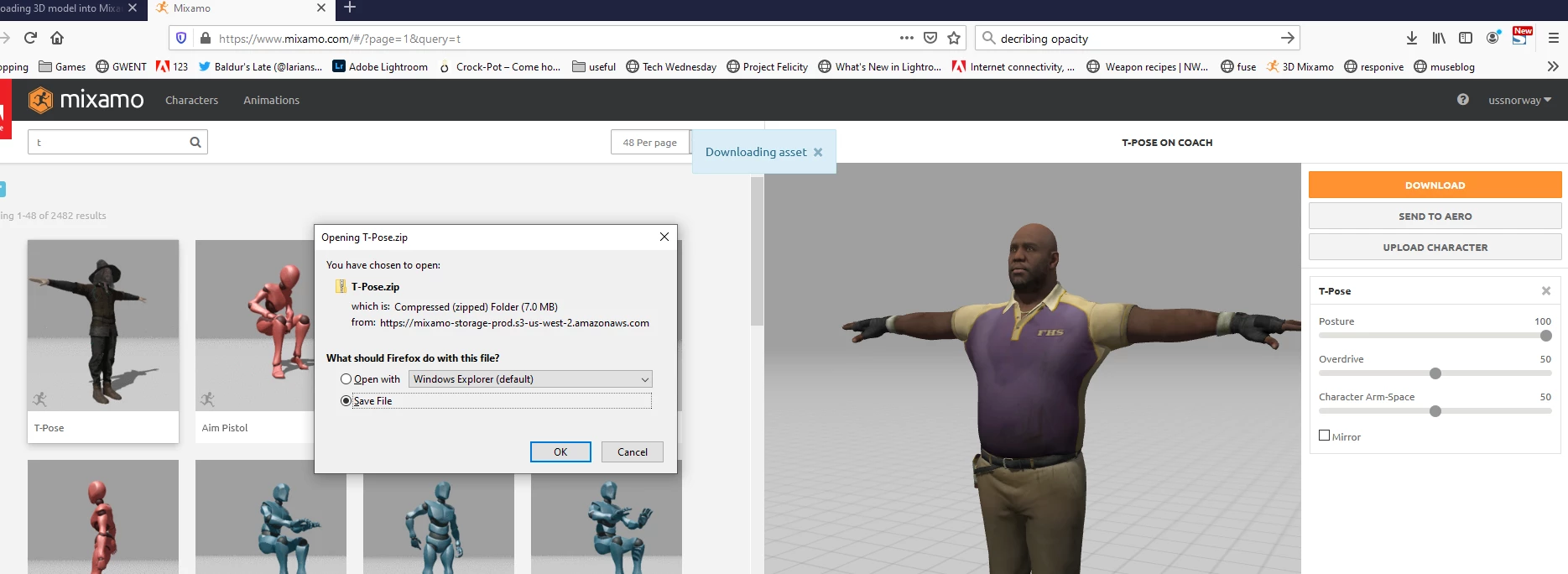
The upload worked perfectly as far as I can tell but not with the textures (these are included in zip).

I tried to export from Photoshop but it didn't work and Blender is very complicated for a noob like myself. In PS I could see the textures properly mapped.

I've searched 3 hours of youtube videos but none provided any answer.

Any help would be greatly appreciated.

Cheers

John
 

Correct answer Ussnorway7605025

the steps you need are;

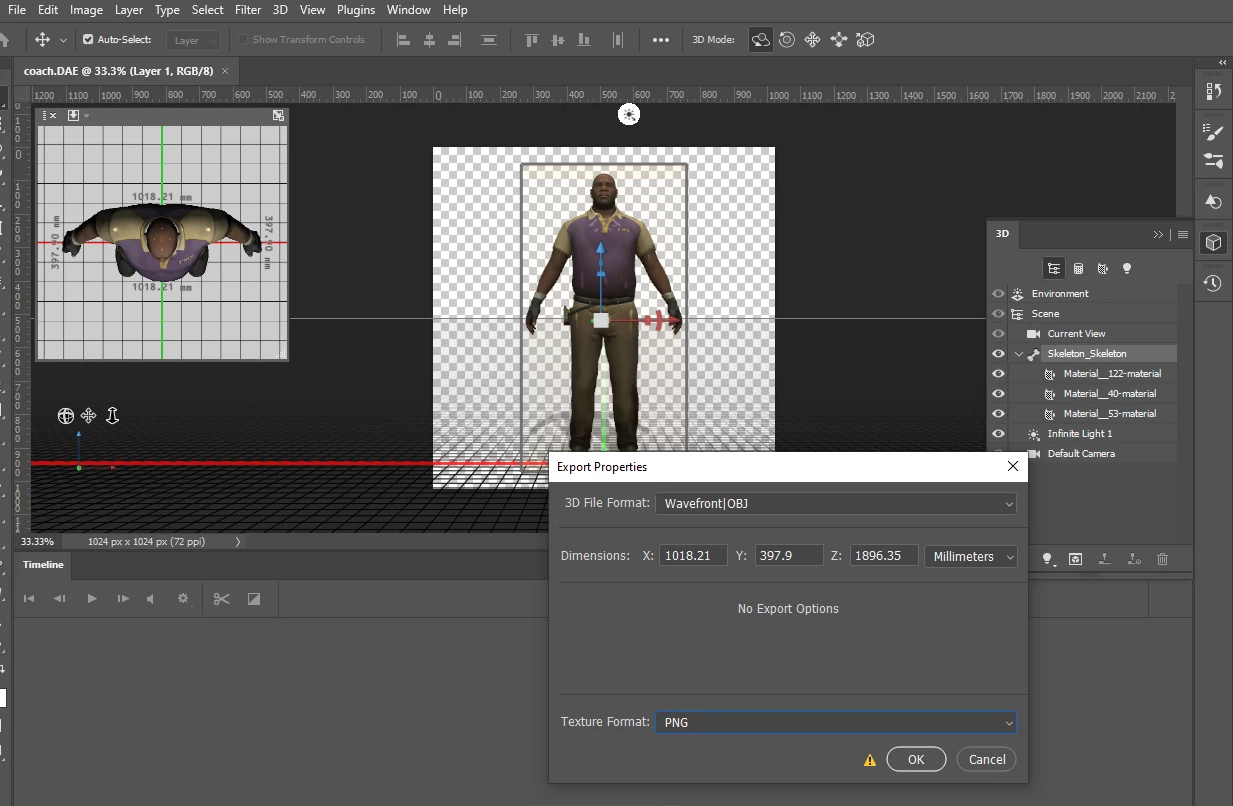
  1. load dae model into Photoshop with all textures
  2. export as wavefront Obj with Png textures... not Jpg or default!
  3. zip all the files
  4. upload the zip and place your markers

if you still need help let me know mate

13 replies

Ussnorway7605025
Ussnorway7605025Correct answer
Legend
December 15, 2020

the steps you need are;

  1. load dae model into Photoshop with all textures
  2. export as wavefront Obj with Png textures... not Jpg or default!
  3. zip all the files
  4. upload the zip and place your markers

if you still need help let me know mate

john5E9FAuthor
Known Participant
December 15, 2020

Hi and thanks so much! I'll try this tomorrow night. I'm beat. Going to bed.

I came back because I found a solution using blender.

I imported the .dae file because blender didn't seem to recognize the fbx file.

The I exported the .dae file from Blender with these options.

Again, really appreciate your help. I think your colors, for some reason, are closer to the orginal than mine. Or my eyes are just tired. 🙂

Thanks to both of you. Stay healthy. Stay safe. Happy Holidays.


john5E9FAuthor
Known Participant
December 15, 2020

Not sure if i can edit previous post (hitting more does nothing in Firefox) so just wanted to add a few comments that might not be clear if another noob like myself wants to try the blender route.

I exported in FBX format (one of the 2 Mixamo formats) because it was simpler than the OBJ route which potentially could have caused problems due to incorrect paths in the .mtl file and i was too tired to experiment.

Also in the screenshot, for those new to Blender like myself, the little box on the right is to embed the textures.

I had a lara croft model which also worked but this time the textures weren't all faithful. legs and face were red.

So I will try the photoshop method tomorrow and report back.

🙂

filmwomyn
Participating Frequently
December 14, 2020

I had this same issue before as well with the textures not coming into Mixamo....
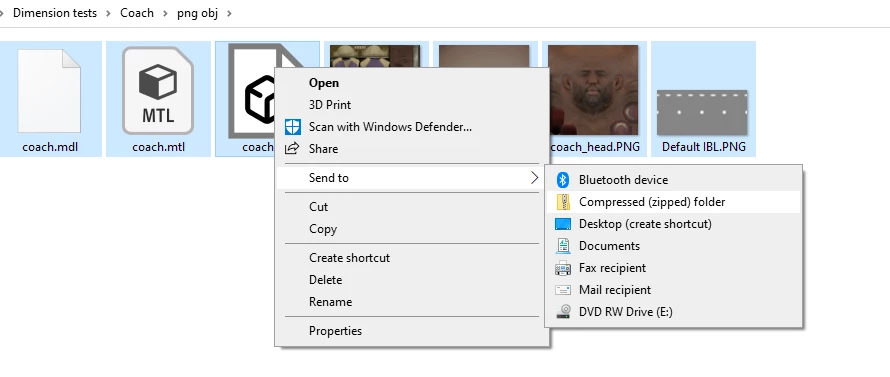
To get the textures to go, you need to create a ZIP file of the OBJ AND the textures  0 save it to the same folder.


Here's what I did on a Surface Studio which is Windows....I'm not sure what you need to do on a Mac,,,,
1. Choose the folder you'd like to zip.
2. Right-click the folder, point to Send to, and then click Compressed folder(zipped).
3. A new zipped folder will appear.
4. Upload that ZIPPED folder to Mixamo.
5. Animate, and export.


Then, you can bring that into Photoshop. You can keep the animation you have on it, and replace the background OR, you can click on its head and all of the other animation options still come up.

john5E9FAuthor
Known Participant
December 14, 2020

Hi and thanks for the suggestions.

Unfortunately the model i linked to is not in OBJ format.

I have tried several conversions from the fbx into obj, adding the textures, zipping, uploading.

The textures never appear.

Cheers

John

filmwomyn
Participating Frequently
December 15, 2020

Have you tried to take it into Photoshop and then replace the textures?

I just unzipped your file and did a replace color in the Materials Properties panel and it filled in his head.

Participant
December 14, 2020

goooood

john5E9FAuthor
Known Participant
December 14, 2020

LOL. Is that your suggestion?

🙂