geekformante
Participant
Dec 22, 2023 5:24 PM UTC
Answered

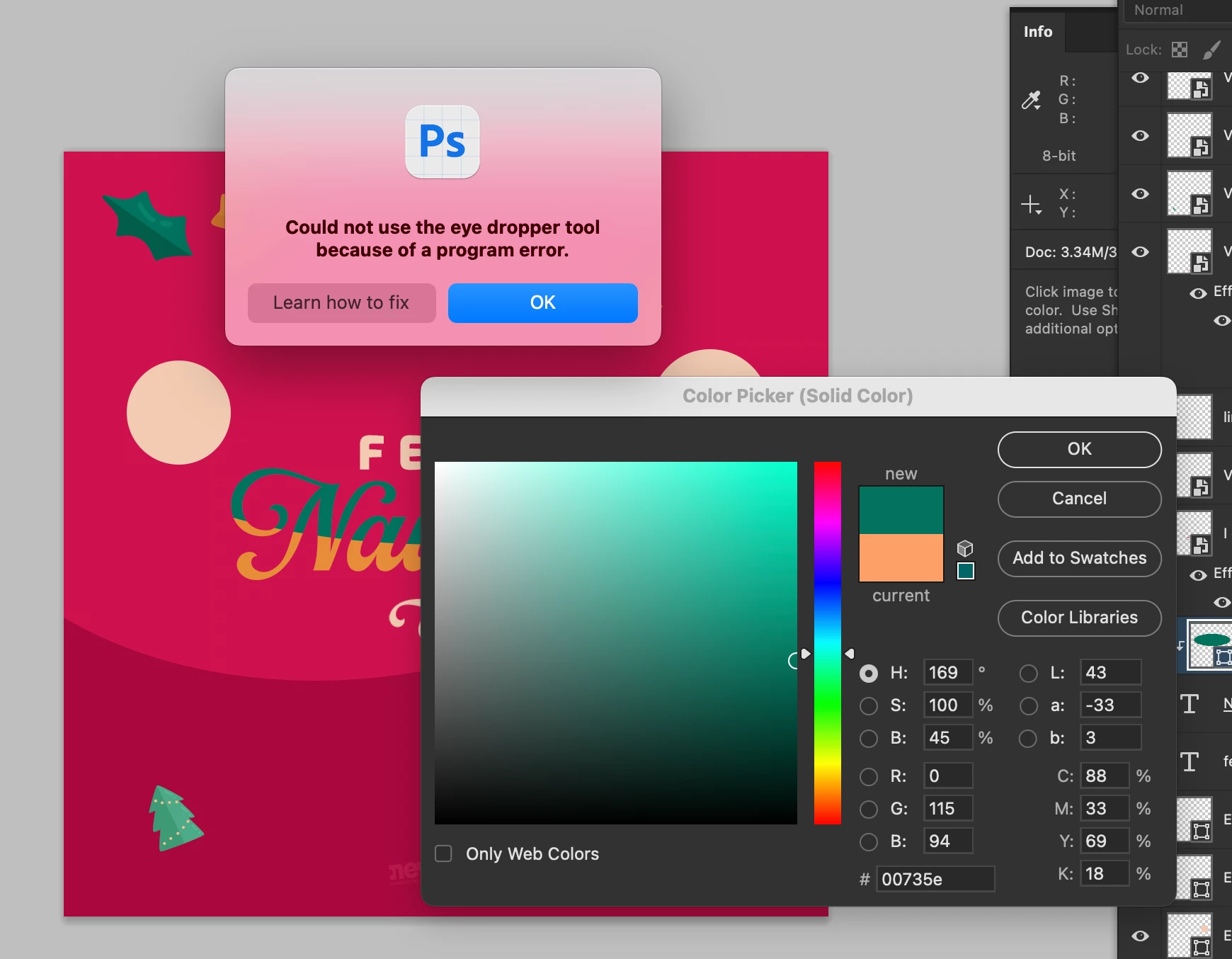
Eye dropper error: Could not use the eye dropper tool because of a program error

Hi.


Does anyone know how to fix this error? I can't pick colors from with the eye dropper. I have the most recent versión of Photoshop Beta: 25.4.0


I tried reseting preferences, erase them, hidding layers, etc.


Here is a capture of the problem:


Ged_Traynor
Ged_TraynorCorrect answer
Community Expert
Feb 5, 2024 10:05 AM UTC

140 replies

Participant
Mar 27, 2024 8:12 AM UTC

I got same problem but changing the options in the "sample"window (when eyedroper tool is activated) unblocked the eyedroper tool 🙂 try this.

Translate
Participant
Mar 27, 2024 8:19 AM UTC

I am on Photoshop 24.4.0 and when "ALL Layers no adjustment" is selected eyedroppertool is working correctly. 

Translate
Participant
Mar 5, 2024 10:34 AM UTC

I also have this problem, it is very annoying. Please fix the bug Adobe! My work efficiency is reduced because of this program error.

Translate
Participant
Feb 26, 2024 5:24 PM UTC

Same error. Please fix, Adobe!

Translate
Participant
Feb 24, 2024 3:23 AM UTC

25.5 didn't seem to do the trick for me. It's still doing the same issue.

Translate
Bando
Known Participant
Feb 23, 2024 10:57 PM UTC

This problem is fixed on version 25.5, but now the slow cursor problem is back in the Liquify tool.  I'll go look for that thread. 

Translate
Participant
Feb 23, 2024 3:57 AM UTC

i just updated to PS V25.5 to fix that problem. ❤️

Translate
Bixxy
Known Participant
Feb 22, 2024 2:23 PM UTC

Seems fixed now for me

Translate
imagine Studios
Participating Frequently
Feb 22, 2024 8:11 PM UTC

Did you update to the latest version? There's an update now but I haven't updated yet

Translate
Amartoni
Participating Frequently
Feb 22, 2024 8:22 PM UTC

Yes, problem solved in this update: 25.5.

Translate
Participating Frequently
Feb 21, 2024 3:15 PM UTC

same error 

i unistall photoshop & install again no thing change

Translate
Participant
Feb 21, 2024 7:00 AM UTC

I've been getting the same error

Photoshop version 25.4.0

OS version: Sonoma 14.2.1


Translate
Participant
Feb 21, 2024 6:19 AM UTC

Just adding my voice to this. I finally gave in to subscription and upgraded from CS6 and there's issues with such a common tool?!

Translate