Participant
September 25, 2025

P: Generative Fill with Nano Banana / Flux fails / “We have encountered an issue” error

  • September 25, 2025
  • 返信数 29.
  • 8212 ビュー

Hello,

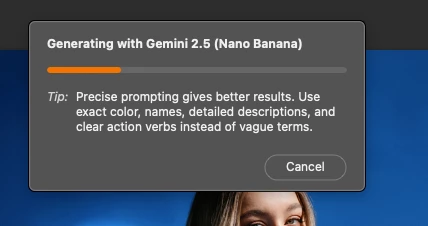
I’ve been testing the new Nano Banana (Gemini 2.5 Flash Image) and Flux models in Photoshop Beta, but unfortunately, they aren’t working for me. Every time I try to generate with them, Photoshop gives the error “We have encountered an issue and cannot complete your request at this time. Please try again.” Other models seem to work fine, but the two new ones consistently fail.


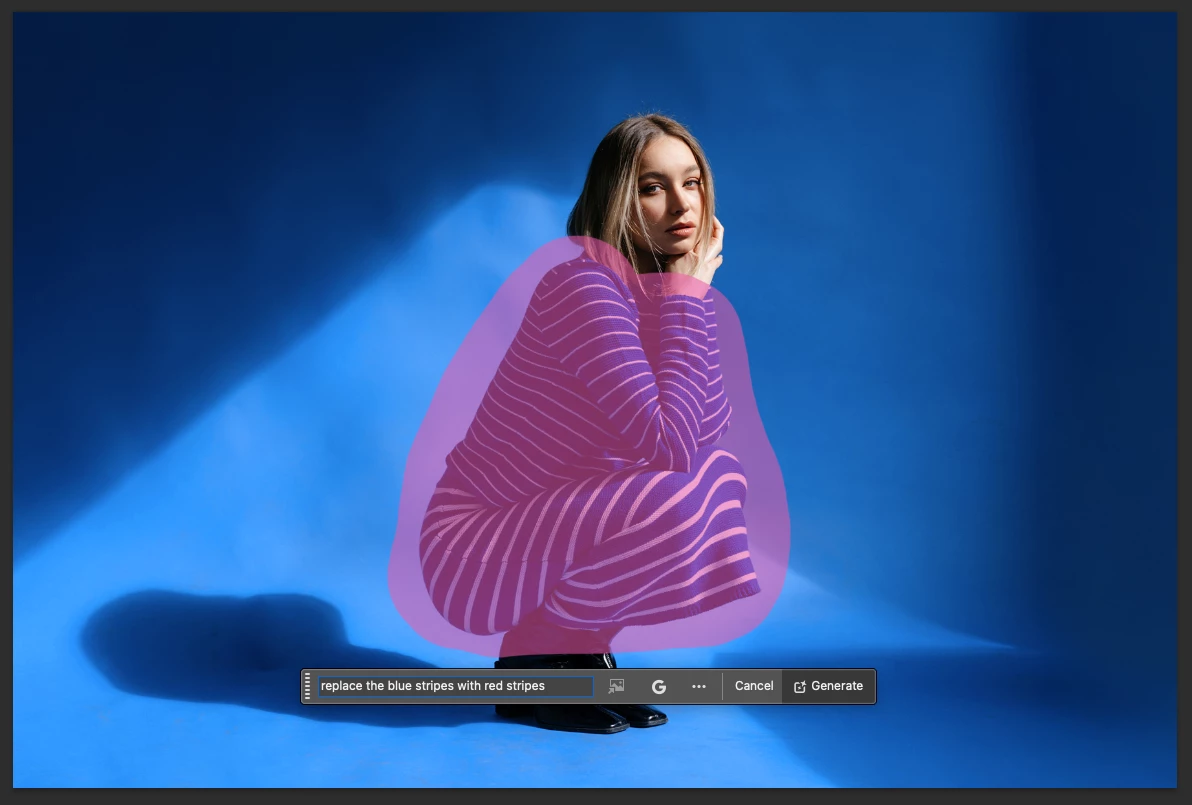
I’m on a MacBook Air M2 running macOS 26 (latest public release), and using the latest Photoshop Beta build. I’ve attached screenshots showing the issue.


1. Version & environment


  • Photoshop Beta version: 27.0.0 (latest beta release)

  • Machine: MacBook Air M2

  • macOS version: macOS 26.0 (latest public release)


2. Steps to reproduce

  1. Open Photoshop Beta
  2. Import or open an image
  3. Make a selection (e.g. using the selection brush)
  4. Invoke Generative Fill
  5. Choose the model “Nano Banana / Gemini 2.5 Flash Image” or “Flux”
  6. Enter prompt (e.g. “replace blue stripes with red stripes”)
  7. Click Generate
  8. Observe error: “We have encountered an issue and cannot complete your request at this time. Please try again.”


3. Expected vs Actual result

  • Expected: The Generative Fill tool uses the selected model (Nano Banana or Flux) and returns image edits per prompt

  • Actual: Shows the generating progress bar but, then shows error message (“We have encountered an issue…”) and fails to generate anything


4. Additional notes

  • This happens every time

  • Firefly models work perfectly fine as they did before


6. Workarounds tried


  • Tried re-launching the app (does not help)

  • Tried on a different images & PSDs

  • Making sure I'm on the latest Photoshop Beta

  • Tried other selection types (lasso, brush, etc.)

返信数 29

Participant
November 8, 2025

I have premium features and it is not working for me.  Features is not the problem.


Participant
November 4, 2025

mine problem is if i choose flux or banana, the loading bar will disappear after few seconds. but if i choose firefly it is all good

Participant
November 3, 2025

The option to enable third-party AI models is missing from the Adobe admin console, as multiple users have reported here over the past week: https://community.adobe.com/t5/photoshop-beta-bugs/p-administrator-is-not-allowing-access-to-nanobanana/idi-p/15525778

Participant
October 30, 2025

I have the same issue 😞

CShubert
Community Manager
Community Manager
October 17, 2025

@Whispering_EuphoriaB82B please contact your IT Admin, they are able to turn on or allow third party model through a dashboard. If you are having issue with the results, please share with me directly your machine specs, your workflow and the prompts used and results and we can get them to the team to look into.  shubert@adobe.com


To get sysinfo: on the top of the menu bar, Help/System info and copy and paste all the text.


Thanks,

Cory - Photoshop Product Manager

Whispering_EuphoriaB82B
Known Participant
October 16, 2025

Hi Cory, 
We have an Enterprise plan with premium features as seen here:


*Updated to 27.0.1 and the issue persists. - Only Firefly complete generating.


Thanks,

T


CShubert
Community Manager
Community Manager
October 13, 2025

Hi all, please check your Adobe account to see if you have Standard features or Premium.. this could be your issue.

Thanks,

Cory - Photoshop Product Manager

Participant
October 9, 2025

Same here, even with 27.0.1 

Participant
October 8, 2025

I am getting this error when accessing google gemini on photoshop beta.

Your system administrator isn't allowing access to this feature right now. please contact them for more information.

Whispering_EuphoriaB82B
Known Participant
October 5, 2025

Hi, same issue - 

Generative fill with flux/gemini still not working/not resulting in anything.

Used same prompt + same selection area for flux, gemini and firefly. 

First two models stop after around 15%, without a message or error. Firefly works normal.

Working on Windows/Photoshop Beta 27.0.0/ "Adobe for Enterprise Plan"/Adobe account with 4000 credits left.


Process:

1. draw selection

2. write prompt: "add christmas hat"
3. choose model [flux/gemini/firefly]

4. generate.


Thanks,
T.