Copy link to clipboard
Copied
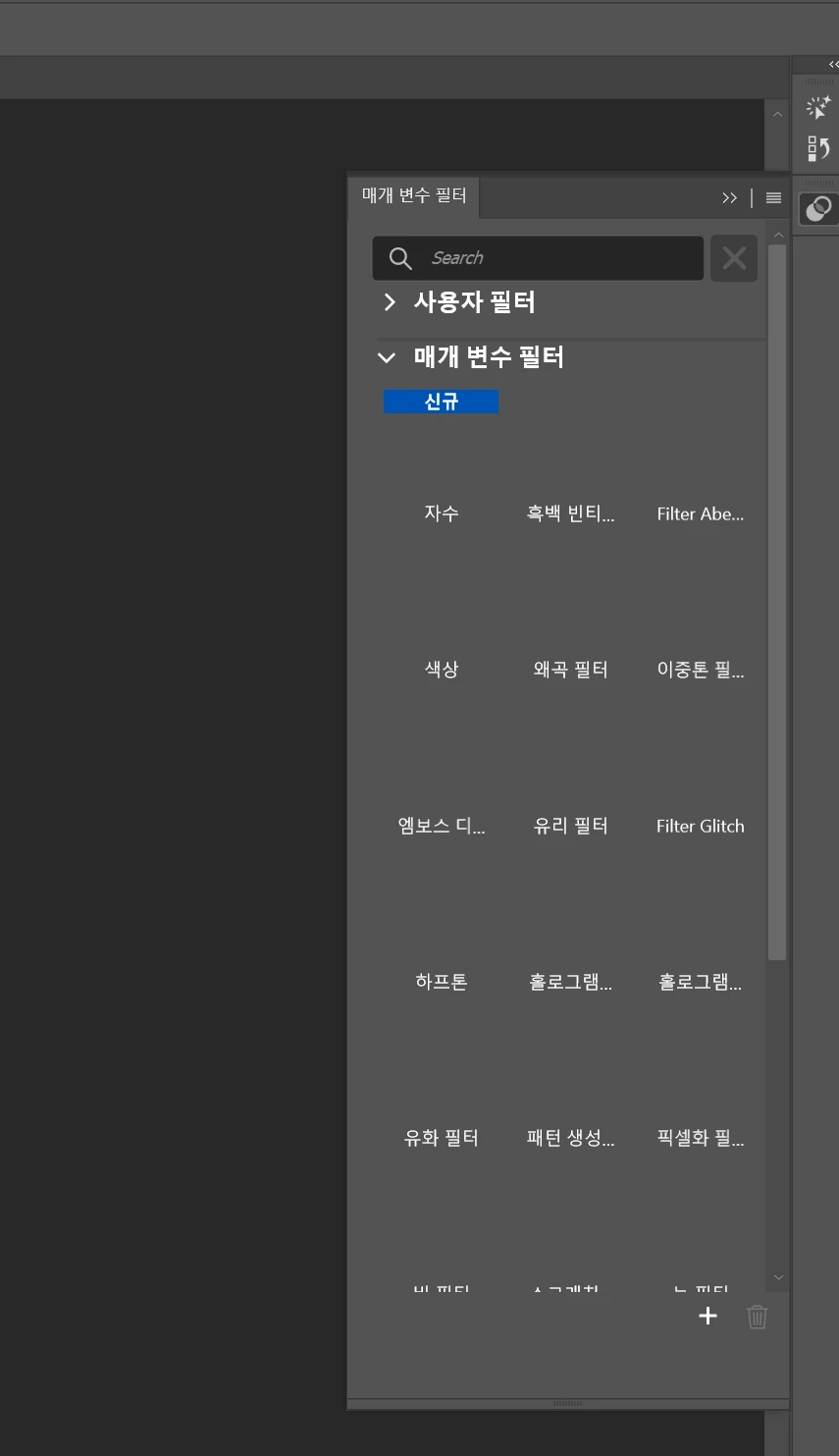
그래픽 드라이버 재설치 및 포토샵 환경 설정 초기화도 해보고 앱도 재설치 해봤는데 안 떠요. 저기서 이미지도 안 뜨고 그냥 클릭도 안돼요

Copy link to clipboard
Copied
Hey, @authentic_sincerity5FC8. Welcome to the Photoshop Community. I'll need more info to help you figure this out.
Please share a video of the issue and the system info from Photoshop Help > System info > Copy and paste into a text document > Upload and attach here.
Does it behave as mentioned after a specific set of steps? What troubleshooting steps have you tried already?
Is this a personal machine or an IT-managed machine? Some untested methods allow access to the Parametric filters (beta); however, they are officially only available in Photoshop Beta.
Waiting to hear from you. Thanks!
(Type '@' and type my name to mention me when you reply)
Copy link to clipboard
Copied
Hello. As you can see in the picture, the Parametric Filters in the Photoshop beta version are not appearing completely and cannot be selected. I have tried several things to solve this problem:
I have tried reinstalling the graphics driver.
I used the Adobe Cleaner tool to completely uninstall and then reinstall it.
However, I still could not solve the issue. I am using a personal computer with Windows. help me........:(((
Copy link to clipboard
Copied
Hey, @authentic_sincerity5FC8. Thanks for the updates. I'll move your post to PS beta forums. For now, please confirm if you see the issue in the current versions of Photoshop Beta.
Thanks!
Sameer K
(Type '@' and type my name to mention me when you reply)
Find more inspiration, events, and resources on the new Adobe Community
Explore Now