




Actions updates: New UI, Search and Suggestions AVAILABLE NOW
Hi folks!
We're excited to release the first steps of the newly improved Actions panel for you to work with.
You can access the Actions panel through Window > Actions.
The improved Actions panel, available now in Photoshop beta, is equipped with thousands of new possibilities to assist you with making easy edits to your images.
Look for these new changes to the Actions panel!
- New UI! (with more to come!)
- Hundreds of newly bundled actions
- Suggested and Featured actions
- Search
- Action previews
- More ways to Play or Apply an action
- Undo actions easier with "Single History State"
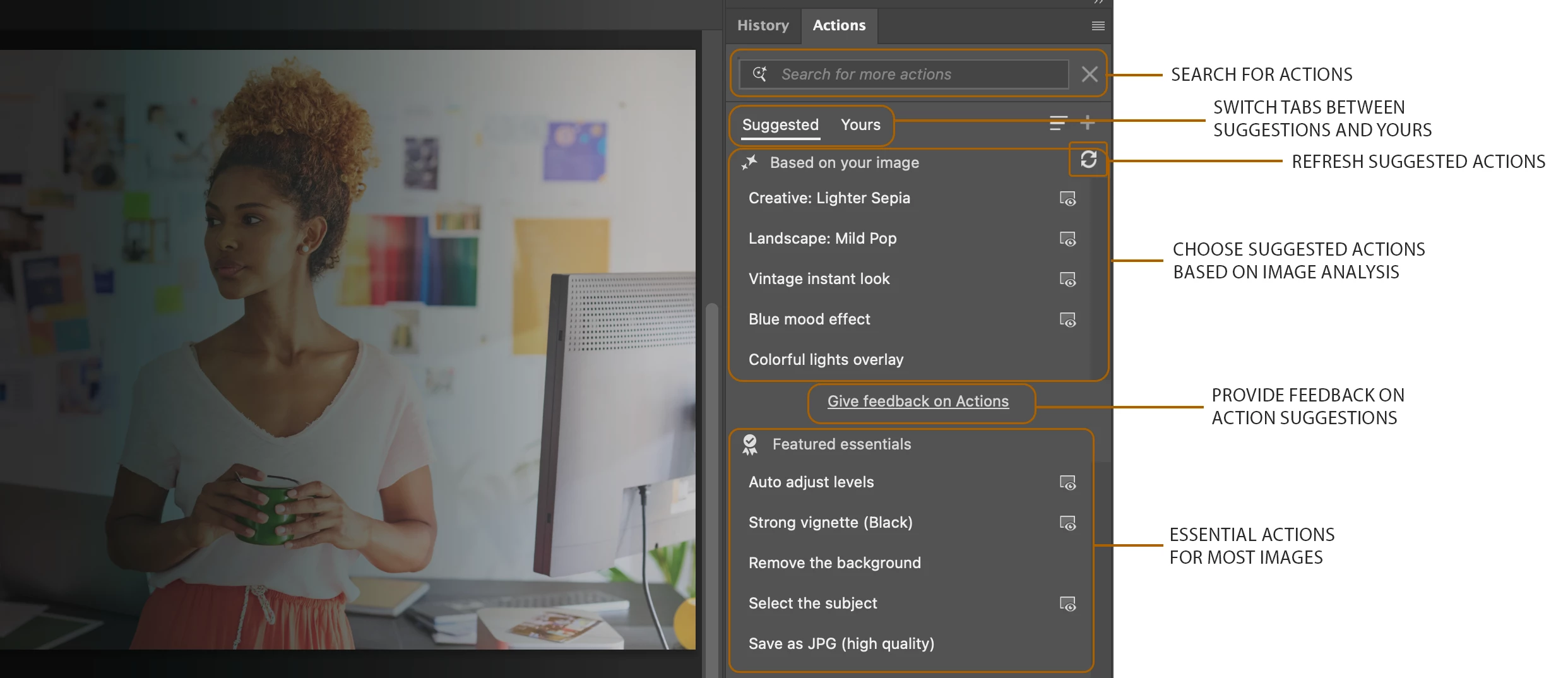
NEW ACTIONS UI
The Actions panel user interace and experience has been updated with the first of many updates. Currently, the focus is with Actions search, suggestions and playback. There will be more updates coming in the near future, so stay tuned!
SUGGESTED EDITS AND FEATURED ESSENTIALS
The Actions panel analyzes your image and suggests an initial 5 edits Based on your image.
Hover to preview or click to play one or more of the suggested edits.
To see more suggestions, click the refresh button next to Based on your image. After clicking refresh a third time, the image gets reanalyzed in its current state and offers new suggestions.
Featured Essentials contains a list of commonly performed actions that work with most images.
LIVE CANVAS PREVIEW
For most of the new actions, you're able to preview the effect on canvas before you play and commit changes to your document history. Look for the preview icon next to any listed action and mouse over the action in the list to see an on canvas preview. If you like the results you can click to play the action.
SEARCH
Use the search box at the top of the Actions panel to easily find any of the many new actions bundled with Photoshop or custom actions you have created or installed. You can search using natural language (i.e. "make it pop!") or by typing specific action names directly.
APPLY ON SUBJECT OR BACKGROUND
Use the 3 dot ellipses, or right click on an action, to view additional options for playing or applying an action such as only to the image's subject or background.
REVERT TO CLASSIC ACTIONS UI
While we work on create, edit, and detail views of actions, you can create new, edit, or import actions in the Classic Actions view. To switch to Classic view, use the Actions panel flyout menu and choose Classic Actions.
See Actions and the Actions panel to learn more.
HELP US IMPROVE ACTIONS! GIVE FEEDBACK!
Try the improved Actions panel and let us know how we can improve it by voting in the beta feedback panel and adding your comments right here in this thread!
 AdChoices