



Announcing full support for WebP in Photoshop beta
We are excited to announce that Photoshop beta now has full support for the WebP file format!
WebP files can now be opened, created, edited and saved in Photoshop beta without the need for a plug-in or preference setting. To open a WebP file, simply select and open the file in the same manner you would any other supported file or document.
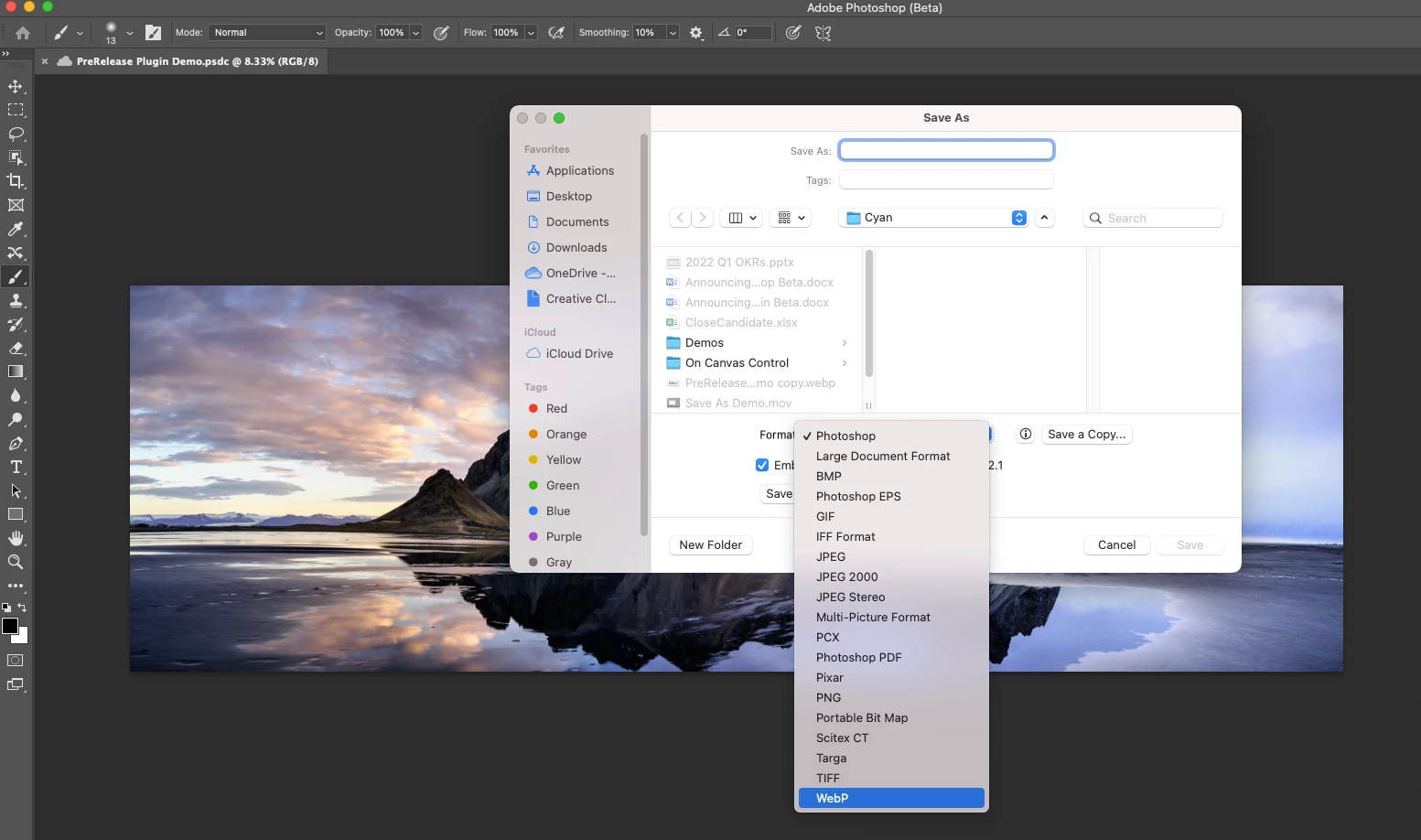
In addition to open capabilities, you can now create, edit and save WebP files! This functionality is supported by Save As and Save a Copy, so once you are done editing your document, open Save As or Save a Copy and select WebP from the options provided in the file format dop-down menu.
Note that Save As only works for supported documents of certain file formats, so if you’re not seeing WebP as an option in Save As, you can always use Save a Copy. To learn more about WebP, check out our earlier announcement here.
We look forward to hearing your feedback as you try out the new WebP functionality. Please share any ways we can improve this experience!
 AdChoices