Pete.Green
Community Manager
Community Manager
August 4, 2025
Question

August updates to the new Actions panel

  • August 4, 2025
  • 1 reply
  • 419 views

Hi everyone,

We're happy to let you know that the latest Photoshop beta includes progress made in new Actions panel experience and new features have been added, you can now:

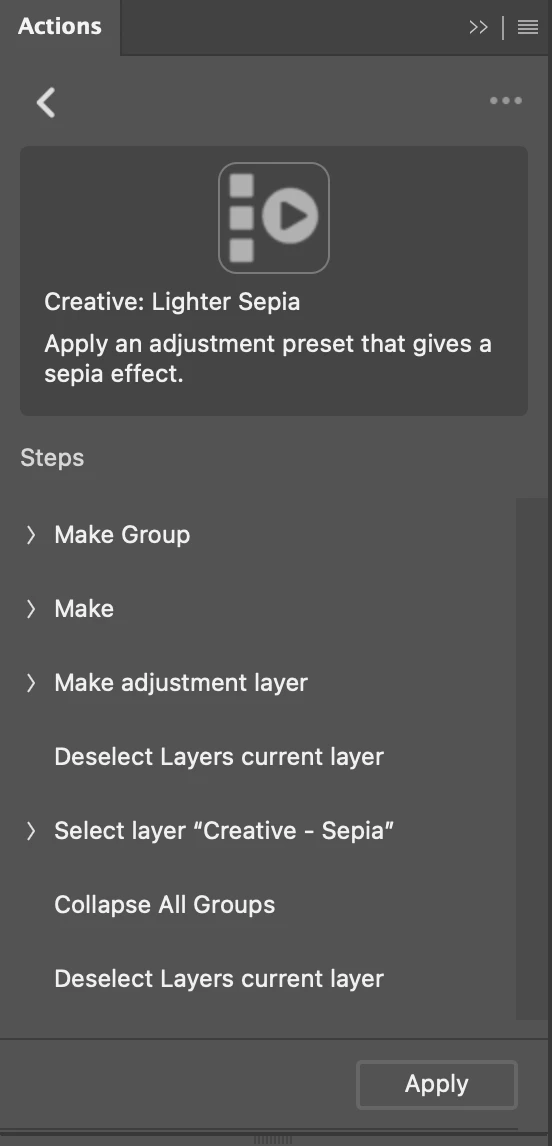
  • Click the Gear icon to view the steps, step details, and descriptions of actions

  • Easily undo actions after they've been played

  • Double-click to rename folders in list view
  • Duplicate and delete actions via the right click context menu
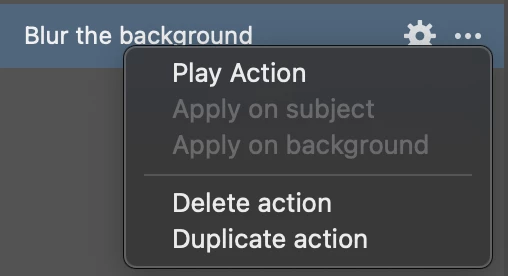
  • Right click on groups to delete or duplicate them
  • Import and export actions via the panel flyout menu
    • Access "Playback options" in new Actions panel flyout menu
  • Drag and drop actions in list view to organize them


Please give these new experiences a try and let us know your feedback and if you run into any odd behaviors!


We have more work to do and will continue to iterate and imrprove the new Actions panel experience.

Thank you!


Warm regards,
The Photoshop team


To see what else has been added to the new Actions experience see the previous post, Actions updates: New UI, Search and Suggestions

1 reply

Known Participant
August 14, 2025

Nice, You can create your own action in the classic Actions panel — record it, save it as an .ATN file, and then import it into the new Actions panel in Photoshop Beta.

Pete.Green
Community Manager
Community Manager
August 14, 2025

That's right @Piotr Gardecki ! Worth noting too that any actions that are listed in the Classic Actions panel will also be listed in the new Actions panel in the "Yours" tab. 


We're working on adding the ability to Edit existing and Create new actions within the new Actions designs, and

we'll be iterating on this throughout the year.  So stay tuned for that!


Regards,

Pete

Known Participant
August 14, 2025

Hi Pete!
I’ve been experimenting with Photoshop’s History Log feature and had an idea I’d love to get your thoughts on. 
I enabled the option to save a detailed history log as a text file (via Preferences → File Handling → Save History Log → Text File


Is there a way to convert this History Log into a Photoshop Action? I’m curious if anyone has tried a semi-automated approach—maybe using scripting.