

Copy link to clipboard
Copied
We’re excited to share a new feature now available in Photoshop beta and would love to get your feedback on it.
It’s called Live Gradients.
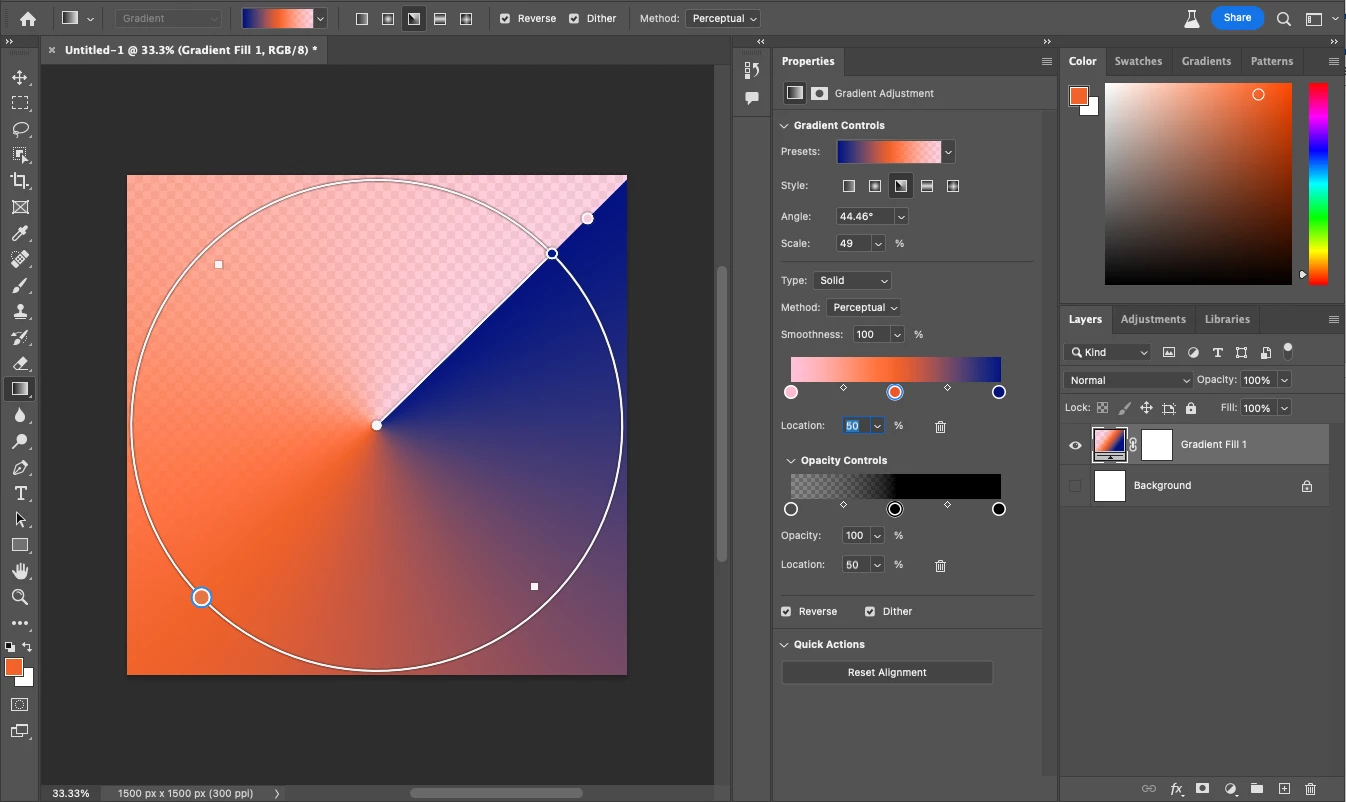
It allows to easily draw, preview, and modify beautiful gradients with an updated gradient tool.
Here’s where you can learn more about Live Gradients.
Please try it out, and let us know any feedback you have right here in this thread!
Copy link to clipboard
Copied
Hi - I have tried Live Gradients in the beta version and ~I think it is a great new feature. BUT, I would like it a lot more if it could be used on masks. I tried to do this, and the drop down option just grays out. Any chance you can add this feature please?
Thanks.
Copy link to clipboard
Copied
Hello @hinddj , thanks for your feedback!. It's in our future plans to enable it for masks.
Right now when you click on the mask, it will switch the tool to work in legacy gradient mode so that you don't need to be thinking about what tool you are using.
Copy link to clipboard
Copied
Copy link to clipboard
Copied
Thank you for the example. I'll make sure we test this case.
Copy link to clipboard
Copied
Hi - is there any update on allowing Live Gradients on Masks please? Thanks. David.
Copy link to clipboard
Copied
in the new live gradient tool, Can wePLEASE have the optiont to be able to transform the circle itself
so it can be oval too not just a perfect circle !
that would be lovely and will speed up so many things in painting larger areas !
and I'm sure other design purposes too
Thank you ! I hope to see this get attention and votes ^^
Copy link to clipboard
Copied
Copy link to clipboard
Copied
Hello @Somaya Alshehri , @hinddj we are actively working on gradients on Mask. At this moment there isn't a date as to when it will be available to our public beta users.
Copy link to clipboard
Copied
Just been editing an image in PS and was delighted to see you appear to have now added this in, so thanks so much, Not sure you have finished yet, but my initial impressions are great.
Copy link to clipboard
Copied
I meant that the Live Gradients on Masks is now a feature in the latest PS Beta release, rather than the Oval feature - which I haven't found yet, but agree would be good. I have been using the Live Gradients feature on a Mask - how do I "turn off" the gradient / remove it if I am not happy with my chosen gradient? Pressing Esc might be nice perhaps.
Copy link to clipboard
Copied
Hi Adobe Creators,
Gradient masking in Photoshop is THE most powerful tool! I have used it for pretty much everything for over 20 years. While testing out the new Beta version, I was super upset to find that feature is no longer working. When entering mask mode, the gradient is pushed onto its own layer and can't be used for a selection at all (not cool). Please be sure this is corrected before this version is released. I will not be able to function without it.
Thanks so much!
Renee
Copy link to clipboard
Copied
Hi @Renee5FBD sorry you are see this. Curious if you have tried changing back to "classic" mode to get the old workflows? In an upcoming release, masks will have the gradient widget funcionality.
Thank you,
Cory
Copy link to clipboard
Copied
Hi @Renee5FBD,
Using the new gradients now works on mask layers! Try it out and let us know how it goes for you!
Copy link to clipboard
Copied
Copy link to clipboard
Copied
Nice to see a feature that was available in Fireworks when Adobe bought Macromedia finally make it into Photoshop... I've really missed this ease of use/functionality.
Copy link to clipboard
Copied
Now that the Gradient Tool auto switches for Quick Mask Mode and Layer Masks, Channels/Alpha Channels should also auto switch so one doesn't have to switch to Classic gradient.
Copy link to clipboard
Copied
In the Properties Panel for the gradient tool there is no Fit to Document or Align with layer options as there is in the Gradient Fill Adjustment Layer dialog.
Get ready! An upgraded Adobe Community experience is coming in January.
Learn more